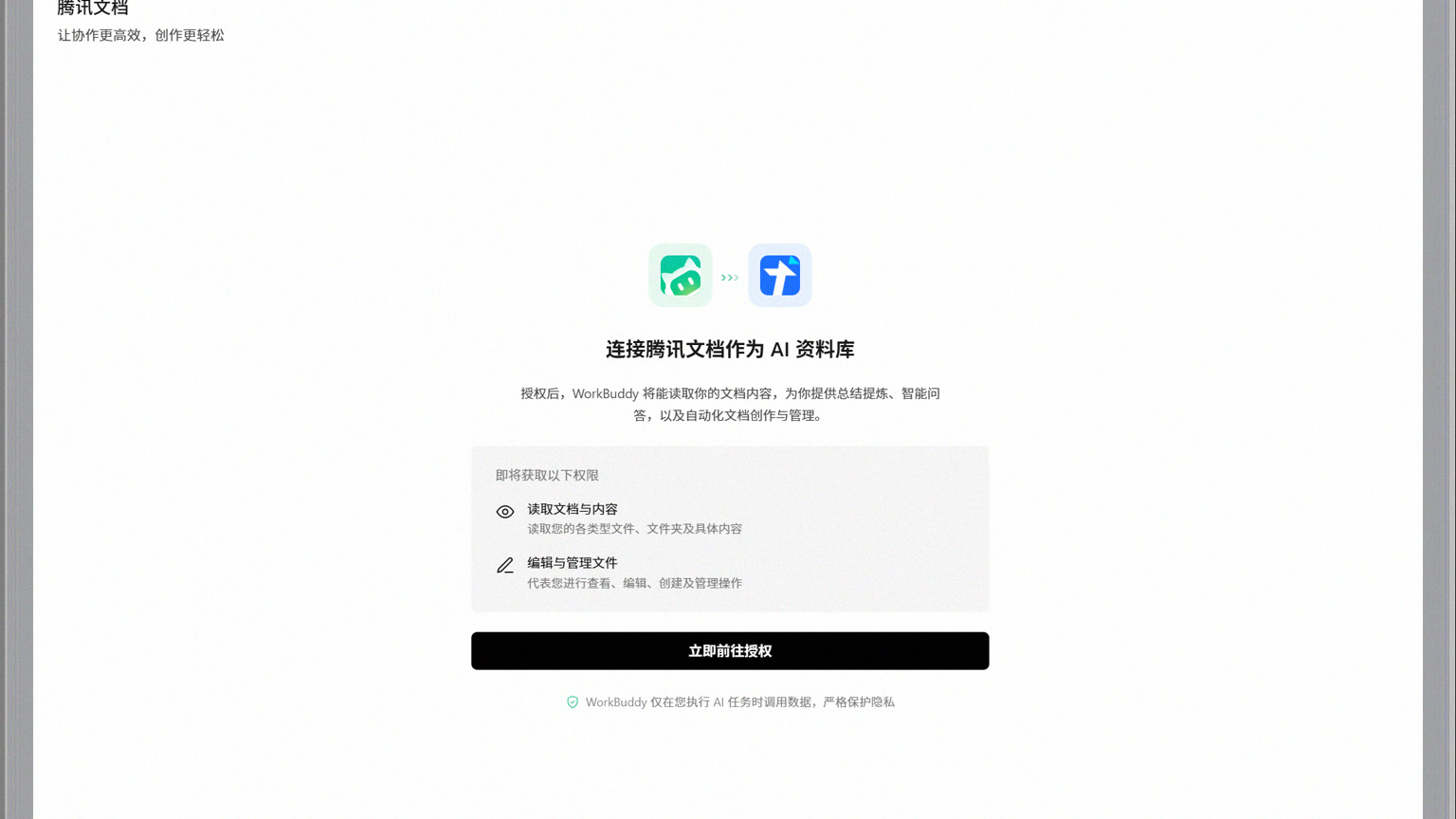
WorkBuddy can connect Tencent Docs as a library, search for information by keyword or semantic search, and then add specified documents to the current task; Newly generated documents can also be sent back to Tencent Docs. To connect, you need to log in via WeChat or QQ QR code scan, and authorize reading and editing management permissions. If you only authorize reading, search may work fine, but uploading, creating, or writing will fail.
Proper connection only requires four steps
- Open the WorkBuddy database and select Connect to Tencent Docs.
- Use WeChat or QQ, which have the target document permissions, to scan the code to log in.
- Check the authorization scope and confirm that document content is allowed; When writing back, editing and managing the file must also be allowed.
- After connecting, search with a clear file name or keyword, add the target document to the task, and then execute the summary or generation.
Currently, the database supports Tencent Docs online files, as well as Word, Excel, PPT, and PDF files uploaded to Tencent Docs that can be opened by it. Search is divided into semantic search and keyword search: using keywords first for faster content when remembering titles; semantic search for only vague points, then checking document owner, update time, and body fragments to avoid citing older versions with the same name.
You can find it but can't use it—focus on checking permissions
| Problem | Key points of inspection |
|---|---|
| No documentation was found at all | Check if the scanning account has access rights and whether the document is in the correct space |
| Can be searched but not read | Check whether the original document permissions have been revoked and whether the authorization has expired |
| You can summarize but not write back | Whether permission is granted for editing and managing files |
| Always quoting the old version | Check whether documents with the same name were selected, and whether the update time is correct |
When company documents are managed by another account or team space, do not change them to public links for convenience. Have administrators add the currently authorized account to the document or directory, then disconnect the old connection and reauthorize. Before switching to a QR code account, first confirm that the current task no longer depends on the old database.
Citations and retweets should leave verifiable clues
Specify the document name, time range, chapters to reference, and output location for tasks. For example: "Search the Q3 2026 requirements review in the product database, list confirmed features and responsible persons, generate a new document and upload it to Tencent Docs, without modifying the original meeting minutes." After the results are generated, check the source title, update time, key numbers, and the rewrite directory; When collaborating with multiple people, have the person in charge review before sharing. After the task ends, you can disconnect in the database settings to stop subsequent calls, but disconnecting does not replace Tencent Docs' own member and sharing permission management.