
Latest AI News: The World Artificial Intelligence Conference opens, with 29 countries preparing to establish AI cooperation organizations
24-hour AI News Snapshot: Kimi K3 resets the scale of open-source models, intensifying global AI gov
Goless is a no-code browser automation tool designed to automate web operations, data scraping, and form workflows. Its core capabilities include visually scraping web page data and exporting JSON or CSV, writing results to Google Sheets, autofilling web forms, and setting triggers, making it suitable for operations, sales, market research, testing, and non-technical teams in web scraping, form filling, spreadsheet linkage, and browser task automation. It operates through a browser extension, making it suitable for handling repetitive tasks that need to be performed in a real web environment. This type of tool is more suitable for making existing tasks clearer and more controllable, rather than replacing human judgment; When it comes to important research, customer communications, health records, study assignments, or official releases, users still need to check the results, confirm the source, and use it in conjunction with their own business rules.
Goless is aimed at operations, sales, market research, testing, and non-technical teams, focusing on time-consuming repetitive web operations and high barriers to handwritten scripting. Instead of a generic AI chat portal, it organizes features around browser extensions, visual processes, and web task automation, making it suitable for handling explicit, repetitive, or quick-filtered information tasks in your daily work.
The value of Goless is first and foremost reflected in its specific functions. Users can build workflows around web scraping, form filling, spreadsheet integration, and browser task automation, centralizing previously fragmented operations into a single tool. For those who need to handle the same kind of tasks stably, it can reduce invalid searches and duplications, but the final result still needs to be reviewed according to the actual goal.
It can be used for lead collection, web page data organization, background form entry, test process reproduction, and small-scale data organization. When using it, it is recommended to prepare clear inputs, such as keywords, documents, titles, audio recordings, customer portraits or material requirements, and then filter and modify according to the output results. This makes it easier to make the tool serve a specific task, rather than getting a seemingly complete but difficult piece of content.
Best for people who don't want to write crawler scripts but often deal with web page tasks. If your needs are only occasional attempts, free credits or trials are usually enough to judge the direction; If you want to be included in team processes for a long time, you need to focus on price, permissions, data boundaries, and results proofreading responsibilities.
Target website permissions, captchas, access rules, and data usage compliance affect the scope of availability. AI or automation capabilities can reduce startup costs, but they cannot guarantee that every output is completely accurate. Before official use, it is recommended to check facts, figures, terminology, copyright, privacy and platform rules, especially those involving customers, students, health, legal, financial, or publicly disseminated content.
Does Goless need to write code? **
Mainly not. It offers visual flows and browser extensions for non-technical users to build common web automation tasks.
Can it crawl any website? **
It cannot be understood this way. Crawling depends on site structure, account permissions, access rules, and data compliance requirements.
What role does ChatGPT play in the process? **
It can be used to generate responses, organize scrape results, classify text, or populate form content, but the output still needs to be checked by task objective.

ChatGPT Atlas is an AI browser product for macOS. It embeds ChatGPT into any web page in the form of a sidebar, providing instant answers, web page summary, data analysis and product comparison. Users can select text to rewrite, polish and translate with one click, use intelligent agents to complete complex tasks such as retrieval, form filling and shopping, and achieve continuous collaboration through controllable browsing memory. ChatGPT Atlas supports both text, image, video and news searches. It has built-in multiple tabs, bookmarks and auto-completion, and can customize the appearance and preferences. In terms of privacy, users can fine-tune visible sites, clear history, enable traceless mode and manage browsing memory to ensure security and controllability.

Zuni is a Chrome sidebar AI workspace and Gmail assistant aimed at browser office users, Gmail users, and knowledge workers. Its value is not that it does everything for users at once, but that it provides actionable assistance around using AI chat, summarization, and drafting on web pages and emails: users can talk to tabs or emails, draft Gmail replies and manage tasks, and then follow up with their own business judgment. When choosing such a tool, you need to pay attention to browser permissions, email privacy, and reply moderation, especially when it comes to accounts, customer profiles, contracts, courses, audio, video, or code output. Its visibility capabilities include AI workspace, Gmail drafting, and chat with tabs, making it better suited for browser workflow assistance.

YourAIScroll is an AI chat history export and management tool aimed at AI-heavy users, researchers, and knowledge organizers for exporting and managing conversation history across multiple AI platforms. It's suitable for those who already have clear tasks, assets, or business processes to centralize AI chat history export, Grok, Gemini, and Claude archives into a more performable workflow. When using it, you need to pay attention to account permissions, privacy data, and export formats, especially when it involves customer information, learning content, audio and video materials, business data, or public release, you should confirm authorization and manual review first. Overall, YourAIScroll is suitable as an auxiliary tool for exporting and managing conversation history across multiple AI platforms, rather than a substitute for the final judgment of professionals.
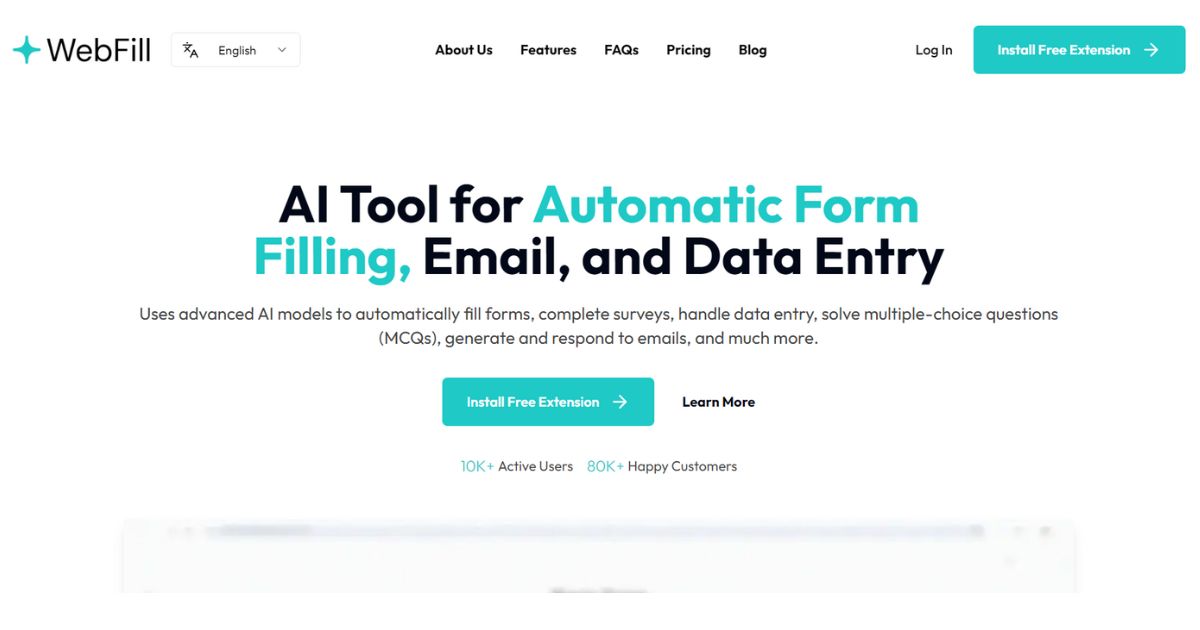
WebFill is an AI form-filling, email, and data entry extension aimed at salespeople, operations, and browser office users for automating form-filling, email-generating, and data entry. It's better for people who already have clear materials, scripts, customer communications, or business processes that centralize form filling, email generation, and data entry into a one-of-a-kind workflow that's easier to execute. When using it, you need to pay attention to form permissions, customer data, and pre-submission review, especially when it comes to customer information, voice information, image materials, web page data, or published content. Overall, WebFill is suitable as an aid for autofilling forms, generating emails, and handling data entry, rather than a complete replacement for the final judgment of editors, operations, R&D, or management.

WebCopilot is a web-based AI assistant and second brain tool aimed at knowledge workers, researchers, and web-heavy users for carrying AI notes and knowledge assistance on web pages. It's better for people who already have clear footage, scripts, customer communications, or business processes that combine page summarization, note saving, and browser assistance into a one, easier workflow. When using it, you need to pay attention to browser permissions, data privacy and fact-checking, especially when it involves customer information, character voices, image materials, web page data or published content, you should first confirm authorization and manual review. Overall, WebCopilot is suitable as an auxiliary tool for carrying AI notes and knowledge assistance on web pages, rather than a complete replacement for the final judgment of editors, operations, R&D, or managers.

Termo is an AI tool for users who need a clearer way to handle focused digital work. It can support creation, automation, analysis, learning, media production, development, research, customer operations, or document workflows depending on the product scope. Start with a small low-risk task, compare the result with your own standards, and keep human review for facts, permissions, privacy, brand voice, safety, and final delivery.

24-hour AI News Snapshot: Kimi K3 resets the scale of open-source models, intensifying global AI gov

Moonshot AI officially launched the Kimi K3 . This 2.8-trillion-parameter model provides 1 million t
24-hour AI News Summary: Global AI competition continues to heat up, with chips, models, security re

On July 9, 2026, Mistral announced in its official article "Your Prompts and Skills Need a System of

On July 9, 2026, Google Research released the wearable health foundational model SensorFM. It was pr

On July 9, 2026, OpenAI officially announced ChatGPT Work in its announcement "ChatGPT is now a part