1. Basic information
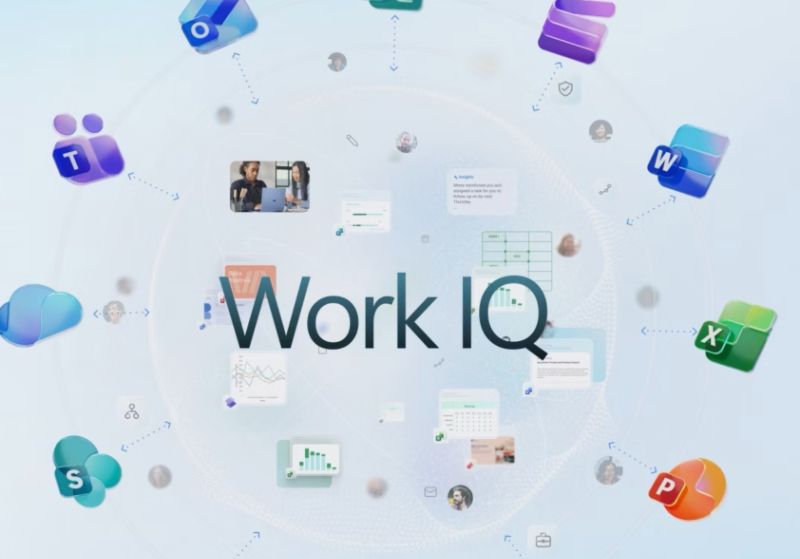
Microsoft 365 Copilot is an AI productivity product launched by Microsoft that integrates generative AI capabilities into Microsoft 365 apps and services for organizations and business users. Microsoft 365 Copilot uses dialogue and contextual understanding as the entrance to provide auxiliary capabilities such as writing, summarizing, analysis, presentation generation, and meeting collaboration in the office software that users use every day, helping users complete the closed loop from information acquisition to content output in the same workflow.
2. Product overview
The core idea of Microsoft 365 Copilot is to connect large language models with data within the organization and provide real-time recommendations and content generation in Microsoft 365 apps. It generates results based on the context of the user's work in scenarios such as documents, emails, calendars, chats, and meetings, while following the user's access rights within the organization to present and reference content only within the scope of the user's permission to view. In addition to the embedded experience, Microsoft 365 Copilot also provides work-oriented AI chat capabilities for asking, summarizing, and drafting across files and applications, and supports quickly finding files and continuing editing and creation in a unified portal.
3. Core functions
1. In-app intelligent assistance
Microsoft 365 Copilot provides in-place assistance capabilities across a wide range of Microsoft 365 apps, including document drafting and rewriting, key point extraction and long-form summarization, converting materials into presentation structures, analyzing and interpreting tabular data, generating meeting minutes and to-dos, and providing summaries and draft responses to emails and communications. It is characterized by the fact that result generation and editing occur in the user's original application interface, reducing the fragmentation caused by switching between different tools.
2. Copilot Chat and unified entrance
Microsoft 365 Copilot supports an enterprise-ready AI chat experience for conversational queries and content generation for work tasks, and provides access to frequently used apps and files in a single portal, enabling a continuous flow of search, authoring, and collaboration. For organizations, a unified portal also makes it easy to manage accounts, permissions, and user experiences within the same system.
3. Agents expansion and process automation
Microsoft 365 Copilot supports Agents-like extensions to accomplish more granular tasks around specific business processes and data sources, and can run in Microsoft 365 Copilot and select Microsoft 365 apps. Agents can be used to precipitate common processes into reusable intelligent work units, improving cross-team collaboration and task assignment efficiency. There may be differences in billing, capacity, and permission configurations when Agents are enabled by different organizations.
4. Data privacy and security
Microsoft 365 Copilot emphasizes enterprise-grade security and privacy protection for organizational scenarios. Its disclosure notes contain multiple layers of protection to block harmful content, identify protected material, and reduce the risk of attacks such as prompt injection. Microsoft 365 Copilot follows the existing permissions model when processing organizational data, rendering content only if the user has the appropriate viewing permissions, and enabling organizations to control access using permissions and sharing configurations in Microsoft 365. The terms and commitments related to enterprise data protection are based on Microsoft's commercial product terms and data protection clause system, and the corresponding data protection and compliance commitments apply to prompts and generated content.
5. Pricing and versions
Microsoft 365 Copilot is generally available as an add-on license for Microsoft 365 and requires an eligible Microsoft 365 subscription to purchase and use. Microsoft also offers a combination of capabilities in different forms, such as Microsoft 365 Copilot Chat, some of which are available to eligible organizational users at no additional cost. Extensions such as Agents may require additional subscriptions or pay-as-you-go resource support, depending on the region, subscription type, and official pricing page, and availability may vary by market.
6. Applicable scenarios and groups
- Knowledge workers and workplace teams are used for writing, summarizing, presentation generation, email processing and meeting collaboration
- Project managers and cross-departmental collaboration teams are used to sort out progress, output minutes, generate action items and unified communication caliber
- Data analysis and operation positions, used to interpret data, generate insight summaries, and convert analysis results into reporting materials
- IT administrators and security compliance teams are used to promote the implementation of AI capabilities under a unified account system and permission model
7. Frequently asked questions
Q: What is the difference between Microsoft 365 Copilot and Copilot Chat?
A: Microsoft 365 Copilot emphasizes providing contextual assistance within Microsoft 365 apps, while also providing a work-oriented AI chat experience; The features available for different license and subscription combinations may vary.
Q: Will Microsoft 365 Copilot access organizational files that I don't have permission to view?
A: According to the public description, Microsoft 365 Copilot follows the user's existing permissions and only presents and references organizational data to the extent that the user has at least viewing permissions, and the organization should ensure that access control is correct through permission and sharing settings.
Q: What are the security directions of Microsoft 365 Copilot?
A: Disclosure includes multiple layers of protection that cover blocking harmful content, identifying protected material, and reducing the risk of attacks such as prompt injection, combined with corporate data protection terms and compliance commitments to protect prompts and generated content.
Q: What are the prerequisites to purchase Microsoft 365 Copilot?
A: Public information shows that Microsoft 365 Copilot is usually provided as an add-on license for Microsoft 365 and requires an eligible Microsoft 365 subscription; Availability and pricing for different regions and subscription types are subject to the official page.