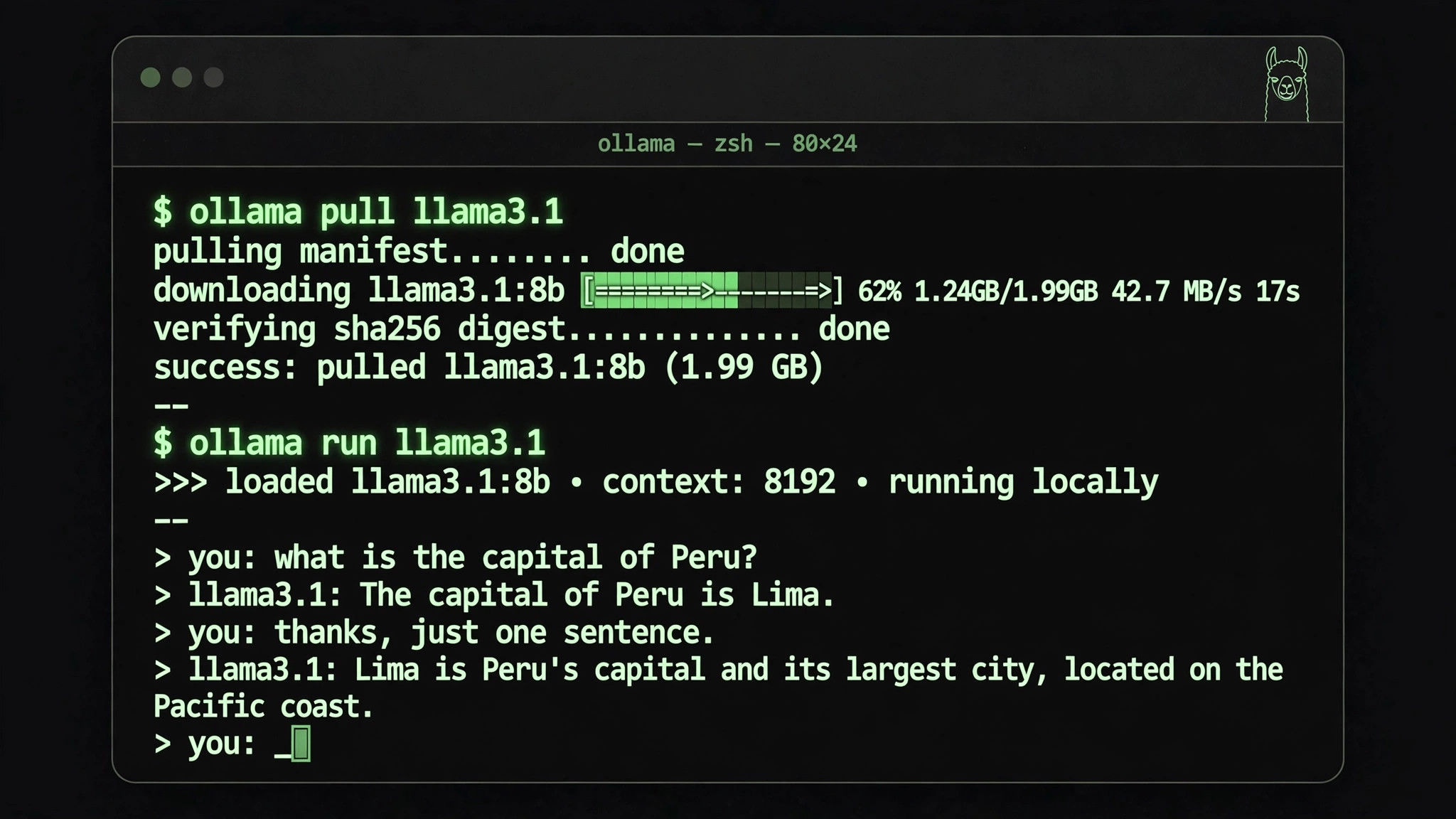
Running large language models locally with Ollama comes down to one sentence: it turns a large model from a "cloud API call" into a single command on your own machine. Install Ollama, run ollama pull llama3.1 to download the model, then ollama run to chat, write code, and read documents entirely offline — nothing ever passes through a third-party server. It doesn't solve "is the model smart enough"; it solves "can the model run privately, offline, and at zero marginal cost on my own hardware."
Official repository
The project lives on GitHub under the organization Ollama, project name ollama (repository path ollama/ollama), released under the MIT license. As of mid-2026 it has passed 170,000 stars, making it the most-watched open-source project in the local LLM runtime space. Official installers cover Windows, macOS, and Linux, plus a desktop GUI build, and Ollama ships a built-in OpenAI-compatible local API endpoint — many desktop clients and agent frameworks plug it in directly as their local model backend.
The three problems it actually solves
First, privacy: sensitive documents and code no longer need to be uploaded to a third party. Second, offline use: AI keeps working on a plane or a flaky connection. Third, cost: the model is downloaded once, and after that every token is free. The trade-off is equally clear — a local 7B/8B-class model's real capability is not in the same league as a flagship cloud model, and you have to accept that before choosing this route.
Deployment cost: hardware and disk are the two gates
Ollama itself costs nothing to install; the real cost is hardware. The rule of thumb: 8GB of RAM runs 3B-class small models, 16GB suits the 7B/8B class, and the 30B class needs around 24GB of VRAM. A discrete NVIDIA GPU gets automatic acceleration; without one you fall back to CPU — it works, but several times slower. The second gate is disk space, and it's routinely underestimated: a quantized 8B model is roughly 4–5GB, while the 70B class easily reaches tens of gigabytes. Reserve tens of gigabytes for the model store.
Real pitfalls: quantization, VRAM, and model names
First, picking the wrong quantization wastes the download. The same model ships in Q4, Q5, Q8 and other quantized builds — the bigger the number, the larger the file and the smaller the quality loss. Tight on VRAM? Go straight for 4-bit builds like Q4_K_M; only consider Q8_0 when VRAM is plentiful. Second, insufficient VRAM doesn't error out — it just gets slow. When VRAM runs short, Ollama silently falls back to CPU inference and speed collapses. Check that the GPU is actually doing work in the task manager before concluding "it's running." Third, don't ignore the colon in model names: llama3.1 and llama3.1:70b are two completely different downloads in size and capability, and grabbing the wrong one is the classic beginner mistake.
With a machine above 16GB of RAM and a decent GPU, Ollama is currently the lowest-friction way to bring open-source models home. Do the VRAM and disk math first, then decide which model to pull — it saves most of the detours.
Q: After pulling a model with Ollama, do I still need an internet connection?
A: No. Once the model files are downloaded, inference runs fully offline; a connection is only needed for the initial pull and update checks.