
Latest AI News: The World Artificial Intelligence Conference opens, with 29 countries preparing to establish AI cooperation organizations
24-hour AI News Snapshot: Kimi K3 resets the scale of open-source models, intensifying global AI gov
MusicCreator AI is a royalty-free AI music generation tool mainly used to quickly generate unique songs and project soundtracks. It is suitable for video producers, podcast owners, independent game teams and people who need low-cost soundtracks. It can generate musical drafts that can be used in projects, create soundtracks for videos, podcasts and creative projects, and support rapid experimentation with different style directions. Be aware when using it that royalty-free and commercial scope need to be confirmed in accordance with specific terms; editing, mixing, and similarity checking may still be required to generate songs. It is suitable to use one or two low-risk tasks to test input materials, output quality, modification cost, download quality and final adoption ratio before deciding whether to put them into a fixed process.
MusicCreator AI is aimed at specific tasks such as quickly generating unique songs and project soundtracks. Its value is not that it leaves all judgments to AI, but that it turns links that originally require repeated preparation, sorting, or trial and error into drafts that are easier to preview and review, allowing users to see the direction faster and then decide whether to continue refining.
These features are suitable for early preparation, material organization, or plan comparison to quickly generate unique songs and project soundtracks. For teams with mature processes, it is safer to first put MusicCreator AI in the drafting, preview, auxiliary analysis or preliminary screening stages, and then let the person in charge confirm whether the results can enter formal delivery.
MusicCreator AI is more suitable for handling tasks with clear goals, clear input materials, and manual inspection of results. For example, first prepare a set of real but low-risk samples, observe its stability in multiple consecutive generations or analyses, and then judge whether it is suitable for long-term use.
MusicCreator AI is suitable for video producers, podcast owners, independent game teams and people who need low-cost soundtracks. Such users usually already know what problem they want to solve, and can also determine whether the generated content, analysis results, or recommendation plan need to be modified. Individual users can start with a single task, while small teams should add permissions, review responsibilities, and cost caps.
Royalty-free and commercial scope need to be confirmed under specific terms; editing, mixing and similarity checking may still be required to produce songs. If the task involves customer data, real photos, commercial materials, medical financial information, study assignments or legal documents, authorization, privacy and use boundaries need to be confirmed in advance to avoid directly treating auxiliary results as the final conclusion.
It is recommended to use three to five representative samples for testing, recording the input conditions, generated results, manual modification points, waiting time and whether it was finally adopted. If MusicCreator AI is stable in the main scenario, it can be gradually incorporated into the process; if the results often deviate from the goal, it is more suitable as inspiration, first draft, or reference material.
What problem is MusicCreator AI best suited to solve?
It is best for quickly generating unique songs and project soundtracks, especially for users who already have clear goals but want to reduce pre-editing, trial and error, or repeat operations.
Can MusicCreator AI directly replace manual judgment?
Not recommended. It can undertake the generation, organization, analysis or preview stages, but fact checking, compliance judgment, professional conclusions and final trade-offs still need to be completed by people.
What do I need to prepare before using MusicCreator AI?
Clear input materials, expected results and acceptance criteria need to be prepared. To be used in team processes, you should also agree in advance on who is responsible for review, what content cannot be entered, and what standards the generated results meet before they can continue to be used.
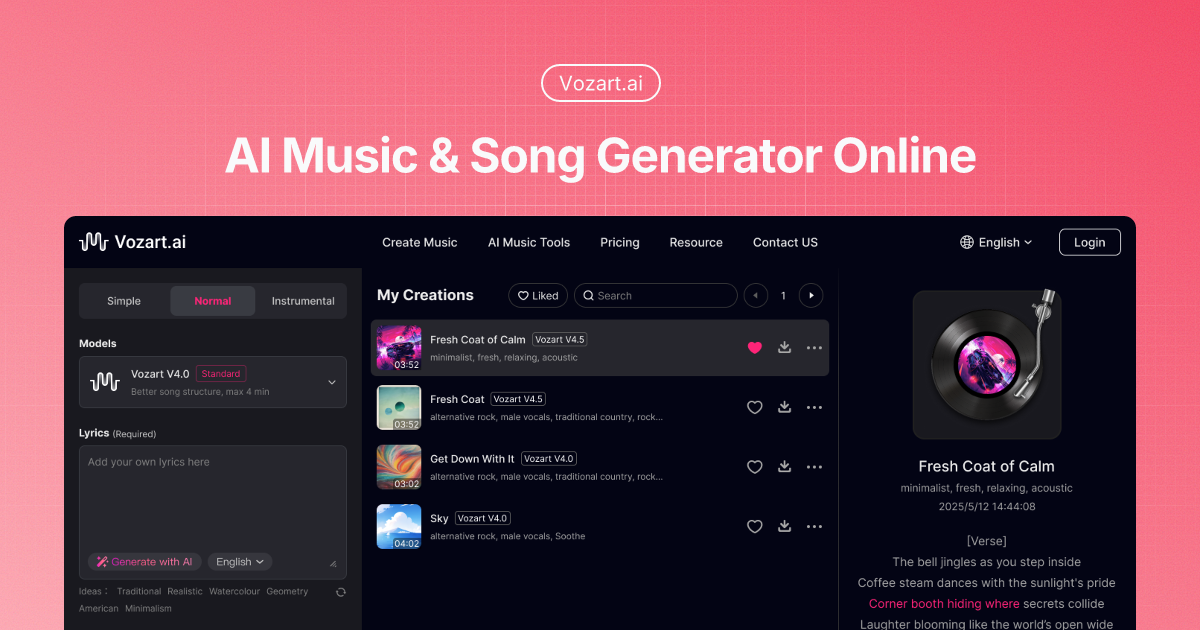
Vozart is an AI music and lyrics generator primarily aimed at music creators, short video teams, and lyric writers for generating drafts of songs, lyrics, and music ideas. It's better for people who already have clear footage, scripts, customer communications, or business processes to centralize song generation, lyric writing, and music drafts into a more performable workflow. When using it, you need to focus on music copyright, style originality and post-production, especially when it comes to customer information, character voices, image materials, web page data or published content, you should first confirm authorization and manual review. Overall, Vozart is suitable as an auxiliary tool for generating drafts of songs, lyrics, and music ideas, rather than a complete replacement for the final judgment of editors, operations, R&D, or management.

Vocs AI is an AI music and sound design tool for teams and creators who need a practical way to generate, organize, convert, or review work before it moves into a final production flow. It is best used with clear source material, a defined output goal, and a human review step for accuracy, rights, privacy, and publishing quality.

Vertate is an AI music and sound design tool for teams and creators who need a practical way to generate, organize, convert, or review work before it moves into a final production flow. It is best used with clear source material, a defined output goal, and a human review step for accuracy, rights, privacy, and publishing quality.

UniMusic AI is an AI workflow tool for teams that need to create, organize, convert, or review task-specific material before final use. It should be used with clear source material, a defined output goal, and human review for accuracy, rights, privacy, and publishing quality.

TinyMusic is an AI workflow tool for teams that need to create, organize, convert, or review task-specific material before final use. It should be used with clear source material, a defined output goal, and human review for accuracy, rights, privacy, and publishing quality.

Text to Song is an AI tool for users who need a clearer way to handle focused digital work. It can support creation, automation, analysis, learning, media production, development, research, customer operations, or document workflows depending on the product scope. Start with a small low-risk task, compare the result with your own standards, and keep human review for facts, permissions, privacy, brand voice, safety, and final delivery.
24-hour AI News Snapshot: Kimi K3 resets the scale of open-source models, intensifying global AI gov

Moonshot AI officially launched the Kimi K3 . This 2.8-trillion-parameter model provides 1 million t
24-hour AI News Summary: Global AI competition continues to heat up, with chips, models, security re

On July 9, 2026, Mistral announced in its official article "Your Prompts and Skills Need a System of

On July 9, 2026, Google Research released the wearable health foundational model SensorFM. It was pr

On July 9, 2026, OpenAI officially announced ChatGPT Work in its announcement "ChatGPT is now a part