
Latest AI News: The World Artificial Intelligence Conference opens, with 29 countries preparing to establish AI cooperation organizations
24-hour AI News Snapshot: Kimi K3 resets the scale of open-source models, intensifying global AI gov
MaxAI.me is an AI browser reading and writing assistant. It is mainly used to summarize web pages, analyze PDFs, interpret pictures, rewrite text and process long video content. It is suitable for knowledge workers, students, researchers, operations personnel and people who often read web materials. It can summarize, explain and write assistance on any web page. It supports PDF, YouTube video and image analysis. It can call GPT, Claude, Gemini and other model capabilities. Pay attention when using it. The browser assistant will touch the content of the page. Pay attention to account permissions and sensitive data before using it; you must still check the source when quoting data. Free and paid plans are available, and subscription is usually required for advanced models and high-frequency use. Before formal adoption, it is recommended to test once with low-risk materials or small samples, record the input quality, output results, manual modifications and final adoption ratio, and then decide whether to put them into the long-term workflow.
MaxAI.me is more suitable for supporting work within clear boundaries: focusing on summarizing web pages, analyzing PDFs, interpreting pictures, rewriting text and processing long video content, first producing measurable results, and then handing them over to others for screening and correction. For knowledge workers, students, researchers, operations personnel, and people who regularly read web materials, its value lies in turning scattered materials into content that can be continuously processed, while retaining room for manual judgment.
These features are suitable for summarizing web pages, analyzing PDFs, interpreting pictures, rewriting text, and processing long video content. If the team already has a fixed process, you can put MaxAI.me in the drafting, sorting, preview or preliminary screening stage first, rather than letting it directly undertake the final delivery. This will not only see the true output of the tool, but also avoid pushing unreviewed content to users.
MaxAI.me is suitable for knowledge workers, students, researchers, operations personnel and people who regularly read web materials. Such users usually already know what materials they are going to process and what results they want, and can also determine whether the output needs to be modified. If you only try occasionally, it is recommended to start with a single task; if you want the team to use it for a long time, you should add permissions, material sources, review responsibilities and cost caps.
The browser assistant will touch the content of the page, and must pay attention to account permissions and sensitive data before using it; the source must still be checked when quoting data. Free and paid plans are available, and subscription is usually required for advanced models and high-frequency use. When choosing such a tool, don't just look at the results of the first demonstration, but also look at the stability, waiting time, modification cost and ease of traceability in multiple consecutive tasks.
Three to five real but low-risk samples can be prepared, and input conditions, generated results, manual adjustment points, and final adoption can be recorded respectively. If MaxAI.me is stable on the main tasks, it is suitable for putting it into a fixed process; if the results often need to be redone, it is more suitable for use as inspiration, first draft or reference material.
What problem is MaxAI.me best suited to solve?
It is best for summarizing web pages, analyzing PDFs, interpreting pictures, rewriting text, and processing long video content. It is especially suitable for people who already have a clear goal but don't want to start sorting out from a blank state.
Can MaxAI.me directly replace manual judgment?
Not recommended. It can handle repetitive generation, identification, sorting or preliminary screening tasks, but fact checking, compliance judgment, brand tone and final trade-offs still require human beings to complete.
What do I need to prepare before using MaxAI.me?
It is recommended to prepare clear input materials, expected results and acceptance criteria. If customer information, real photos, commercial materials or school assignments are involved, authorization, privacy and use boundaries must also be confirmed in advance.

ChatGPT Atlas is an AI browser product for macOS. It embeds ChatGPT into any web page in the form of a sidebar, providing instant answers, web page summary, data analysis and product comparison. Users can select text to rewrite, polish and translate with one click, use intelligent agents to complete complex tasks such as retrieval, form filling and shopping, and achieve continuous collaboration through controllable browsing memory. ChatGPT Atlas supports both text, image, video and news searches. It has built-in multiple tabs, bookmarks and auto-completion, and can customize the appearance and preferences. In terms of privacy, users can fine-tune visible sites, clear history, enable traceless mode and manage browsing memory to ensure security and controllability.

Zuni is a Chrome sidebar AI workspace and Gmail assistant aimed at browser office users, Gmail users, and knowledge workers. Its value is not that it does everything for users at once, but that it provides actionable assistance around using AI chat, summarization, and drafting on web pages and emails: users can talk to tabs or emails, draft Gmail replies and manage tasks, and then follow up with their own business judgment. When choosing such a tool, you need to pay attention to browser permissions, email privacy, and reply moderation, especially when it comes to accounts, customer profiles, contracts, courses, audio, video, or code output. Its visibility capabilities include AI workspace, Gmail drafting, and chat with tabs, making it better suited for browser workflow assistance.

YourAIScroll is an AI chat history export and management tool aimed at AI-heavy users, researchers, and knowledge organizers for exporting and managing conversation history across multiple AI platforms. It's suitable for those who already have clear tasks, assets, or business processes to centralize AI chat history export, Grok, Gemini, and Claude archives into a more performable workflow. When using it, you need to pay attention to account permissions, privacy data, and export formats, especially when it involves customer information, learning content, audio and video materials, business data, or public release, you should confirm authorization and manual review first. Overall, YourAIScroll is suitable as an auxiliary tool for exporting and managing conversation history across multiple AI platforms, rather than a substitute for the final judgment of professionals.
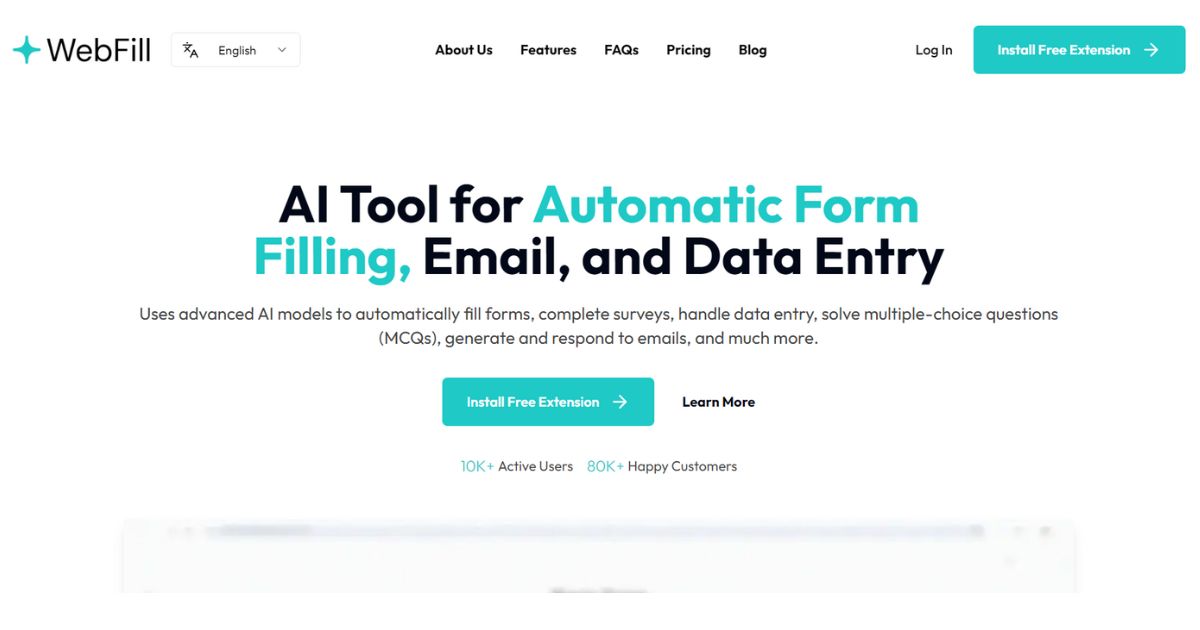
WebFill is an AI form-filling, email, and data entry extension aimed at salespeople, operations, and browser office users for automating form-filling, email-generating, and data entry. It's better for people who already have clear materials, scripts, customer communications, or business processes that centralize form filling, email generation, and data entry into a one-of-a-kind workflow that's easier to execute. When using it, you need to pay attention to form permissions, customer data, and pre-submission review, especially when it comes to customer information, voice information, image materials, web page data, or published content. Overall, WebFill is suitable as an aid for autofilling forms, generating emails, and handling data entry, rather than a complete replacement for the final judgment of editors, operations, R&D, or management.

WebCopilot is a web-based AI assistant and second brain tool aimed at knowledge workers, researchers, and web-heavy users for carrying AI notes and knowledge assistance on web pages. It's better for people who already have clear footage, scripts, customer communications, or business processes that combine page summarization, note saving, and browser assistance into a one, easier workflow. When using it, you need to pay attention to browser permissions, data privacy and fact-checking, especially when it involves customer information, character voices, image materials, web page data or published content, you should first confirm authorization and manual review. Overall, WebCopilot is suitable as an auxiliary tool for carrying AI notes and knowledge assistance on web pages, rather than a complete replacement for the final judgment of editors, operations, R&D, or managers.

Termo is an AI tool for users who need a clearer way to handle focused digital work. It can support creation, automation, analysis, learning, media production, development, research, customer operations, or document workflows depending on the product scope. Start with a small low-risk task, compare the result with your own standards, and keep human review for facts, permissions, privacy, brand voice, safety, and final delivery.

24-hour AI News Snapshot: Kimi K3 resets the scale of open-source models, intensifying global AI gov

Moonshot AI officially launched the Kimi K3 . This 2.8-trillion-parameter model provides 1 million t
24-hour AI News Summary: Global AI competition continues to heat up, with chips, models, security re

On July 9, 2026, Mistral announced in its official article "Your Prompts and Skills Need a System of

On July 9, 2026, Google Research released the wearable health foundational model SensorFM. It was pr

On July 9, 2026, OpenAI officially announced ChatGPT Work in its announcement "ChatGPT is now a part