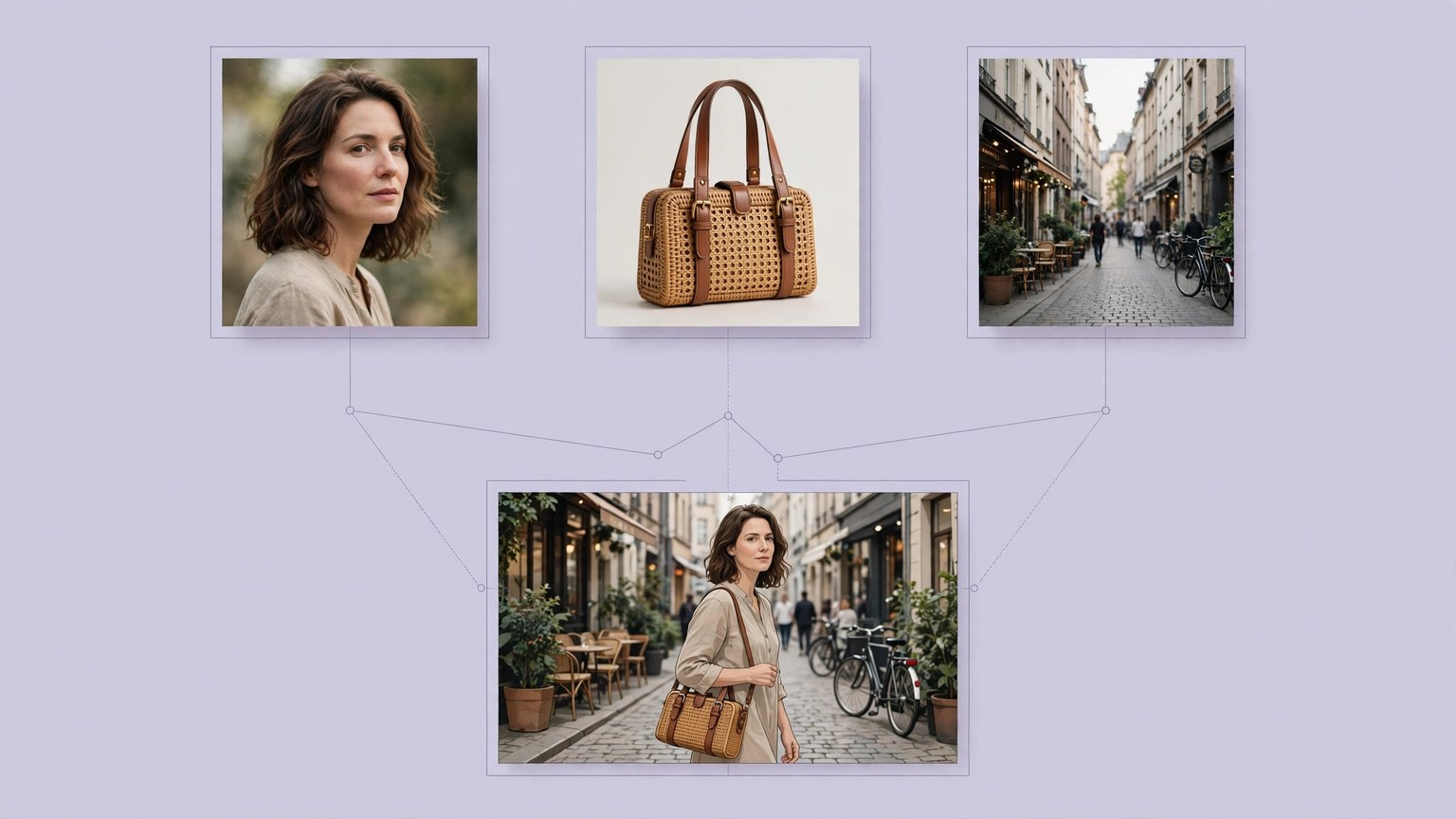
When Qwen-Image-Edit-2509 edits keep drifting, first make the changes smaller and lock the reference images down. 2509 is the image-editing model released by Alibaba's Qwen team in September 2025, supporting 1 to 3 input images at once, for consistency editing of people, products, and text, with native ControlNet support. Drifting is usually not the model "not knowing how"; it is changing too much at once and giving reference images too casually, so the model has to fill in details itself, and what it fills in is something you did not ask for.
Troubleshoot in three steps. First, look at the number of reference images: if there are more than 3, reduce to within 3; 1 to 3 images is the range in which the model was trained to be most stable, and the more images there are, the more easily identity and details interfere with each other. Second, look at how many changes are made in one pass: change the background, change the clothes, and change the pose one at a time, confirming no drift after each change before doing the next; writing five or six requirements in one go is equivalent to letting the model prioritise for itself. Third, look at how the prompt is written: state clearly "who, using what, placed where, and what stays unchanged", for example "the person in image 2 is holding the bag in image 3 and sitting on the sofa in image 1, with face and clothes unchanged", which is far more stable than "combine them into a nice picture". For people, focus on keeping the face and hairstyle unchanged; for products, focus on keeping the logo, material, and proportions unchanged; for text, focus on which characters to change, with font, colour, and material unchanged.
When to switch methods
If the drift is concentrated in pose and composition, switch to ControlNet control: use a depth map, edge map, or keypoint map to fix pose and position first, then let the model fill in content, so the pose will not drift randomly each time. For complex composites such as group photos and multi-person interactions, generate in steps and stitch manually, rather than expecting a single output. Also mind the version: after 2509 there are further updates such as 2511, with improvements in single-person and multi-person consistency, so confirm which version you are actually using before starting; performance across versions cannot be applied directly. Local deployment goes through workflows such as ComfyUI, with weights and workflow files taken from the official repository; community quantised versions should have their precision and compatibility checked clearly before use. Back up the original image before editing, and do not edit directly on an important photo; keep the habit of "the original stays untouched, only new images come out".