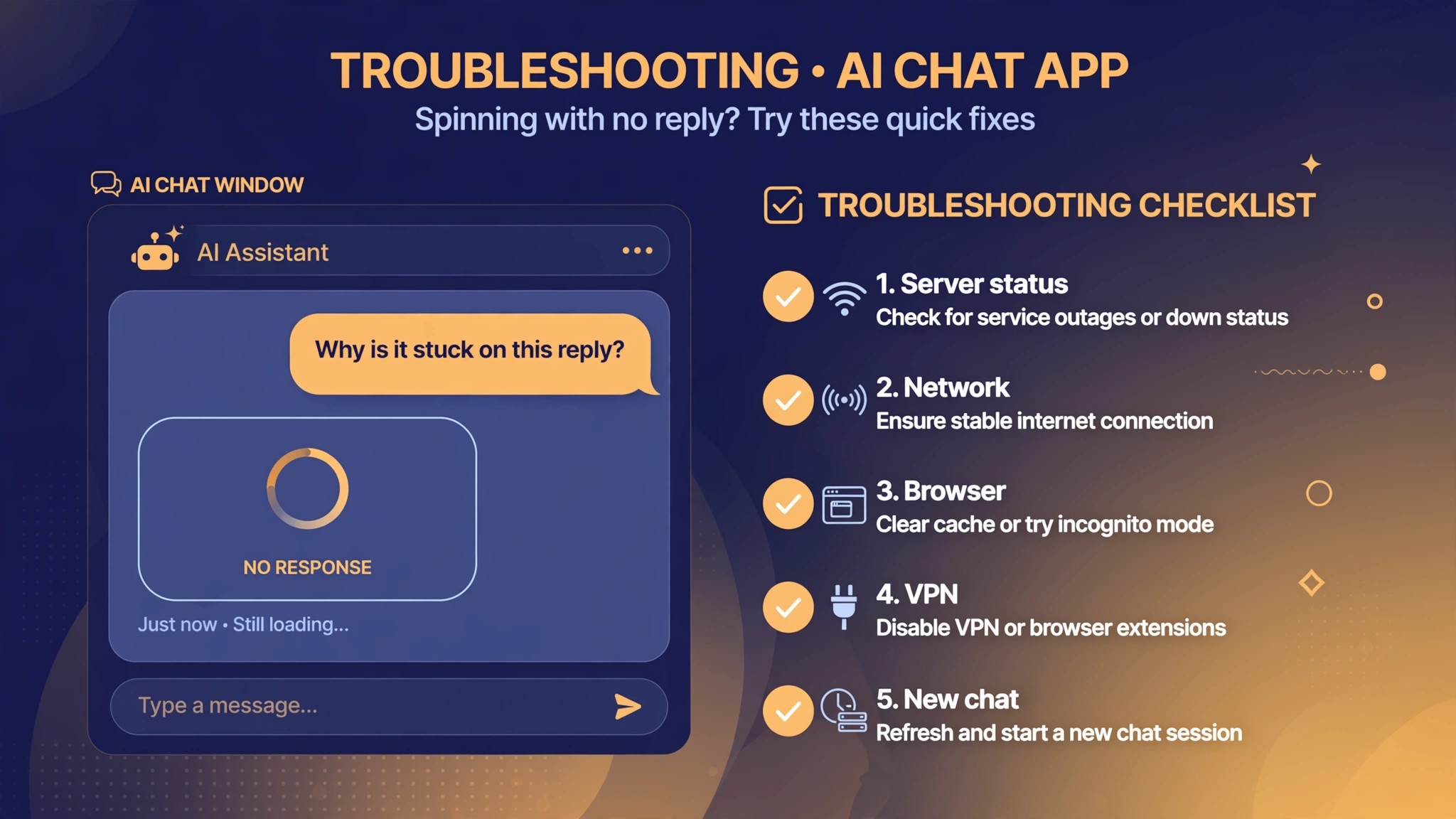
An AI chat message stuck spinning with no reply usually doesn't mean you asked the wrong question — it means your request never went out, or the answer never came back. First check the official status page to rule out an outage, then work through network, browser, VPN, and long-conversation causes in order. That locates the problem on your own in most cases.
Cause 1: The provider's servers are having an outage
AI services occasionally suffer regional outages or peak-hour throttling. When that happens, everyone sees the spinner, and resending just makes the queue longer.
- Open the product's official status page and look for an active incident notice;
- If it's confirmed on their side, stop and wait for the fix — don't keep hitting regenerate;
- For occasional spinning during peak hours, wait ten minutes or so and retry off-peak.
Cause 2: An unstable network — the request never went out
When the network jitters, your message goes out but the reply packet is lost, and the page spins forever.
- Open a few other websites first to confirm your connection itself is fine;
- Try a different network, e.g. switch to your phone's hotspot — if it works there, your current network is the problem;
- Restart your router; if that fails, flush your DNS cache or switch to a public DNS.
Cause 3: A broken browser cache or a misbehaving extension
This is the most common local cause on the web: a corrupted cache breaks login state and page loading, while ad blockers and script-injecting extensions interfere with the chat page's response flow.
- First try logging in from an incognito window — if it works there, it's almost certainly cache or an extension;
- Disable extensions one by one in the extension manager, focusing on ad blockers and script injectors;
- Clear that site's cache and cookies, then log in again.
When a page misbehaves, disabling extensions first is often the fastest step.
Cause 4: Your VPN or proxy IP is being restricted
Many AI chat services restrict suspicious IPs, and a VPN's shared exit IP is easily caught in the net — showing up as an endless spinner or a straight error.
- Turn off your VPN or proxy and retry on a direct connection;
- If it works with the VPN off, the node is the problem — switch nodes or leave it off;
- Conversely: if a direct connection keeps spinning and you suspect your own IP is temporarily restricted, turn the VPN on and try a different exit IP.
Cause 5: This conversation has gotten too long
A conversation with thousands of messages, or one stuffed with code and documents, has to reprocess the entire context on every message. It gets slower and slower, and in severe cases it just freezes on the spinner.
- Open a new chat and resend the same question — if the new chat answers instantly, the old one was too long;
- For important long conversations, work in segments: copy the key conclusions into a fresh chat and continue there;
- Don't keep hitting regenerate inside an oversized conversation — it only gets slower.
Why long context eats so much quota — understanding this helps you tell when a conversation is too long.
Cases where you can only wait
- The official status page shows an outage or maintenance: wait for the official fix;
- Large numbers of users are reporting the same problem in the community at the same time: it's almost certainly server-side;
- The page explicitly says you've hit a usage cap: wait for the quota to reset or switch to off-peak hours.
If nothing works, take another route
- If the web version fails, try the official app — mobile and web don't always take the same path;
- Ask the same question on another product — e.g. if ChatGPT keeps spinning, try Claude, Gemini, or Kimi — and get your work done first;
- If you've tried everything, contact official support with a screenshot, the error time, and your account type — don't just keep reinstalling.
Work through them in this order, and most spinning cases get located within minutes.