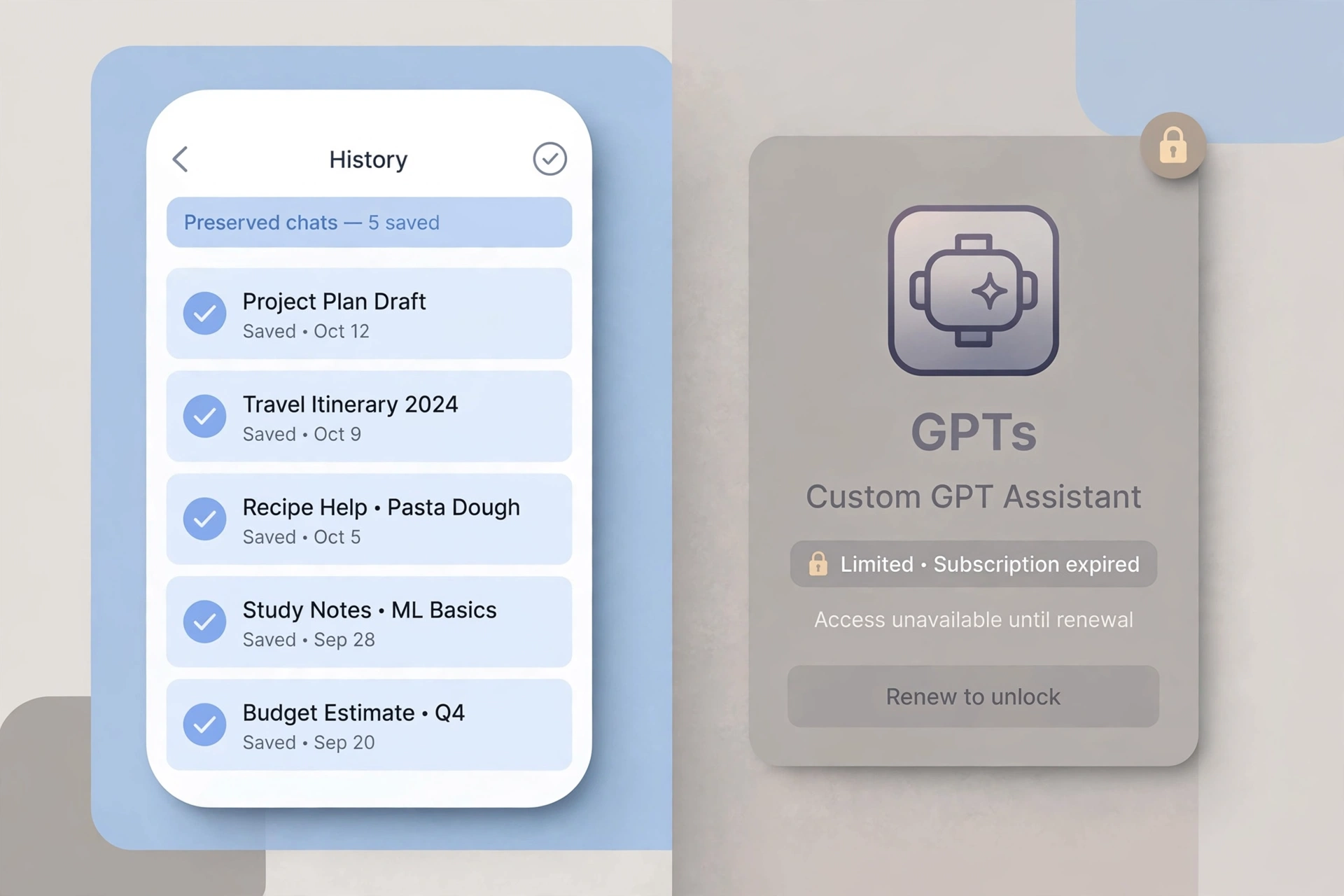
When Plus lapses without renewal, your account simply drops back to the Free plan: all chat history is kept and stays viewable, and the GPTs you built are not deleted either – but after the downgrade you can no longer create or edit them, only keep using them within Free-plan limits. One line to remember: the data stays, what changes is what you can do.
Chat history: kept, and still usable
Canceling or letting the subscription lapse is not the same as deleting your account. According to OpenAI's help center, canceling only stops auto-renewal: Plus benefits last until the end of the current billing cycle, then the account automatically becomes Free. Chat history and preferences are untouched.
After the downgrade, every conversation in the sidebar is still there – open them and keep chatting. Only models and usage fall back to Free-plan levels; viewing history itself is unaffected. Temporary Chats never entered history and follow their own retention rules – see this Q&A on Temporary Chat retention boundaries.
GPTs you built: kept, but permissions change
GPTs you created are not deleted when the plan lapses – instructions, knowledge files and settings all remain. But after the downgrade you cannot create new GPTs or edit instructions and knowledge files of existing ones – the GPT builder is a paid feature. While signed in you can still open existing GPTs and keep chatting, within Free-plan quotas and feature limits – for example, image generation is not available on Free.
One more distinction: chat history and "memory" are two separate things. Saved Memories stay in your account and are not wiped by a downgrade; removing them requires a separate trip to memory management. For the difference between the two, see this Q&A on Saved Memories vs. chat history.
Three things to do before the plan lapses
- Check the expiry date: Settings → Subscription. Plus features keep working normally until the cycle ends, so no need to panic-save data.
- Export important chats via the data-export option in Settings.
- Back up your custom GPT configurations – copy out the full instructions and the knowledge-file list. Reason in the next section: custom GPTs themselves are on a retirement countdown.
Boundaries and exceptions
- Canceling is not an instant downgrade: Plus benefits last until the end of the current billing cycle; App Store or Google Play subscribers must cancel in the corresponding store.
- A failed renewal ends the same as a voluntary cancel: downgrade at expiry, data kept; resubscribe any time after fixing the payment issue.
- Scheduled tasks are a paid feature – configured tasks stop running after the downgrade; check them again after resubscribing.
- Custom GPTs are being retired: in September 2026 OpenAI announced a plan to retire custom GPTs and move to a plugin system. Personal accounts can no longer create or publish GPTs; existing GPTs remain usable until the retirement date, with exact timing per your account notice. This is unrelated to letting Plus lapse – even with continuous payment, GPTs themselves are on a countdown.
FAQ
Q: Will my chat history be wiped on expiry day?
A: No. A downgrade only changes the subscription tier and deletes nothing.
Q: Can I still use the GPTs I built after the downgrade?
A: Use yes, change no. While signed in you can keep chatting within Free limits; creating and editing require Plus or higher.
Q: Will conversation records inside GPTs be lost?
A: No – they are stored in chat history like ordinary chats and stay viewable.
Q: If I resubscribe to Plus later, is everything still there?
A: Yes. Data is kept throughout the downgrade; features return on resubscription and GPTs become editable again.
Q: I heard GPTs are being shut down – related to my lapsed subscription?
A: No. The September 2026 retirement plan is a product-level change affecting all users; letting Plus lapse only affects your tier.