WorkBuddy does not have a single model suitable for every task. For daily rewriting, summarization, and simple Q&A, prioritize fast mode; When comparing solutions, troubleshooting errors, or multi-step analysis, choose models with stronger thinking skills; To recognize images, screenshots, or scans, first confirm model support for multimodality. If you can't use Auto on time, let the system automatically select based on tasks, which is more stable than just following new model names.
Select models by task rather than leaderboard
| Task types | The preferred direction | Judgment criteria |
|---|---|---|
| Email rewriting, short summaries, formatting organization | Quick model | Fast response and relatively low point consumption |
| Data analysis, code troubleshooting, complex planning | Reasoning models | Can you stably disassemble the steps and self-check? |
| Images, screenshots, and scanned PDFs | Multimodal models | Whether visual input and OCR scenes are supported |
| Sensitive data or offline experiments | Local models | Computer performance, context, and tool compatibility |
The same model is also affected by context length. The default 200K context usually covers most office tasks; Switching to 1M only means more content can be accommodated, does not automatically make answers smarter, and may increase waiting time and points consumption. Long documents should first delete irrelevant pages, split attachments, and clarify the problem before deciding whether to expand the context.
When is it worth using custom models?
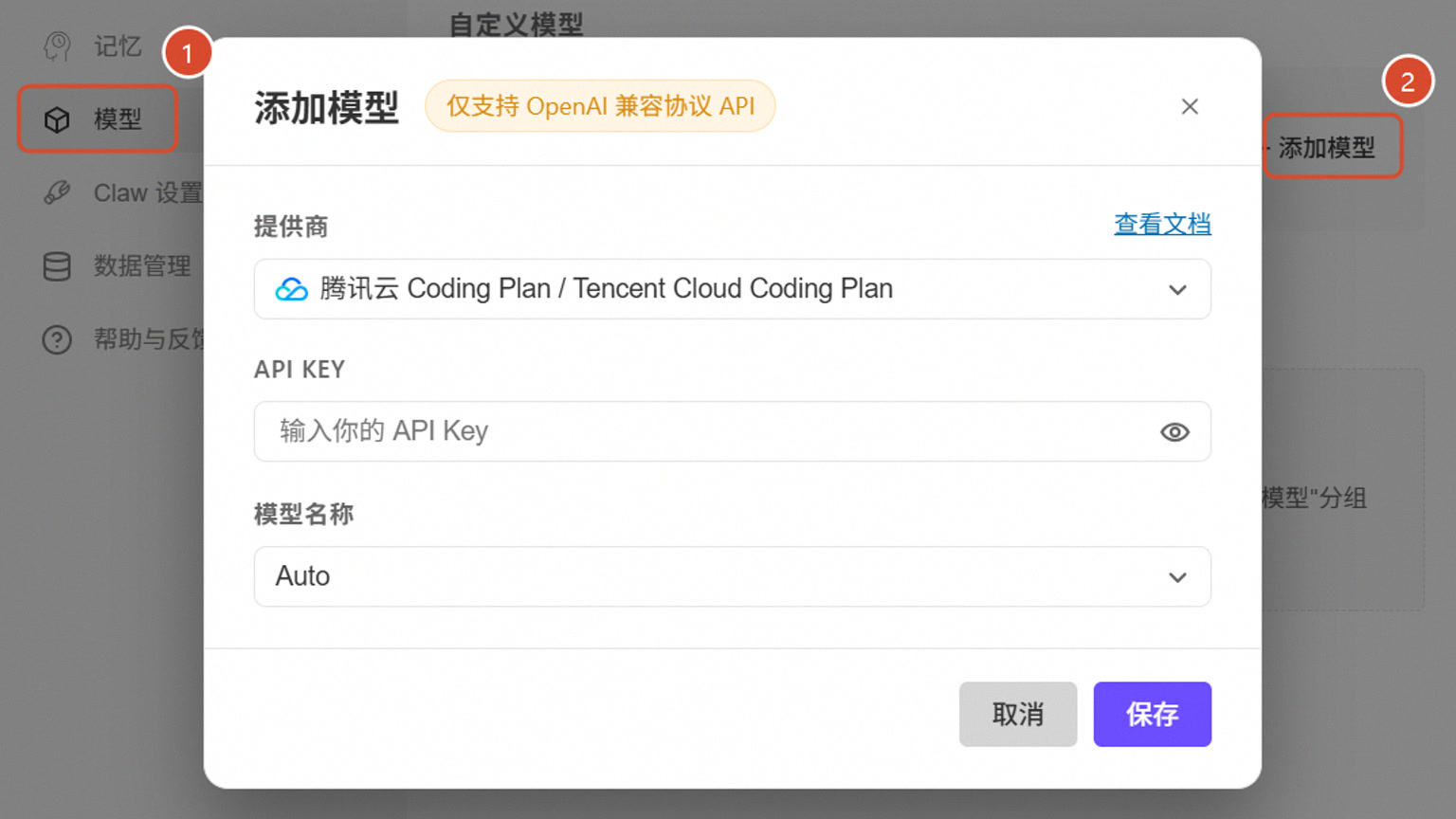
If your team already has Tencent Cloud Token Plan, Coding Plan, OpenAI-compatible APIs, or locally deployed Ollama, you can add custom models in the model settings. After filling in the provider, API Key, and model name, first verify the connection, context, and tool call with a small task that does not contain sensitive information, and then use it for official work. Third-party model fees are charged separately by the respective service provider and are not included in the WorkBuddy package points.
According to the official instructions, custom model configurations and API keys are saved in the local configuration file, but screenshots should be taken externally, keys written in prompts, or submitted to project repositories. When multiple people share a computer, use a separate system account and restrict configuration directory permissions.
Use a set of small tests to make the final choice
Prepare the same desensitization material and have the candidate model complete three tasks: extract five points, check a contradiction, and generate a file in the specified format. Compare accuracy, time, scores, and whether the file can be opened, then fix the default model. For routine work, use a quick model; for difficult tasks, switch to inference models; for image tasks, switch to multimodal; If the model frequently gets stuck, first narrow down the task and attachment range; don't just rely on constantly changing models and relying on luck.