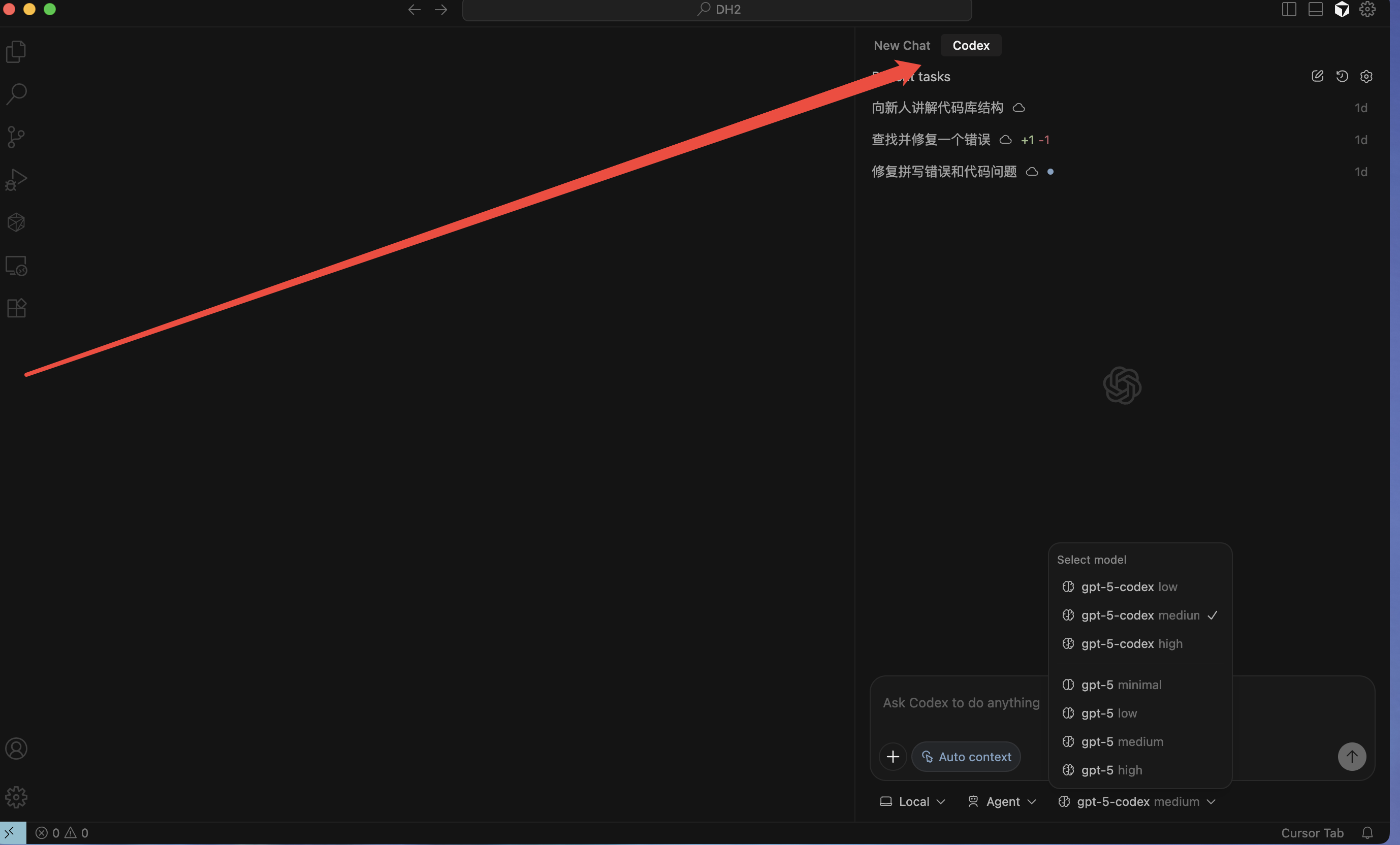
Cursor 中将 Codex 移动到右侧栏的方法
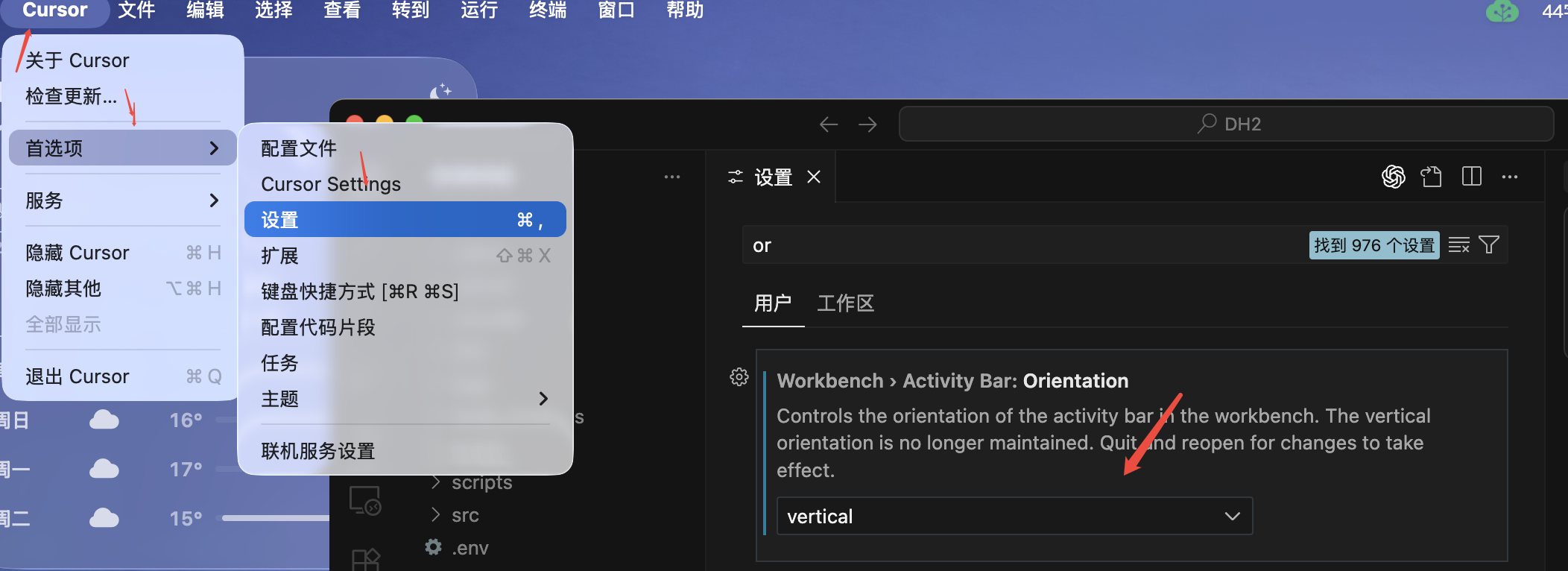
- 打开 Cursor,点击左上角菜单 Cursor → 首选项 → 设置。
- 在设置中搜索或找到 Workbench › Activity Bar: Orientation。
- 将该选项设置为 vertical(垂直)。
- 重启 Cursor,使设置生效。
- 重启后,用鼠标将 Codex 图标从左侧活动栏拖拽到右侧栏。
How to Move Codex to the Right Sidebar in Cursor
- Open Cursor and go to Cursor → Preferences → Settings.
- Search for or locate Workbench › Activity Bar: Orientation.
- Change the setting to vertical.
- Restart Cursor to apply the change.
- After restarting, drag the Codex icon from the left activity bar to the right sidebar with your mouse.