
Codex is stuck and not responding? Check by approval, terminal, and log check
If Codex is stuck and unresponsive, do not send the same message repeatedly. Confirm in order whethe
ChordCreate is a music tool that uses AI to generate chord progression and supports export. The homepage of the official website puts AI chord generation, prompt word suggestions and rapid export in the core process, indicating that its focus is not on making a general display page, but on providing directly usable capabilities around a specific type of task. It solves the problem of not knowing which set of chords to start from when creating, allowing the user to form a harmony skeleton and then continue to write the melody or arrange the arrangement. For newcomers to composers, indie musicians, orchestrator enthusiasts, and music practice users, ChordCreate is often easier to use than a general-purpose tool if you will encounter such tasks repeatedly.
ChordCreate's positioning is clear. It is not trying to cover all AI uses, but to make the process smoother around a clear type of task. Combined with the information currently verifiable on the official website, this product emphasizes directly solving problems in real scenarios rather than just staying at the abstract concept level.
The homepage of the official website puts AI chord generation, prompt word suggestions and rapid export in the core process. It can be seen from this information that the main value of ChordCreate is focused on specific task processing rather than vague function stacking.
It solves the problem of not knowing which set of chords to start from when creating, allowing the user to form a harmony skeleton and then continue to write the melody or arrange the arrangement. It belongs to a music creation aid, not a purely theoretical teaching page. Its core value lies in providing a starting point for creation, rather than directly generating finished songs. It is especially helpful to people who are often stuck at the beginning.
If you already have a large number of similar tasks in your work or daily life, the value of ChordCreate will be more immediate; if you encounter them only once in a while, the difference you will feel will not be as strong.
It is more suitable for newcomers to composers, independent musicians, arrangers enthusiasts and music practice users. This type of product is more suitable for people who already know what problem they want to solve, rather than users who are still trying various AI entrances in general.
Every tool has boundaries. In addition to the product itself, ChordCreate's results will also be affected by the input content, usage environment, team processes and personal expectations. Before formally putting it into your daily workflow, it is best to try out a few rounds of real tasks before deciding whether to use it for a long time.
What task is ChordCreate best for?
It is best for you to quickly get a version of chord progression that you can continue to process when writing or arranging is stuck.
Can it write a complete song for you directly?
No, it's more like a creative starting point, helping you build the chord skeleton first.
Is it suitable for beginners?
Suitable because the prompt words and export process help novices get started faster.
Why is chord generation tool valuable?
Because many creative bottlenecks occur at the beginning, as long as there is a chord first, the subsequent melodies and arrangements will be easier to advance.
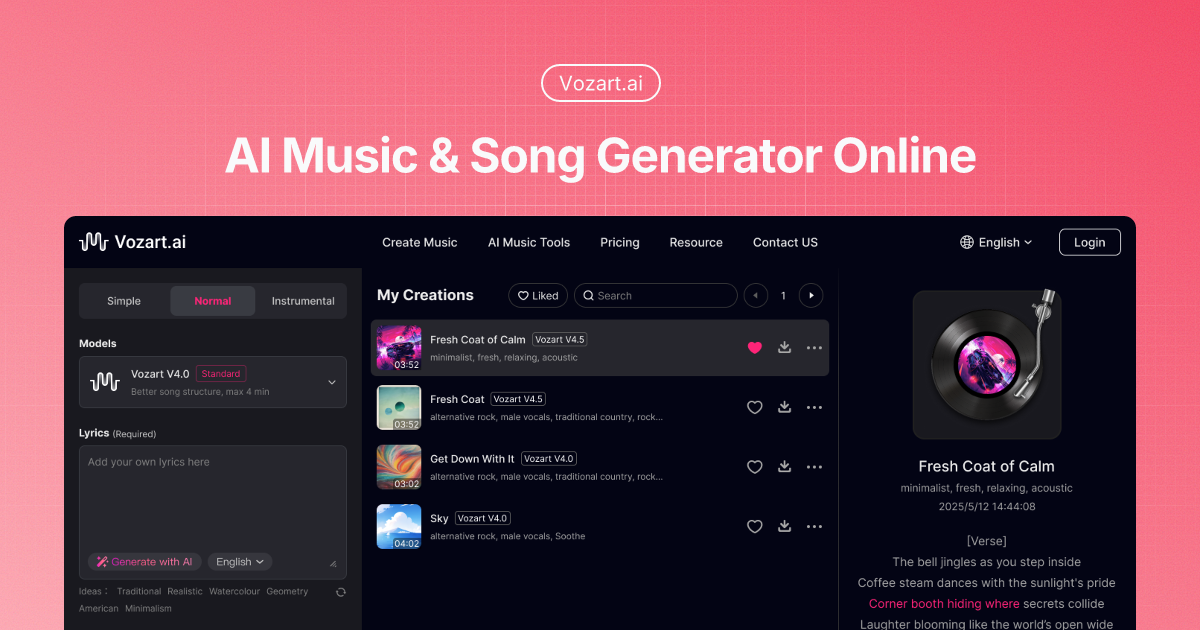
Vozart is an AI music and lyrics generator primarily aimed at music creators, short video teams, and lyric writers for generating drafts of songs, lyrics, and music ideas. It's better for people who already have clear footage, scripts, customer communications, or business processes to centralize song generation, lyric writing, and music drafts into a more performable workflow. When using it, you need to focus on music copyright, style originality and post-production, especially when it comes to customer information, character voices, image materials, web page data or published content, you should first confirm authorization and manual review. Overall, Vozart is suitable as an auxiliary tool for generating drafts of songs, lyrics, and music ideas, rather than a complete replacement for the final judgment of editors, operations, R&D, or management.

Vocs AI is an AI music and sound design tool for teams and creators who need a practical way to generate, organize, convert, or review work before it moves into a final production flow. It is best used with clear source material, a defined output goal, and a human review step for accuracy, rights, privacy, and publishing quality.

Vertate is an AI music and sound design tool for teams and creators who need a practical way to generate, organize, convert, or review work before it moves into a final production flow. It is best used with clear source material, a defined output goal, and a human review step for accuracy, rights, privacy, and publishing quality.

UniMusic AI is an AI workflow tool for teams that need to create, organize, convert, or review task-specific material before final use. It should be used with clear source material, a defined output goal, and human review for accuracy, rights, privacy, and publishing quality.

TinyMusic is an AI workflow tool for teams that need to create, organize, convert, or review task-specific material before final use. It should be used with clear source material, a defined output goal, and human review for accuracy, rights, privacy, and publishing quality.

Text to Song is an AI tool for users who need a clearer way to handle focused digital work. It can support creation, automation, analysis, learning, media production, development, research, customer operations, or document workflows depending on the product scope. Start with a small low-risk task, compare the result with your own standards, and keep human review for facts, permissions, privacy, brand voice, safety, and final delivery.

If Codex is stuck and unresponsive, do not send the same message repeatedly. Confirm in order whethe

codex exec In CI, it can analyze code without making changes; first check the sandbox: non-interacti

If Codex Skills is installed but does not trigger, first check if it is located in the scan director

Codex config.toml changes that don't take effect usually don't mean the TOML file is corrupted, but

After exiting the Codex CLI, you don't need to redescribe the entire task; just run codex resume sel

On August 3, 2026, the Qwen team released the Qwen 3.8-Max on the official Qwen blog, positioning it