Judging from the official blog and feature page, "Today we're launching Manus Browser Operator" is true, and Manus confirmed the launch of a browser extension called Manus Browser Operator to run the Manus AI agent in the user's local browser environment. The core idea of this extension is to allow Manus to no longer only operate in the cloud sandbox browser, but to access the user's logged-in local browser session, and click on the user's authorization, fill out forms, collect and analyze information across sites, so as to turn the "ordinary browser" into an "AI browser" with automation capabilities.
In the slogan, "Any browser can now become an AI browser""One extension. No download. No new setup.” It belongs to simplified expression. In fact, users need to enable the "My Browser" connector in Manus and install the extension through the Chrome Web Store (currently recommended for Chrome, Edge) before Manus can perform tasks in the local tab. The extension description also clarifies the content of the web page that can be accessed, the browsing history and the user's actions on the page, so before using Manus Browser Operator, users should pay special attention to the scope of authorization and page sensitive information, and if necessary, close the task tab to suspend the operation at any time, so as to take advantage of the convenience brought by existing logins, sessions and usage habits while controlling privacy and security risks.
FAQs
Q: What exactly is Manus Browser Operator?
A: It is a browser extension that allows you to connect the Manus AI agent to your existing local browser. When enabled, Manus can browse, click, and execute multi-step workflows on your logged-in web pages for research, CRM operations, subscription-based data platforms, and more.
Q: Is the promotion that "Any browser can now become an AI browser" literally true?
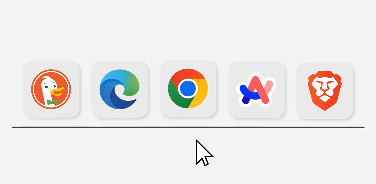
A: In terms of concept, it wants to connect "the browser you are using" to Manus to have AI automation capabilities; However, judging from the current implementation, Chrome and Edge are clearly recommended and supported by officials, and other browsers are still being planned, so a more accurate understanding is to "allow supported browsers to gain AI automation capabilities through extensions".
Q:“One extension. No download. No new setup."
A: This sentence emphasizes that there is no need to install a new independent app or change browsers, but rather add an extension to an existing browser. However, users still need to install the Manus Browser Operator from the extension store, enable the "My Browser" connector in the Manus console, and authorize browser access, which is still strictly a simplified marketing statement of "download and set".
Q: Who can currently use Manus Browser Operator?
A: According to official information and third-party reports, the extension is rolling out to Manus Pro, Plus and Team users in beta form, and it is not clear whether and when it will be available to ordinary free users, and the function is still in iteration, and some complex interactions (such as drag-and-drop, multi-step complex forms) are also officially indicated that they may be temporarily unstable.
Q: What are the privacy risks of using Manus Browser Operator?
A: The extension information in the Chrome Web Store shows that Manus Browser Operator can handle web content, page history, and user activity on the page. The developer states that the data will not be sold to third parties and will be limited to core functionality, but users should still confirm which pages are accessible before authorization, and be cautious about systems containing sensitive data (such as internal backend, financial, or personal privacy information) or optionally use them locally.