1. Basic Information
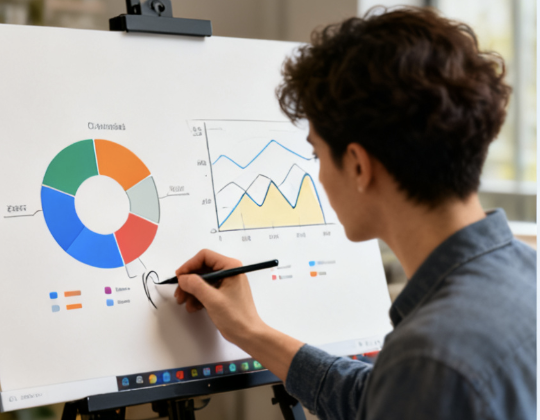
AutoDraw is an online AI drawing tool launched by Google Creative Lab, positioned as "fast drawing for everyone." Its core mechanism combines a user's casual scribbles with a machine learning model to provide real-time suggestions for possible graphics, helping users quickly go from rough lines to clear, standard icons or stick figures. AutoDraw can be used directly in browsers on phones, tablets, and computers without installation. It supports basic drawing, fills, text, and shapes, and can download finished products as image files. Product keywords include AutoDraw, AI quick drawing, doodle recognition, and online drawing.
2. Product Overview
AutoDraw uses "sketch recognition suggestions" as its core process: users sketch the outline on the canvas, and the system displays the most matching graphic candidates above. Click to replace them with standardized and clear illustration icons. To ensure ease of use, the interface retains common functions such as brushes, erasers, fills, color pickers, text and basic shapes, which can meet the needs of quick creation of note sketches, explanation diagrams and lightweight infographics. The tool integrates material libraries from artists and illustrators, and provides diverse suggestions under different themes. AutoDraw emphasizes cross-device and free availability, and is suitable for high-frequency and lightweight scenarios such as classroom teaching, presentation manuscripts, social media stickers and temporary poster drafts.
3. Core Functions
1. Main functions
Graffiti association and graphic replacement enable quick conversion from hand-drawn sketches to standard graphics
Online drawing and editing, providing brush, text, shape, fill and color selection
Use multiple browsers, mobile phones, tablets, and computers can all be opened and drawn directly
Export and share your work, including downloading it as an image for presentation or publication
Basic undo and zoom operations provide a simple and intuitive editing experience
2. Technical characteristics
Machine learning-based shape recognition to match stroke features with the material library
Lightweight web page architecture, no need to download and install, lowering the threshold for use
Standardized graphic materials are drawn by artists to ensure uniform style and clarity
Consistent interaction across platforms, adapting to different input methods such as touch and mouse
4. Pricing and Versions
AutoDraw is a free web app; it doesn't require local installation or paid unlocking. Functionality is subject to real-time updates from the online version. Performance and experience may vary across browsers and devices. Specific results and file specifications are subject to the current web version. Experience may vary by region due to accessibility issues related to regional networks or policies.
5. Applicable Scenarios and Target Audience
Blackboard diagrams, classroom explanation diagrams, and mind map drafts in education and teaching
Quick sketches, illustration drafts, and simple icons for new media and content teams
Process diagrams, sticky note illustrations, and poster drafts for office and meeting use
Daily doodles, greeting cards, and social media stickers in personal creations
Graphic composition exercises and tips in design introduction and training Engineering enlightenment
6. Frequently Asked Questions
Q: Does AutoDraw require registration or client installation?
A: No. You can start drawing and downloading images directly through your browser.
Q: Can the generated graphics be used commercially?
A: AutoDraw provides graphic suggestions created by artists. Usage and copyright compliance are subject to relevant terms and conditions. The specific scope of authorization is subject to official instructions and may vary by region.
Q: Can AutoDraw be used smoothly on mobile devices?
A: Yes. AutoDraw supports touch input on mobile phones and tablets, and its functional layout has been lightly optimized for mobile devices. The actual fluency depends on the browser performance.