1. Basic Information
Bing Image Creator is an online AI image generation tool launched by Microsoft. It provides text-to-image generation and image redrawing capabilities, supporting multilingual prompts and various aspect ratios. Users can create by logging in with their personal Microsoft account. The platform offers both standard and fast generation speed modes, and integrates with the Microsoft points system to achieve higher generation speeds and quotas. The Bing system also provides mobile video generation capabilities, allowing users to complete creative production from still images to short videos through a single portal.
2. Product Overview
Bing Image Creator is designed for both the general public and professional creators, emphasizing a "use it, create it" online experience. It offers a simple prompt input area and parameter options, covering key settings such as the number of images, aspect ratio, and model selection. Regarding speed, Standard mode allows for unlimited generation, while Fast mode provides a certain daily quota, with continued faster generation through Microsoft Points. In addition to image generation functionality on the web, the mobile version provides a video generation portal, suitable for rapid output within social media and mobile workflows.
3. Core Functions
1. Main functions
- Text-to-image generation: Quickly generate images in multiple styles based on descriptions, supporting common aspect ratios and multi-language prompts.
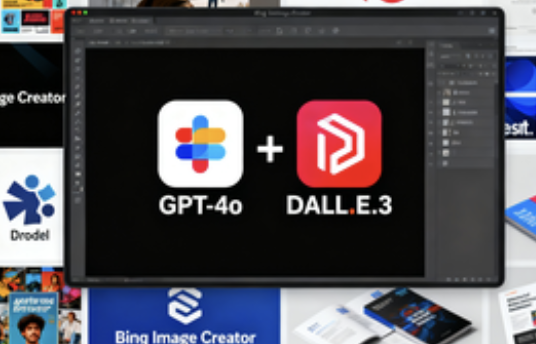
- Model selection: Provides two image generation paths: GPT-4o and DALL·E 3, covering both detailed editing and efficient image output requirements.
- Image Redrawing and Variations: Recreate, enhance, and style existing images.
- Multi-terminal access: The web page uses the image generation function, and the mobile application provides a video generation entrance.
- Queues and History: Generation tasks can be queued for processing, and historical works are preserved for a certain period of time for easy tracing and management.
2. Technical and compliance features
- Content credentials and watermarks: Embed watermarks into generated images and provide content credentials and traceability information based on the C2PA standard.
- Security policy: Built-in harmful content identification and blocking policy, any violation will be blocked and the user will be notified.
- Account system: Services are provided for personal Microsoft accounts, and are not currently applicable to corporate or school accounts.
- Language support: Prompts and interface content are supported in over 100 languages, facilitating cross-regional collaboration.
4. Pricing and Versions
Bing Image Creator is free to use: Standard mode offers unlimited generation, while Express mode provides a fixed number of free generation attempts per day. Once your daily quota is used up, you can continue generating at the standard speed. For continued rapid generation, you can redeem Microsoft Points for higher processing speeds. Specific quotas, replenishment methods, and available models are subject to change over time or by region; please refer to the product page for details.
5. Applicable Scenarios and Target Audience
- Social media and marketing: Quickly produce covers, posters, and campaign key visuals to meet high-frequency updates.
- E-commerce and brand materials: Batch generate product images and advertising creatives to maintain a consistent style.
- Education and Science: Create illustrations and diagrams for presentations and courses.
- Creative Design and Illustration: Rapid iteration of concept sketches, style exploration, and scheme comparison.
- Mobile short video workflow: Generate short video clips on the mobile portal and publish them in conjunction with image materials.
6. Frequently Asked Questions
Q: Is Bing Image Creator free? How is the quota calculated?
A: Standard mode allows unlimited generation, while Express mode provides a daily limit of free generation. After exceeding the limit, you can continue generating at the standard speed or redeem Microsoft Points for a faster speed. The actual limit and policy are subject to the information displayed on the website.
Q: What models and features does Bing Image Creator support?
A: We offer GPT-4o and DALL·E 3 for image processing, supporting text-to-image generation, image redrawing, and multi-scale export. The mobile version offers video generation, making it suitable for short video production.
Q: Does it support enterprise or school account login?
A: Currently, only personal Microsoft accounts are supported for login. Enterprise or school accounts are not applicable.
Q: How to identify and preserve works
A: The generated image is watermarked and provides content credentials and traceability based on C2PA. The work history is saved for a certain period of time and users can clean up or delete it at any time.
Q: Availability of video generation functionality
A: The video generation feature is currently available on mobile devices, supporting prompt generation of short videos and using a speed strategy and point acceleration mechanism similar to images.