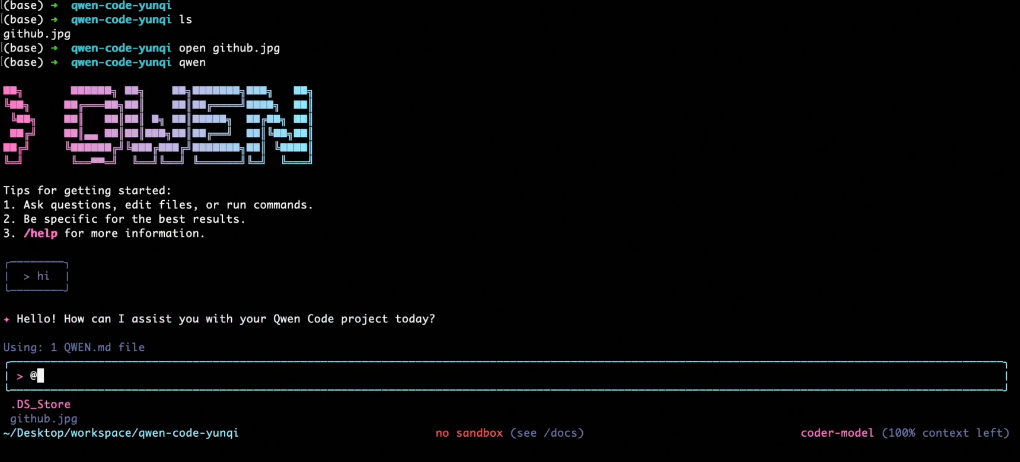
Qwen Code has released several consecutive version updates, from v0.0.12 to v0.0.14, featuring features such as Plan Mode, intelligent visual switching, and multi-platform certification support. Plan Mode allows the AI to generate a complete implementation plan before modifying the code, only executing the changes after user confirmation, improving controllability and security. Regarding visual capabilities, the new version automatically switches to the Qwen3-VL-Plus model upon detecting image input. This model supports 256KB input and 32KB output, making visual task processing more efficient.
In addition, the Zed editor integration has been expanded and now supports OpenAI and Qwen OAuth dual login methods. Users can also manually control loop detection, confirm file overwrites, and workflow details. Under-the-hood optimizations include fixing multi-line paste anomalies on Windows platforms, Zed OAuth authorization freezes, tool call format errors, output token restrictions, Markdown rendering issues, and TaskTool synchronization anomalies. The development team also removed the editCorrector module with escape character errors and enhanced high-resolution image processing and sub-agent performance.
Frequently Asked Questions
Q: What is the function of Plan Mode?
A: Plan Mode allows the model to generate a complete implementation plan first, and only executes code modifications after user confirmation, which can effectively prevent accidental rewriting.
Q: How to trigger the visual intelligence function?
A: When the input contains images, the system automatically enables the Qwen3-VL-Plus model to achieve linked processing of visual and language content.
Q: What authentication methods does Zed Editor currently support?
A: The latest version supports both OpenAI and Qwen OAuth authentication methods, making it easier for users to integrate across platforms.
Q: What are the main issues fixed in this update?
A: This includes issues such as multi-line pasting errors, OAuth authorization suspension, tool call exceptions, Markdown rendering, and TaskTool synchronization. The overall stability has been significantly improved.
Q: What are the key updates of the new version of Qwen Code?
A: Focus on enhancing controllability, security and multimodal capabilities, giving developers greater freedom in automated and interactive workflows.