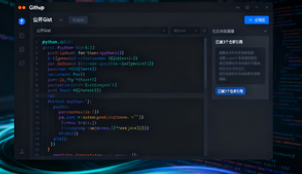
GitHub has officially launched the GitHub MCP Registry, allowing developers to discover and install MCP servers with one click within VS Code, seamlessly integrating with GitHub Copilot. This system, sorted by star rating and activity, makes MCP tool discovery more efficient. Combined with the GA release of the remote GitHub MCP server, this further enhances enterprise-grade AI integration and security governance. GitHub MCP Registry's Value 1. Solving the Challenge of AI Tool Discovery GitHub MCP Registry consolidates distributed MCP servers into a unified directory, providing a one-click installation experience and addressing developer pain points such as difficulty finding, incorrectly installing, and weak signaling. By sorting by activity and star rating, developers prioritize high-quality MCP tools, significantly lowering the barrier to entry.
2. Deep integration with GitHub Copilot and VS Code
MCP Registry is connected to Copilot's Agent mode, allowing developers to call GitHub repositories, issues, PRs, databases, and other tools within the IDE, reducing the efficiency loss caused by switching contexts.
(1) Rapid integration: From discovery to activation in just one step
Select the MCP server in VS Code and install it with one click, and you can call it directly in Copilot.
(2) Multi-host compatibility: Not limited to GitHub Copilot
The MCP standard can be used by different AI hosts, such as Claude and Cursor, forming a cross-platform tool ecosystem.
(3) Open collaboration: Build together with communities such as Anthropic
GitHub MCP Registry will be interoperable with open source registries, supporting developers to publish independently and promoting the standardized development of the AI tool ecosystem.
II. The significance of the remote GitHub MCP server GA
1. Core functions: Making GitHub a "tool set" that can be called by AI
The remote GitHub MCP server is now fully open and can transform repositories, issues, pull requests, discussions, and other capabilities into MCP tools. AI assistants can complete the entire process from code retrieval to pull request submission within the IDE.
2. Enterprise-oriented governance and security upgrades
Enterprises can centrally manage the access scope of the MCP server through policies, and with a stronger authentication mechanism, achieve minimum permissions and traceability of operations.
(1) Seamless workflow: Compatible with existing GitHub and VS Code processes
No large-scale transformation is required, it can be directly enabled.
(2) Quality assurance: Help teams quickly select community-verified MCP tools through star and activity signal screening
(3) Security implementation: Enterprise-level MCP policy management
a. Limit the list of MCP servers allowed to access
b. Use short-term credentials and strong authentication methods
c. Enable logging and monitoring to ensure compliance
Frequently Asked Questions (Q&A)
Q: What is MCP (Model Context Protocol) and how does it relate to the GitHub MCP Registry? A: MCP is a universal protocol for connecting AI with external systems. The GitHub MCP Registry is an official catalog of MCP tools, making it easy for developers to quickly discover and integrate them. Q: How can developers use the GitHub MCP Registry in VS Code? A: Simply select and install the MCP server in Agent mode in VS Code to enable GitHub Copilot to call the tool, without complex configuration. Q: What are the advantages of the GitHub MCP Registry over scattered community resources? A: The Registry provides a unified entry point, sorting by stars and activity, and one-click installation, improving tool discovery efficiency and quality. Q: What is the significance of the GA release of the remote GitHub MCP server for enterprises? A: It exposes GitHub repositories, issues, pull requests, and other features as callable tools, and supports centralized permissions and security policies, helping enterprises achieve secure and efficient implementation of AI tools.