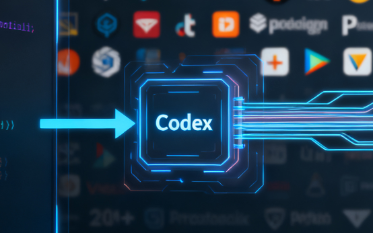
Codex is an intelligent programming assistant launched by OpenAI that supports command line (CLI), integrated development environment (IDE), and cloud mode. It helps developers automatically generate code, fix bugs, supplement tests, and submit pull requests, thereby improving development efficiency. Relevant installation and documentation can be found in the "Article Reference Sources" section at the end of the article.
1. How Codex
- worksCLI (Command Line Tools)
- Developers can install and run Codex locally through the official CLI tool. Once logged in, Codex is able to read and modify the code in the current directory. Common instructions include interpreting code, fixing errors, and running tests, which are suitable for rapid development and debugging by individuals.
- IDE Extension
- Codex offers IDE plugins like VS Code. It can automatically edit and interpret based on files, cursor positions, and workspace context, and support delegating complex tasks directly to the cloud in the IDE. Suitable for daily development and small iterations.
- Codex Cloud
- Runs in an isolated sandbox that automatically clones repositories, installs dependencies, and handles tasks in parallel, such as new feature development, build tests, and fix bugs. Generate change notes and pull requests when you're done, perfect for team collaboration and large-scale projects.
2. Usage conditions and extended features
- Account requirements: Codex is included in paid plans such as ChatGPT Plus, Pro, Team, and Enterprise, allowing enterprises to centrally manage permissions and audits.
- Model Selection: GPT-5 is used by default, and specialized models like codex-1 and codex-mini-latest are supported. Users can choose the appropriate model based on their latency and stability needs.
- Code Integration: Codex connects with GitHub for secure access to repositories, running tests, and generating pull requests. Enterprise supports stricter permission control and compliance.
- Open Source Ecosystem: The Codex CLI is open source, allowing developers to participate in plugin development and ecosystem expansion.
3. Best practices
- Clarify task objectives: Write clear functional points and test standards in instructions to make Codex output easier to verify.
- Progressive use: Small tasks are suitable for CLI or IDE, and cloud mode is recommended for large and complex tasks.
- Maintain manual review: Review diffs before merging, enabling "Edit Requires Approval" mode if necessary.
- Enhanced Observability: Validate codex changes with test logs and CI to ensure consistent and reliable results.
Frequently Asked Questions (Q&A)
Q: How do I install and launch Codex?
A: The CLI can run codex initialization through the official installation package; IDE can install plugins; Large tasks can run in the cloud.
Q: What model does Codex use by default?
A: GPT-5 is used by default, and both codex-1 and codex-mini-latest are supported.
Q: What tasks is Codex suitable for?
A: It is suitable for code interpretation, bug fixing, generative testing, new feature development and refactoring. Small tasks are recommended to run locally, and large tasks are recommended to be run in cloud mode.