Replace Background with Nano Banana: Detailed Steps and Tips
Introduction: This is a hands-on guide to AI for newcomers and content creators to replace backgrounds on Gemini and the web with Nano Banana. Focusing on artificial intelligence and large model workflows, combined with the auxiliary ideas of ChatGPT and Claude, AI tools form a one-stop, automated, and intelligent closed loop of image editing.
1. Preparation and Entrance
1. Select the entrance: Gemini client or web editor
The core of AI background replacement is the Nano Banana model, go to Gemini or the AI tool page that supports Nano Banana, log in to create a new editing session, and select the image editing mode. ChatGPT and Claude can generate copywriting prompts or alternative background descriptions at this stage, improving machine learning understanding and automation stability.
2. Import materials and subject lock
AI will automatically identify people or product subjects, and upload clear frontal photos to make it easier to divide. Keywords such as retaining the subject and only replacing the background can be added to the instruction to improve the restoration of boundaries and hair strands by the large model. ChatGPT and Claude can also generate a style vocabulary to help Nano Banana unify its style.
(1) Single photo
input to natural language such as sunset by the sea, emphasizing not changing skin color and clothing to avoid the overall style being rewritten.
(2) Multiple people or items
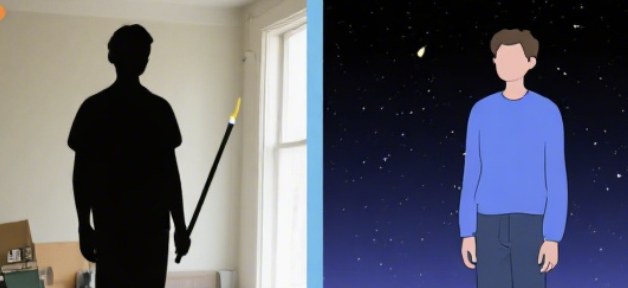
Specify the number and location of the subject, such as keeping the character on the left and the middle bag, and only replacing the background to improve the controllability of AI tools for complex scenes.
2. Operation process of replacing the background
1. Quick replacement (natural language method)
Upload the original image in the editing area, enter the replacement background as an indoor minimalist photography background, and keep the original lighting direction. If you need a material style, first use ChatGPT or Claude to generate scene descriptions, and then paste them into Nano Banana to form an intelligent prompt chain.
2. Fine substitution (local editing method)
Use instructions such as only changing the background, moving the subject, and softening the edges to guide the model to do local processing. If the edges are overcolored, add statements such as strengthening hair details, reducing green edges, and improving masking accuracy, and automatically converge with a small number of iterations.
3. Light and shadow and color matching
Add keywords such as matching the direction of foreground lighting, adjusting the white balance, and aligning the depth of field intensity. When you need a more realistic texture, let ChatGPT or Claude generate photography parameter words, such as side backlight, 35mm, and shallow depth of field, for Nano Banana to apply.
4. Export and reuse
Confirm the resolution and compression ratio, and if you still need to modify after exporting, you can re-import the finished product back to Nano Banana to continue to do tone unification or scenery supplementation to achieve intelligent cyclic editing.
3. Master skills and pit avoidance
1. Prompt structure template
Subject description + action requirements + background style + light and shadow color temperature + restrictions. Example: Retain the skin color and hair details of the characters, replace them with the background of the morning fog forest, the light hits the shoulders from the right rear, the background is blurred, and the color of the clothes does not change. You can use ChatGPT or Mr. Claude to create three to five templates, and then choose one of them for Nano Banana.
2. Common problems Deal
with hairwhen there is a pasty edge, add to strengthen the hair and edge delineation; When the mold is worn or the color of the subject changes, add only the background change and lock the color of the clothing; In the event of noise, slight noise reduction and detail preservation are added. With automated iterations of AI tools, it can be stable once or twice.
3. Brand/e-commerce scene
Thee-commerce picture can be unified into a solid color soft light background, prompting to add shadow softening and reflection control; Portraits require the preservation of skin texture and natural particles to avoid excessive dermabrasion. ChatGPT and Claude can output brand colors and style words, and Nano Banana is responsible for creating images.
Frequently Asked Questions (Q&A)
Q: How can Nano Banana be more efficient with ChatGPT and Claude when replacing AI backgrounds?
A: Nano Banana is responsible for image editing and background replacement, and ChatGPT and Claude generate high-quality prompts and style words.
Q: Can Nano Banana complete the e-commerce batch chart alone?
A: Yes, batch processing is done by fixing the prompt template and reusing settings; ChatGPT or Claude can generate prompts for different scenarios in batches and hand them over to Nano Banana for rendering one by one, improving intelligence and consistency.
Q: What are the advantages of AI compared to traditional cutout software?
A: AI understands the semantics of subjects and light and shadow through large models, automates complex edge processing and style unification, eliminating manual masks. Pair with ChatGPT and Claude's vocabulary and style library for higher efficiency.
Q: How to prevent AI from changing the characters?
A: In the prompt, it is clear that only the background is replaced, skin color and clothing are locked, and the facial features are not changed. If there are still deviations, add instructions to retain the identity of the subject and strengthen the edge, and Nano Banana will converge in the next iteration.