Back to AI information
New features in Cursor 2.4: Agents can ask clarification questions while working, and support generating images and writing assets

New features in Cursor 2.4: Agents can ask clarification questions while working, and support generating images and writing assets

AI information Admin 101 views

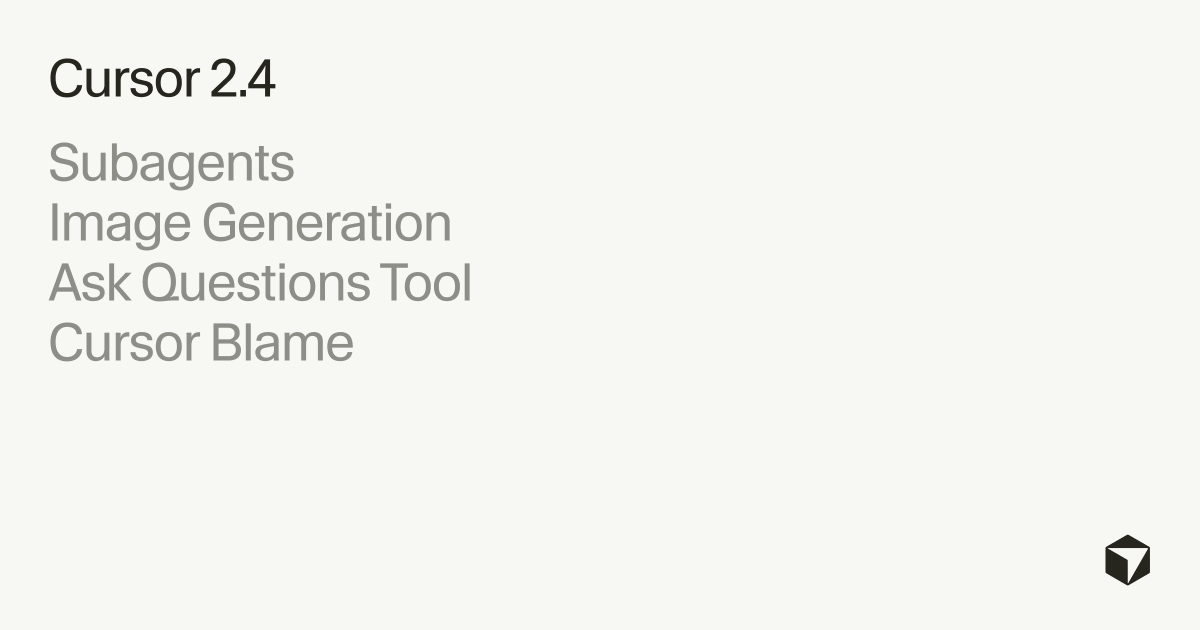
AI programming editor Cursor released version 2.4, and the core updates revolve around "Subagents" and "Image Generation". The new mechanism allows the master agent to split independent subtasks into multiple sub-agents for parallel processing, each using an independent context, and configurable prompts, tool permissions, and models to improve the overall speed of complex, time-consuming workflows and the contextual focus of the main conversation.

This version also adds the ability to generate images directly from the agent: users can use text descriptions or upload reference images to guide the underlying image model to generate content; The generated results are returned as an inline preview and saved to the project's assets/ directory by default, targeting scenarios such as UI prototypes, product assets, and architecture diagrams. The Enterprise Edition also introduces Cursor Blame, which adds AI attribution to the traditional git blame, distinguishes tab autocompletion, agent runs by model, and manual editing, and links each line of code to the corresponding session summary for easy review and traceability.

In addition, the interactive Q&A tool used by Plan and Debug mode has been extended to initiate clarifying questions in any conversation; While waiting for a response, the agent can continue reading the file, modify code, or run commands, and automatically include the next steps when the answer arrives. Improvements and bug fixes are listed in summary form in the changelog, and the details are still subject to the official page.

FAQs

Q: What are the functions of Subagents in Cursor 2.4?

A: Sub-agents are independent agents that can run in parallel, handling different parts of the main task in their own contexts, accelerating complex planning and deep codebase exploration.

Q: Where does Cursor 2.4's image generation save images?

A: Images are returned as an inline preview and saved to the project's assets/ folder by default for direct reference in the UI and product assets.

Q: Which users can use Cursor Blame and what problems can Cursor Blame solve?

A: Cursor Blame is geared towards Enterprise and enhances git blame with AI attribution, distinguishing between AI and human sources, and linking to session summaries that generate code to assist in code review.

Q: How is the Agent's clarification question different from before?

A: Agents can now ask clarification questions in any conversation and continue to perform parallel read, edit, and command tasks while waiting for a response.
Cursor 2.4 released: Sub-agent parallel dismantling tasks improve the speed of complex workflows Cursor 2.4 launches Subagents: independent contextual parallel processing makes the main conversation more focused Cursor 2.4 sub-agent mechanism: It can be equipped with prompt tool permissions and model triggering efficiency upgrades Cursor 2.4 adds image generation: Agent directly generates images and saves the assets directory by default Cursor 2.4 image capabilities are implemented: Text descriptions or reference images are more time-saving to generate UI materials Cursor 2.4 Enterprise Edition introduces Cursor Blame: AI attribution enhancement git blame for easy review and traceability Cursor Blame controversy point in Cursor 2.4: AI vs. human sources are broken down into each line of code Cursor 2.4 opens up the Plan and Debug Q&A tools: any conversation can initiate clarification questions Cursor 2.4 waits for a reply without stopping: Agent reads files while changing code and running commands Cursor 2.4 Core Update Interpretation: Subagents Parallelism + Image Generation Reshapes the Editor Experience Cursor 2.4 makes the main agent lighter: sub-agents share subtasks to avoid context explosions Cursor 2.4 sub-agent independent context: Deep codebase exploration is faster but permissions need to be managed Cursor 2.4 parallel sub-agents are here: long-time task splitting to reduce blocking Cursor 2.4 Image Generation Inline Preview: The results are intuitive but the default assets are attention-grabbing Cursor 2.4 generates images and automatically stores them: assets catalog management materials are more convenient and easier to expand Cursor 2.4 image generation is oriented towards UI prototypes: one-click generation of product materials and architecture diagrams Cursor 2.4 supports reference image guidance: upload images to generate content to improve controllability Cursor 2.4 sub-agent customizable models: Different subtasks use different models to improve cost performance Cursor 2.4 Sub-Agent Controllable Permissions: Tool authorization segmentation reduces the risk of misoperation Cursor 2.4 Workflow Speedup: Subagents parallel to make complex plan execution smoother Cursor 2.4 vs. the old mechanism: clarifying questions is no longer limited to Plan and Debug modes Cursor 2.4 Interactive Q&A Upgrade: Any conversation can be asked for clarification and reduced rework Cursor 2.4 Asynchronous Advancement: You can continue to change the code to increase throughput while waiting for an answer Cursor 2.4 release highlights: Sub-agent parallel processing makes long tasks converge faster Cursor 2.4 release highlight: Agent directly generates images to open up design and development Cursor 2.4 Enterprise Feature Upgrade: Cursor Blame links code sources to session summaries How to use Cursor Blame in Cursor 2.4: Distinguish between Agent operation and Tab completion by model Cursor 2.4 also includes tab completion in attribution: AI contributions are transparent but censorship pressure increases Cursor 2.4 AI Attribution Enhancement Review: Each line of code can be traced back to the corresponding conversation summary Cursor 2.4 changelog changed to summary: the details are still subject to the official page, causing complaints What scenarios are Cursor 2.4 sub-agents suitable for: Split plan research to achieve parallel testing and advancement Cursor 2.4 sub-agent is suitable for codebase exploration: multi-agent split search and positioning is more efficient Cursor 2.4 sub-agent is suitable for long-term repairs: parallel reproduction troubleshoots and writes patches to accelerate the closed loop What Cursor 2.4 image generation is suitable for: UI prototype product material architecture diagrams are directly generated Cursor 2.4 image generation saves clear path: by default, the project assets folder is written Cursor 2.4 image capabilities bring new problems: repository material management and version control need to be standardized Cursor 2.4 sub-agents introduce a new problem: multi-context parallelism can increase consistency coordination costs How to configure Cursor 2.4 sub-agents: Prompt tools, permission models, and three items can be customized and more flexible How Cursor 2.4 Sub-Agents Improve Focus: The main dialog retains key decisions and avoids being overwhelmed by details Cursor 2.4 clarifies the changes in the questioning mechanism: ask and do while you reduce waiting time waste Cursor 2.4 "Wait without interruption" mechanism: Answers are automatically included in next steps when they arrive Cursor 2.4 for corporate audits: Cursor Blame enhances traceability and liability division Cursor 2.4 for Team Collaboration: AI Attribution Makes Code Reviews More Documented Cursor 2.4 for product teams: Image generation allows design materials and code to collaborate in the same warehouse Cursor 2.4 for development teams: Subagents improve the efficiency of complex refactoring and troubleshooting in parallel Cursor 2.4 FAQ Summary: Subagents Image Saving Path and Cursor Blame Benefit Description Cursor 2.4 is the most interesting thing to understand in this article: Sub-agent parallelism and image generation are the biggest highlights Cursor 2.4 upgrade is not worth it: efficiency improvement and management trade-offs brought about by material placement Cursor 2.4 New Features Overview: Subagents Parallel Mapping and Enterprise AI Attribution Triple Hit

Recommended Tools

More

