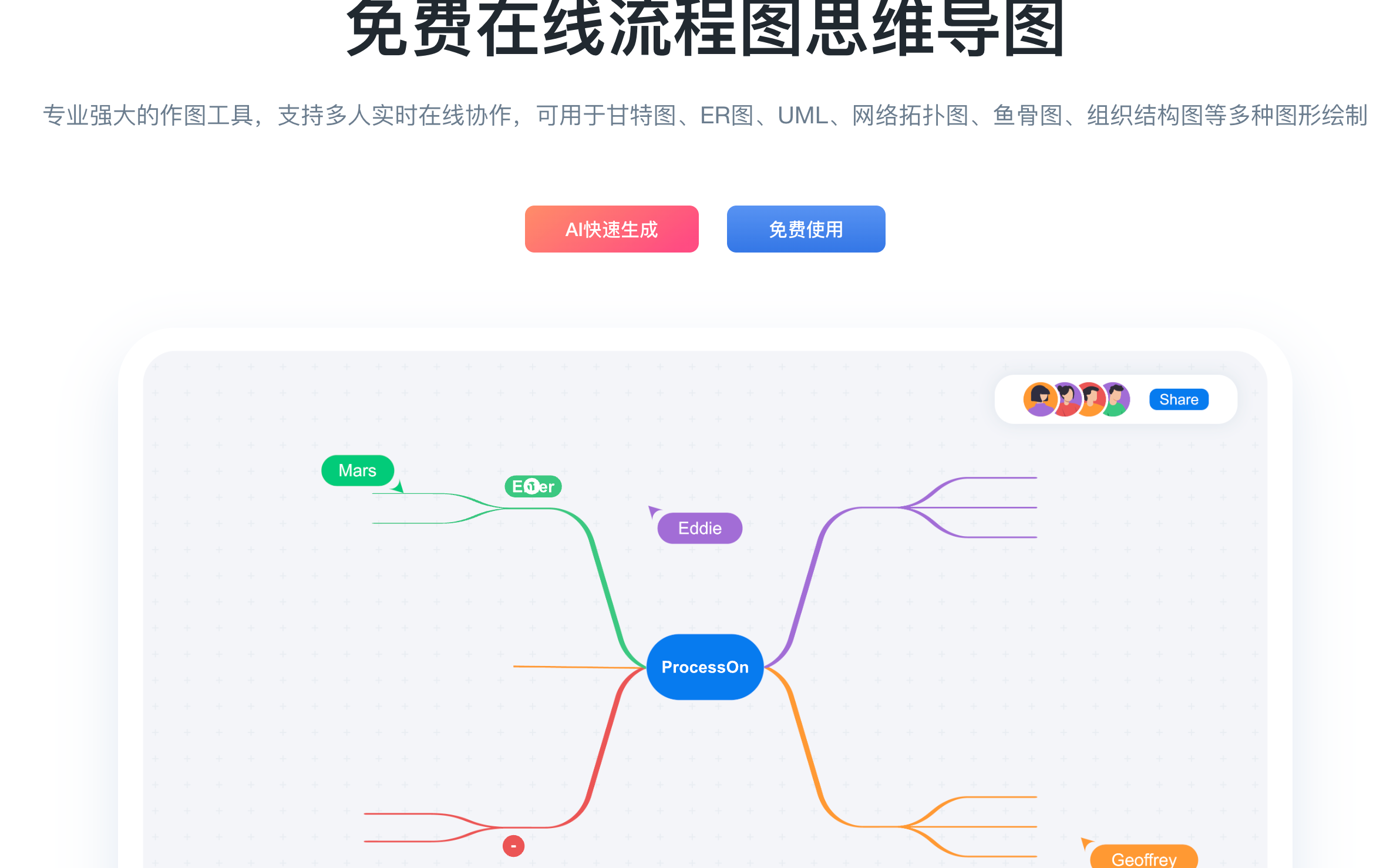
ProcessOn is an online mapping tool and sharing community that provides individuals and teams with an integrated graphic expression platform from drawing to collaboration, from precipitation to reuse, focusing on online diagramming, flowcharts, mind mapping, multi-person real-time collaboration and cloud synchronization. ProcessOn is commonly used to visualize business processes, knowledge structures, and system designs, adapting to scenarios such as learning organization, work reporting, and team knowledge asset management.
1. Basic information
ProcessOn is part of Beijing Damaidi Information Technology Co., Ltd. The product is positioned as an online mapping platform that can be used in a browser, supporting content creation, sharing, and collaborative management, and provides multiple forms of use, including web, desktop, and mobile terminals, to meet the needs of drawing and recording in different scenarios.
2. Product overview
ProcessOn focuses on graphical expression, covering two high-frequency tools, mind maps and flowcharts, and expands to a variety of professional graphics. Users can draw with drag-and-drop editing and structured input, which can be saved and synchronized in the cloud. The platform emphasizes real-time online collaboration, historical version traceability and permission control, so that graphical files can be used for personal organization and continuous iteration as process asset libraries and knowledge maps within the team.
3. Core functions
1. Multi-type graphic drawing ability
ProcessOn supports the drawing requirements of process and structure diagrams, including flowcharts, swimlane diagrams, BPMN2.0, Gantt diagrams, UML, architecture diagrams, network topology diagrams, ER diagrams, organizational structure diagrams, fishbone diagrams, timeline and Wayne diagrams, etc., which can be used for business process combing, system design description, and data expression.
2. Editing efficiency and performance are enhanced
The product provides one-click beautification and fast typesetting capabilities, reducing the layout cost of complex graphics. Some content forms support Markdown input and formula editing capabilities, which is convenient for expressing structure, text, and formula content in the same work at the same time, and improving the readability of technical documents and learning materials.
3. Collaboration and cloud management
ProcessOn supports real-time collaborative editing by multiple people, and provides stable synchronous storage and historical version management capabilities in the cloud. In the team form, documents can be managed uniformly according to the organizational dimension through team space, and cooperate with member permission management, resignation handover, and recycle bin mechanisms to improve collaboration efficiency and ensure the security of graphic assets.
4. Format compatibility and import and export
ProcessOn offers multi-format import and export to accommodate cross-tool collaboration. Flowcharts and mind maps can be exported to common image and document formats, as well as SVG, PDF, and other delivery scenarios. The platform also supports compatibility with flowchart-related formats such as Visio and Mermaid, as well as the conversion ability to mind map-related formats such as XMind, FreeMind, Markdown, Excel, etc., making it easy to migrate existing files and unify team diagramming standards.
5. Template community and content reuse
ProcessOn provides template community and tutorial content, allowing users to quickly start by cloning templates with one click, reducing the time cost of building a structure from scratch. The platform also supports publishing and sharing graphic content, forming a closed loop from creation to reuse, which is suitable for team precipitation process specifications and personal precipitation knowledge notes.
6. AI assistance and expansion services
ProcessOn provides AI-related capabilities to assist in generating content forms such as mind maps, helping users quickly form structured first drafts from topics. For enterprises and developers, ProcessOn also provides an API service platform that supports online preview editing and format conversion, and provides the development support required for docking to embed flowchart and mind mapping capabilities into the organization's own systems and business applications.
4. Pricing and versions
ProcessOn offers free, individual, lifetime, and team versions. The free version is usually used for basic drawing and limited collaboration needs, while the personal and lifetime versions provide higher file counts, collaboration, and export capabilities for individual users. Team Edition is billed per member and is suitable for organizations that require team space, permission control, and management capabilities. Privatization deployment and information innovation-related forms are usually subject to consultation quotations, and specific rights and prices are subject to the official page display, and may vary depending on the activity and region.
5. Applicable scenarios and populations
- Product and project positions: demand sorting, process design, project planning, meeting minutes and program review
- R&D and architecture positions: UML modeling, system architecture explanation, network topology and database ER relationship sorting
- Operation and management positions: business process optimization, system process precipitation, OKR and training materials visual expression
- Education and learning population: structured presentation of course notes, knowledge frameworks, review outlines and reading arrangements
- Enterprise collaboration scenarios: team knowledge map, process asset library, standard component library and authorization document management
6. Frequently asked questions
Q: What types of graphics does ProcessOn support for online plotting?
A: ProcessOn supports common graphics such as flowcharts and mind maps, and covers various professional graphic types such as swimlane diagrams, BPMN2.0, UML, architecture diagrams, network topology diagrams, ER diagrams, and Gantt diagrams.
Q: How does ProcessOn enable real-time collaboration and version traceability for multiple people?
A: ProcessOn supports multi-person online real-time collaborative editing, synchronous storage of files in the cloud, and provides historical version management capabilities, which is convenient for retrospective modification and ensures that the collaboration process is controllable.
Q: What capabilities does ProcessOn Team Edition have in terms of permission and security management?
A: Team Edition provides team space and member permission management capabilities, and supports anti-leakage measures such as watermarks and recycle bin mechanisms to improve the management and security of graphic assets within the organization.
Q: Does ProcessOn support file format compatibility with other tools?
A: ProcessOn supports multi-format import, export, and conversion capabilities, which can be used to migrate files and deliver output between common flowcharts and mind mapping tools.