
Back to Tools

A.V. Mapping

AI music creation

A.V. Mapping is a video-to-music matching platform that combines artificial intelligence technology to provide video creators with efficient and accurate soundtrack solutions. Through 14 AI models, the platform can analyze the mood, rhythm, tone and other elements of the video and recommend the most suitable music in seconds, shortening the traditional soundtrack process that took weeks to a few minutes. A.V. Mapping emphasizes the use of works by real musicians, non-synthesized music, ensuring musical quality and emotional expression. At the same time, the platform provides complete music licensing services to help creators quickly obtain legal authorization and avoid copyright risks. For musicians, A.V. Mapping offers a high profit sharing mechanism, allowing you to set your own prices and track the transaction process to protect your creative income. The platform has won the 2020 German Red Dot Design Award and continues to expand its global market, striving to become an ideal assistant for video and music creators.

1. core functions

  • Analyze video emotions, rhythm and tone through multiple AI models.
  • Recommend the best matching music in a short period of time.
  • Use the works of real musicians and provide licensing services.
  • It can greatly shorten the traditional process of finding a soundtrack.

2. usage scenarios

  • Quickly find a soundtrack for your video.
  • Do music licensing matches for commercial projects.
  • Help musicians push their works to people who need a soundtrack.

3. suitable for the crowd

  • Video creator.
  • Teams that need copyright-compliant soundtrack.
  • Musicians and publishers.

4. common problems

What is A.V. Mapping best for?

It is best suited for video soundtrack matching and licensing.

Does A.V. Mapping use synthetic music?

No, it emphasizes the use of works by real musicians.

What information does A.V. Mapping analyze videos?

Public descriptions mention emotions, rhythm and tone.

Is A.V. Mapping commercially suitable?

Suitable because it provides authorization services.

Is A.V. Mapping helpful to musicians?

Yes, the platform also facilitates the matching and use of music works.
Similar Tools

Vozart

Vozart

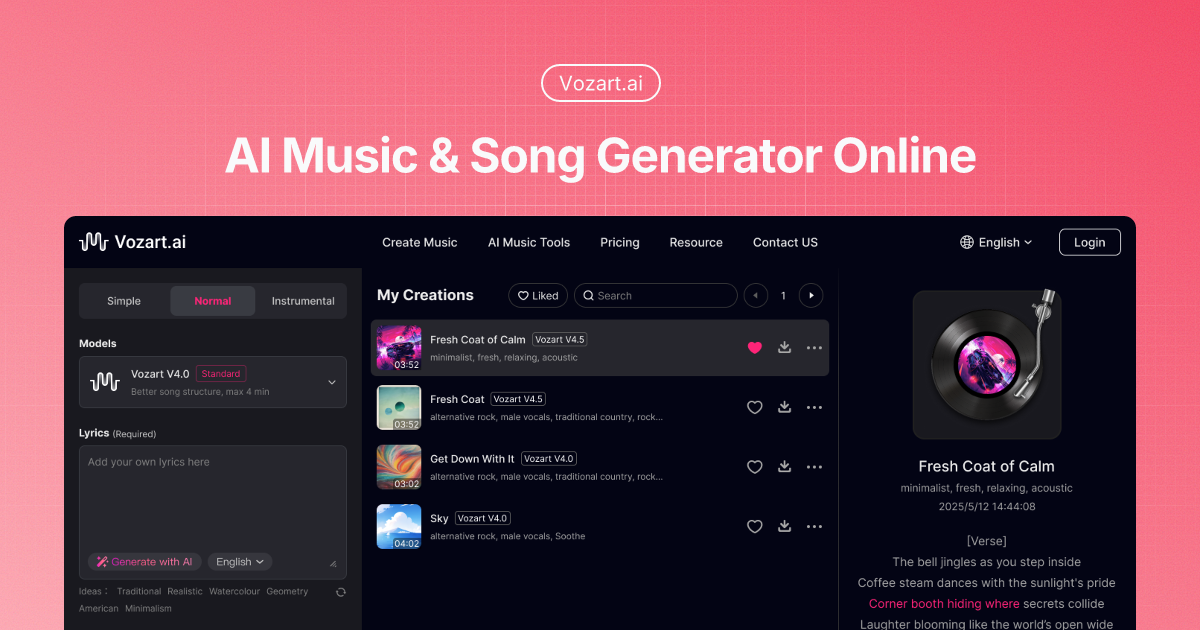
Vozart is an AI music and lyrics generator primarily aimed at music creators, short video teams, and lyric writers for generating drafts of songs, lyrics, and music ideas. It's better for people who already have clear footage, scripts, customer communications, or business processes to centralize song generation, lyric writing, and music drafts into a more performable workflow. When using it, you need to focus on music copyright, style originality and post-production, especially when it comes to customer information, character voices, image materials, web page data or published content, you should first confirm authorization and manual review. Overall, Vozart is suitable as an auxiliary tool for generating drafts of songs, lyrics, and music ideas, rather than a complete replacement for the final judgment of editors, operations, R&D, or management.

Vocs AI

Vocs AI

Vocs AI is an AI music and sound design tool for teams and creators who need a practical way to generate, organize, convert, or review work before it moves into a final production flow. It is best used with clear source material, a defined output goal, and a human review step for accuracy, rights, privacy, and publishing quality.

Vertate

Vertate

Vertate is an AI music and sound design tool for teams and creators who need a practical way to generate, organize, convert, or review work before it moves into a final production flow. It is best used with clear source material, a defined output goal, and a human review step for accuracy, rights, privacy, and publishing quality.

UniMusic AI

UniMusic AI

UniMusic AI is an AI workflow tool for teams that need to create, organize, convert, or review task-specific material before final use. It should be used with clear source material, a defined output goal, and human review for accuracy, rights, privacy, and publishing quality.

TinyMusic

TinyMusic

TinyMusic is an AI workflow tool for teams that need to create, organize, convert, or review task-specific material before final use. It should be used with clear source material, a defined output goal, and human review for accuracy, rights, privacy, and publishing quality.

Text to Song

Text to Song

Text to Song is an AI tool for users who need a clearer way to handle focused digital work. It can support creation, automation, analysis, learning, media production, development, research, customer operations, or document workflows depending on the product scope. Start with a small low-risk task, compare the result with your own standards, and keep human review for facts, permissions, privacy, brand voice, safety, and final delivery.

Sunoify

Sunoify

Sunoify helps users turn clear source material into editable results for content, media, data, learning, or operational workflows. It is best used when the goal, input, output format, and review standard are clear. Users should test it with a low-risk task first and keep human review for customer data, student work, financial information, portraits, production code, or public content.

Stable Audio

Stable Audio

Stable Audio is an AI music creation tool suitable for music creators, video authors, podcast teams and content producers to use when high-quality music and sound effects are generated at lightning speed. Its focus is to turn lyrics, style ideas and audio processing requirements into music drafts that can be listened to and continuously modified. Current visible capabilities include 10 points, high-quality music and sound effects, and lightning-fast generation. It provides free entry or trial credits, which is suitable for verifying a small task before deciding whether to pay. When it comes to real-life voice, copyrighted music or commercial release, authorization and usage boundaries need to be confirmed first. If you plan to use it for a long time, it is recommended to use a real but low-risk task to test input preparation, output stability, manual review costs and authority boundaries before deciding whether to include it in a fixed process.

Splitter.ai

Splitter.ai

Splitter.ai Its focus is to turn lyrics, style ideas and audio processing requirements into music drafts that can be listened to and continuously modified. Currently visible capabilities include free upload and 1-day trial, AI audio processing, and audio track separation. It provides free entry or trial credits, which is suitable for verifying a small task before deciding whether to pay. When it comes to real-life voice, copyrighted music or commercial release, authorization and usage boundaries need to be confirmed first. If you plan to use it for a long time, it is recommended to use a real but low-risk task to test input preparation, output stability, manual review costs and authority boundaries before deciding whether to include it in a fixed process.

Latest Articles

How do you connect the Hermes Agent production tool? Let's start with read-only permissions

How do you connect the Hermes Agent production tool? Let's start with read-only permissions

When Hermes Agent needs to connect to production databases, cloud accounts, ticketing systems, or co

Can't use the terminal tool in Hermes Agent Telegram? Let's first look at the platform, Toolset

Can't use the terminal tool in Hermes Agent Telegram? Let's first look at the platform, Toolset

Hermes Agent can use terminal tools in the CLI, but not in Telegram. First, check the platform's too

Hermes Agent MCP changed tools but didn't appear? Reload first, not reinstall

Hermes Agent MCP changed tools but didn't appear? Reload first, not reinstall

Hermes Agent's MCP server has changed the tool list, but no new tools can be seen in the conversatio

Hermes Agent changes memory, but still not working? Only new conversations will be read

Hermes Agent changes memory, but still not working? Only new conversations will be read

Hermes Agent just changed memory, but the current conversation still follows old habits. Usually, it

Can't find the tool in Hermes Agent Tool Search? First, distinguish between hidden and unloaded

Can't find the tool in Hermes Agent Tool Search? First, distinguish between hidden and unloaded

After opening Tool Search with Hermes Agent, you can't find a tool. First, distinguish whether it's

Is OpenClaw browser stuck on old pages? First, restart the session and don't delete the configuration

Is OpenClaw browser stuck on old pages? First, restart the session and don't delete the configuration

OpenClaw browser keeps getting stuck on old pages, screenshots, or tabs. Restart the browser to cont

OpenClaw group chats are usable but don't want to provide tools? Narrow profiles for groups individually

OpenClaw group chats are usable but don't want to provide tools? Narrow profiles for groups individually

You can have normal conversations in OpenClaw group chats, but if you don't want group members to tr

OpenClaw channel connected but no news? Inspect by four floors

OpenClaw channel connected but no news? Inspect by four floors

The OpenClaw channel shows connected, but messages neither come in nor go out, indicating that the "

What should you do if OpenClaw has two Gateways? First, stop the old instance

What should you do if OpenClaw has two Gateways? First, stop the old instance

If both OpenClaw Gateways appear at the same time, don't rush to change the channel configuration. Y

Recommended Tools

More




