
Codex is stuck and not responding? Check by approval, terminal, and log check
If Codex is stuck and unresponsive, do not send the same message repeatedly. Confirm in order whethe
Gen Music IM is an AI music generation and production tool. The core positioning of the official website is to convert text, lyrics and creative descriptions into songs, and provide lyrics, rap, accompaniment and music production tools, mainly focusing on Wensheng music, lyrics to songs, lyrics generation, rap generation, accompaniment generation, music tools and rhythm games, suitable for creators who need to quickly produce songs, soundtracks or musical inspiration. Before use, confirm whether the account permissions, material or data source, export format, privacy boundary, billing method, and manual review requirements match the actual process. When it comes to public releases, customer communications, health, education, recruitment, audio, video, portraits, or commercial materials, also check for authorization, compliance, and the risk of misjudgment of results, and retain manual review.
Gen Music IM is more suitable for use in a clear work process rather than as a substitute for the final judgment of people. According to the official website, its focus is on converting text, lyrics and creative descriptions into songs, and providing lyrics, rap, accompaniment and music production tools.
Suitable for generating short songs, video scores, lyric samples, speech clips, accompaniments, and musical creative drafts.
Suitable for music creators, video writers, game developers, podcast teams, and those in need of an original soundtrack.
The limitations are that music copyright, commercial use, and sound similarity are carefully checked, and authorization is checked before official release.
Prepare the theme, lyrics, style, duration, purpose and commercial claims before use.
Verify that the input data comes from a legal, clear and authorizable source, and then check that the output can be understood, modified and traceable. Pictures, videos, music, voice, marketing content and social content should check copyright, character authorization, factual details and platform rules; documentation, health, education, recruitment, and project management results should be reviewed back to the source material for key conclusions; Automation tools also need to confirm how manual takeover occurs after failure.
Tools should not be left to ultimate responsibility if the task requires medical diagnosis, psychotherapeutic conclusions, investment advice, formal legal advice, exam answers, unaudited public releases, identity authentication, or automated execution by high-risk systems. A safer use is to use it as a draft, clue, initial screening, assisted sorting, generating samples, or as a reference before manual decision-making.
What does Gen Music IM mainly solve? **
It mainly solves the problem of not having complete composition skills and wanting to quickly turn ideas into music.
Is Gen Music IM suitable for direct use in formal processes?
It is suitable for music drafts and material production, and the licensing and copyright boundaries must be confirmed before commercial distribution.
What do I need to prepare before using Gen Music IM?
You need to prepare prompts, lyrics, music style, purpose, and output format.
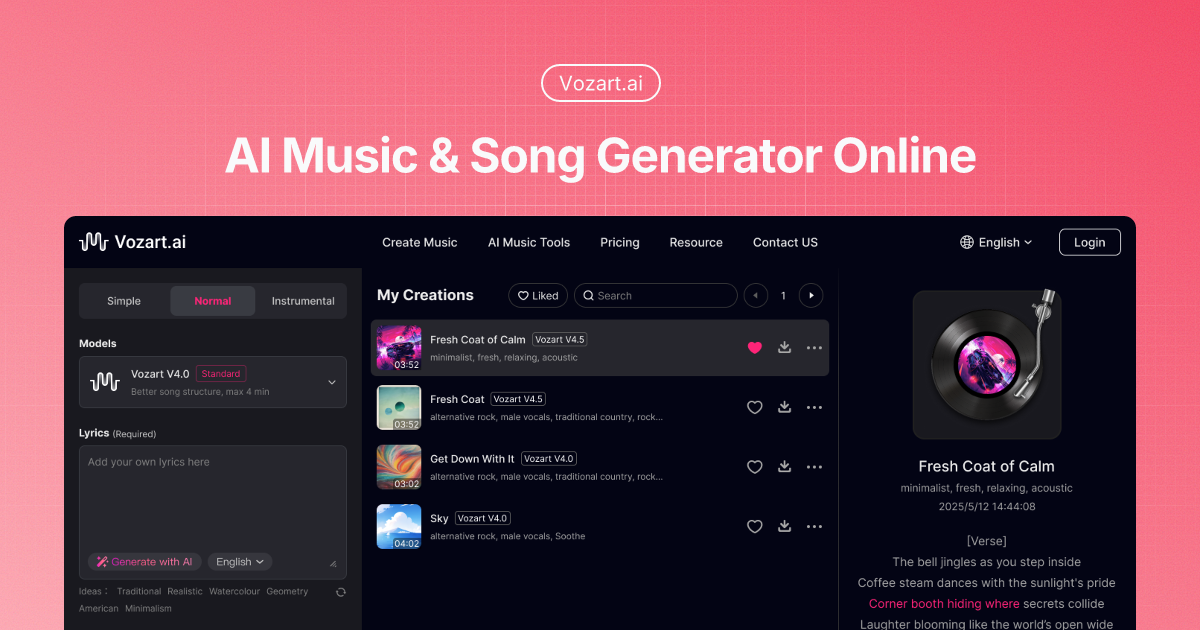
Vozart is an AI music and lyrics generator primarily aimed at music creators, short video teams, and lyric writers for generating drafts of songs, lyrics, and music ideas. It's better for people who already have clear footage, scripts, customer communications, or business processes to centralize song generation, lyric writing, and music drafts into a more performable workflow. When using it, you need to focus on music copyright, style originality and post-production, especially when it comes to customer information, character voices, image materials, web page data or published content, you should first confirm authorization and manual review. Overall, Vozart is suitable as an auxiliary tool for generating drafts of songs, lyrics, and music ideas, rather than a complete replacement for the final judgment of editors, operations, R&D, or management.

Vocs AI is an AI music and sound design tool for teams and creators who need a practical way to generate, organize, convert, or review work before it moves into a final production flow. It is best used with clear source material, a defined output goal, and a human review step for accuracy, rights, privacy, and publishing quality.

Vertate is an AI music and sound design tool for teams and creators who need a practical way to generate, organize, convert, or review work before it moves into a final production flow. It is best used with clear source material, a defined output goal, and a human review step for accuracy, rights, privacy, and publishing quality.

UniMusic AI is an AI workflow tool for teams that need to create, organize, convert, or review task-specific material before final use. It should be used with clear source material, a defined output goal, and human review for accuracy, rights, privacy, and publishing quality.

TinyMusic is an AI workflow tool for teams that need to create, organize, convert, or review task-specific material before final use. It should be used with clear source material, a defined output goal, and human review for accuracy, rights, privacy, and publishing quality.

Text to Song is an AI tool for users who need a clearer way to handle focused digital work. It can support creation, automation, analysis, learning, media production, development, research, customer operations, or document workflows depending on the product scope. Start with a small low-risk task, compare the result with your own standards, and keep human review for facts, permissions, privacy, brand voice, safety, and final delivery.

If Codex is stuck and unresponsive, do not send the same message repeatedly. Confirm in order whethe

codex exec In CI, it can analyze code without making changes; first check the sandbox: non-interacti

If Codex Skills is installed but does not trigger, first check if it is located in the scan director

Codex config.toml changes that don't take effect usually don't mean the TOML file is corrupted, but

After exiting the Codex CLI, you don't need to redescribe the entire task; just run codex resume sel

On August 3, 2026, the Qwen team released the Qwen 3.8-Max on the official Qwen blog, positioning it