Codex is stuck and not responding? Check by approval, terminal, and log check
If Codex is stuck and unresponsive, do not send the same message repeatedly. Confirm in order whethe
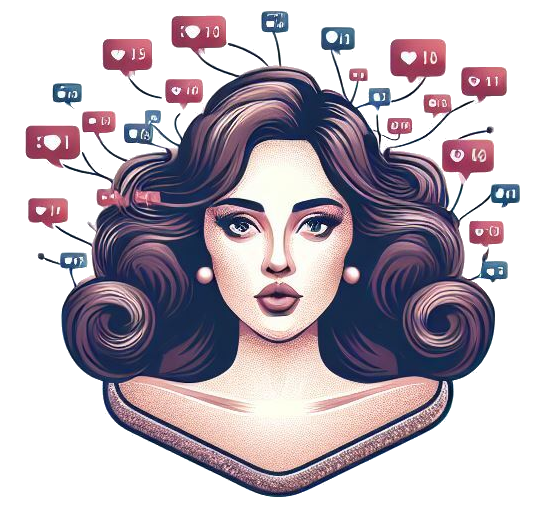
Fake Social is a tool that generates daily AI content based on selfies. The official website states that after users upload a clear selfie, set their username and gender, they can generate a new AI content every day and view and share it with friends. Whether this type of tool is worth using for a long time is best to try it directly with real materials or real tasks, rather than just looking at the homepage demo. Focus on whether the results are stable, easy to modify, integrate with existing processes, and whether privacy, authorization, quotas, and output quality match your actual usage. For products that involve faces, voices, public data searches, and identity verification, you should also additionally check authorization boundaries, risk of misjudgment, platform rules, and manual review costs to avoid putting them directly into the official process just because the features look fresh.
Fake Social is positioned more for social play than productivity tools. It's more like a lightweight entertainment app that generates content around selfies and theme templates. ## Core functions and official website basis
Ideal for entertaining sharing among friends, avatar gameplay, daily themed content, and lightweight AI social interaction. ## Fit for people and boundaries of use
Suitable for casual users and social content creators. Not suitable for scenarios requiring stable commercial output or high-precision portrait control. The limitation is that it is more entertaining and themed generation, and it cannot be used as a professional portrait generation platform, and it should also pay attention to the privacy issues caused by selfie uploads. ## What can be checked before use
If you want to use it for a long time, it's best to look at the generation quality under different topics for a week before deciding if it's really worth keeping in your daily tools. ## Quality judgment
To determine whether such tools are worth keeping for a long time, you should not only look at the sample picture or a slogan displayed on the homepage, but also whether the results are stable, easy to review, and meet privacy and authorization requirements after testing with real photos, real videos, real documents or real business tasks. In particular, tools involving face, voice, identity verification and public information search should take into account the legal source, scope of authorization and risk of misjudgment. If the tool focuses on automation or generation capabilities, there are two additional points to look at: first, whether the results can go directly to the subsequent process, rather than just staying at the demonstration level; second, whether you can quickly find and correct errors when they occur. Only when these two conditions are met can the tool be more suitable for long-term implementation into daily workflows. ## FAQs
Does Fake Social need to upload a lot of photos? The official website currently states that a clear selfie can be used as the basis for generation. Does Fake Social generate new content every day? Yes, the page clearly mentions that new content can be generated every day and the theme can be switched weekly. Is Fake Social suitable for professional business portraits? It is not very suitable, it is more light social entertainment content.

Midjourney is an AI image generation platform developed by Midjourney Inc., an independent research laboratory in the United States, that allows users to generate high-quality images from natural language prompt words. Users can use Discord or the web version to enter descriptive text to quickly generate a variety of image works. The platform provides a variety of model versions and parameter settings to meet the needs of different styles and precision, and is widely used in art creation, product design, advertising and marketing and other fields.

Fotor AI is a multi-functional creative platform that integrates AI image generation, intelligent retouching, and graphic design, and is suitable for a wide range of users, including content creators, designers, and marketers. Users can quickly generate high-quality images in a variety of styles, including illustrations, 3D renderings, cartoons, oil paintings, etc., by entering text or uploading images, to meet a variety of application scenarios such as social media content, brand visuals, and commercial promotion. The platform also provides practical tools such as AI avatar generation, image restoration, background removal, photo coloring, etc., to improve creative efficiency. Accessible on the web and mobile, Fotor is user-friendly and easy to use, making it easy for users to realize their creative ideas.

Ideogram is an AI image generation platform founded by former Google Brain researchers that focuses on accurately incorporating text into images, solving the problem of AI-generated images that are difficult to read Chinese characters. The platform supports a variety of style tags, such as "Typography", "Poster", "3D Render", etc., and users can generate images containing clear text through natural language prompts, which is suitable for poster design, brand identity, social media content and other scenarios. Ideogram is available on the web and for iOS, with batch generation and image editing capabilities to help users efficiently create high-quality visual content.

NightCafe is a leading AI art generation platform that allows users to quickly create high-definition art images by entering text prompts. The platform integrates Stable Diffusion, DALL· E and other image models, covering dreamy, realistic, abstract and other styles, suitable for illustration, cover design, social content production and other application scenarios. Users can customize the canvas size, art style, and number of iterations, and create on the go via web or mobile. NightCafe also has a work community and creative challenges to help designers output inspiration and fan interaction, effectively improving the visual expression of the brand.

Stable Diffusion is an open-source text-to-image generation model developed by Stability AI that enables users to generate high-quality images through natural language prompts. The model uses diffusion generation technology, which can generate realistic images based on the input text description, and is widely used in art creation, product design, advertising and marketing, and other fields. Stable Diffusion supports on-premise and cloud-based access, and provides APIs for developers to integrate into custom applications. The latest version, Stable Diffusion 3.5, offers significant improvements in image quality and generation speed, making it suitable for professional scenarios that require high-resolution image generation.

DALL· E is an AI image generation model developed by OpenAI that supports users to generate high-quality images through natural language prompt words. Latest versionDALL· The E 3 is integrated into ChatGPT to understand complex prompts more accurately and generate nuanced images. The model supports functions such as image extension (Outpainting) and editing (Inpainting), which is suitable for art creation, product design, advertising and marketing, and other fields. Users can access DALL· E service to meet the diverse needs of image generation.

If Codex is stuck and unresponsive, do not send the same message repeatedly. Confirm in order whethe

codex exec In CI, it can analyze code without making changes; first check the sandbox: non-interacti

If Codex Skills is installed but does not trigger, first check if it is located in the scan director

Codex config.toml changes that don't take effect usually don't mean the TOML file is corrupted, but

After exiting the Codex CLI, you don't need to redescribe the entire task; just run codex resume sel

On August 3, 2026, the Qwen team released the Qwen 3.8-Max on the official Qwen blog, positioning it