
Codex is stuck and not responding? Check by approval, terminal, and log check
If Codex is stuck and unresponsive, do not send the same message repeatedly. Confirm in order whethe
AI Song Creator is an AI music and lyrics generator tool in your browser, and its official website states that it can generate background music, beats, full songs with vocals, and supports MP3/WAV downloads from text prompts or lyrics. The page showcases AI Music Generator, AI Lyrics Generator, Recent Creations, and a variety of style examples for video authors, podcasters, game prototypes, instructional content, and independent creators to quickly draft music or find melodic directions. When using, it is suitable to verify the atmosphere, lyric structure and accompaniment direction of the song first, and then enter the editing or music production software for post-production; For public releases or customer projects, you also need to confirm audio licensing and the quality of the generated results.
AI Song Creator focuses on turning natural language prompts, lyrics, and style requirements into downloadable music. The homepage of the official website states that background music, beats, or vocal songs can be generated, and provides two entrances: AI Music Generator and AI Lyrics Generator. Users can describe the atmosphere first, or they can write lyrics first, and then let the system generate a full piece of music or a draft of the creation that can be further edited.
If you need a video background music, video ending music, lesson intro, game prototype soundtrack, or a lyric demo, AI Song Creator can give you an audible version first. It doesn't require users to install a DAW, nor does it require harmonies or orchestration, so it's great for turning fuzzy ideas into first-ever sounds.
It is also suitable for lyric creators to quickly listen to melody directions. Compared to tools that only write lyrics, AI Song Creator can combine lyrics, style, and vocals, making it easier for users to determine whether a piece of text is suitable for singing.
AI-generated music may not be as stable as professional production processes in terms of structure, biting, mixing, and stylistic consistency. Before using it for customer projects or commercial distribution, check the lyric copyright, sound performance, platform licensing, and final audio quality. It is a better starting point for projects that require precise scores, split tracks, or specified singer timbres.
What is the difference between an AI Song Creator and a regular lyric generator?
While regular lyric generators only output text, AI Song Creator also provides a music generation portal that can turn prompts or lyrics into audio results with melodies, accompaniments, and even vocals.
Is it suitable for video background music? **
It is suitable for making background music for the first version, especially short videos, courses, or podcast content that needs to quickly match the atmosphere. Duration, loop points, volume, and authorization should still be checked before the general release.
Can I try it out first if I don't have an account?
The official website title and page copy emphasize no sign-up vs. free start, but different generations, download formats, or advanced features may be limited by the current plan. Use it as a free entry rather than an unlimited production commitment.
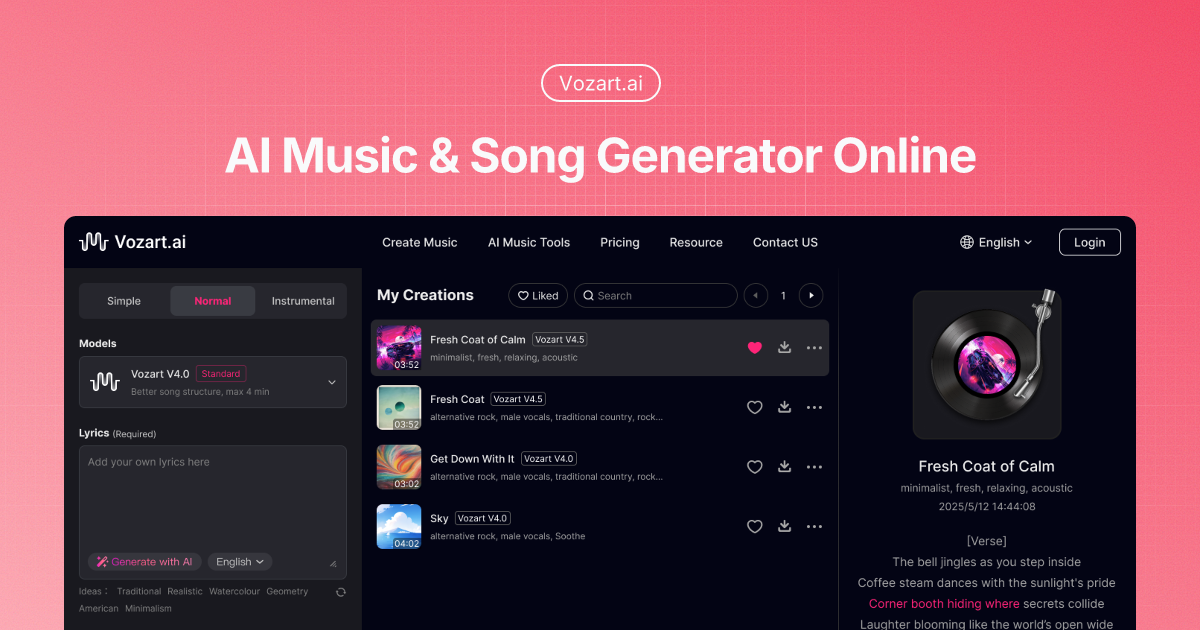
Vozart is an AI music and lyrics generator primarily aimed at music creators, short video teams, and lyric writers for generating drafts of songs, lyrics, and music ideas. It's better for people who already have clear footage, scripts, customer communications, or business processes to centralize song generation, lyric writing, and music drafts into a more performable workflow. When using it, you need to focus on music copyright, style originality and post-production, especially when it comes to customer information, character voices, image materials, web page data or published content, you should first confirm authorization and manual review. Overall, Vozart is suitable as an auxiliary tool for generating drafts of songs, lyrics, and music ideas, rather than a complete replacement for the final judgment of editors, operations, R&D, or management.

Vocs AI is an AI music and sound design tool for teams and creators who need a practical way to generate, organize, convert, or review work before it moves into a final production flow. It is best used with clear source material, a defined output goal, and a human review step for accuracy, rights, privacy, and publishing quality.

Vertate is an AI music and sound design tool for teams and creators who need a practical way to generate, organize, convert, or review work before it moves into a final production flow. It is best used with clear source material, a defined output goal, and a human review step for accuracy, rights, privacy, and publishing quality.

UniMusic AI is an AI workflow tool for teams that need to create, organize, convert, or review task-specific material before final use. It should be used with clear source material, a defined output goal, and human review for accuracy, rights, privacy, and publishing quality.

TinyMusic is an AI workflow tool for teams that need to create, organize, convert, or review task-specific material before final use. It should be used with clear source material, a defined output goal, and human review for accuracy, rights, privacy, and publishing quality.

Text to Song is an AI tool for users who need a clearer way to handle focused digital work. It can support creation, automation, analysis, learning, media production, development, research, customer operations, or document workflows depending on the product scope. Start with a small low-risk task, compare the result with your own standards, and keep human review for facts, permissions, privacy, brand voice, safety, and final delivery.

If Codex is stuck and unresponsive, do not send the same message repeatedly. Confirm in order whethe

codex exec In CI, it can analyze code without making changes; first check the sandbox: non-interacti

If Codex Skills is installed but does not trigger, first check if it is located in the scan director

Codex config.toml changes that don't take effect usually don't mean the TOML file is corrupted, but

After exiting the Codex CLI, you don't need to redescribe the entire task; just run codex resume sel

On August 3, 2026, the Qwen team released the Qwen 3.8-Max on the official Qwen blog, positioning it