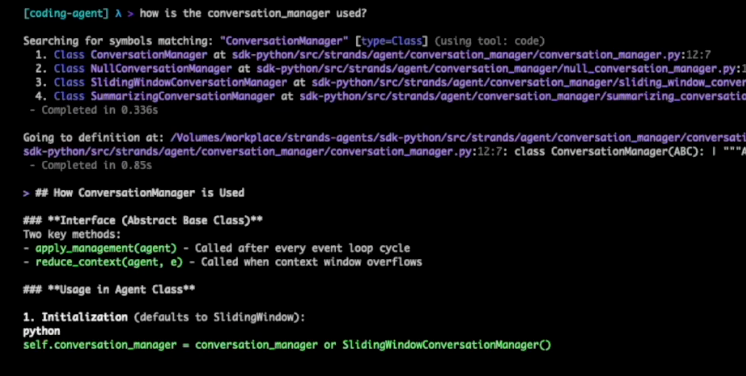
The Kiro CLI adds Code Intelligence in the v1.22.0 update, integrating the Language Server Protocol (LSP) into the end-user experience, giving the CLI code understanding capabilities similar to the Kiro IDE. After enabled, developers can use natural language to complete operations such as checking symbols, finding references, jumping definitions, renaming across files, and obtaining diagnostic information in the terminal.
The capability is preconfigured in 7 languages by default: TypeScript, Rust, Python, Go, Java, Ruby, C/C++. After running "/code init" in the root directory of the project, a lsp.json will be generated and the corresponding language server will be started. The system detects the language and manages the service status based on project tags and file extensions. If you need to cover more languages, you can add a custom language server configuration to lsp.json. It's important to note that some of the capabilities depend on the level of support on each language server, and large codebases may be slower to index for the first time.
FAQs
Q: What can Code Intelligence do with the Kiro CLI?
A: Kiro CLI can complete code navigation and understanding tasks such as finding references, jumping definitions, symbol retrieval, global renaming, and diagnosing errors in natural language in the terminal.
Q: What languages are supported by default for Kiro CLI's LSP integration?
A: Kiro CLI is pre-configured in 7 languages by default: TypeScript, Rust, Python, Go, Java, Ruby, and C/C++.
Q: How can developers enable the code intelligence of the Kiro CLI in their projects?
A: Developers can run "/code init" in the root directory of the project, generate lsp.json, and start the language server. If you need to force a rebuild, you can use "/code init -f".
Q: Can the Kiro CLI support more languages or build my own language server?
A: The Kiro CLI can be extended to more languages by adding a custom language server by editing the lsp.json of the project's root.