1. Product positioning
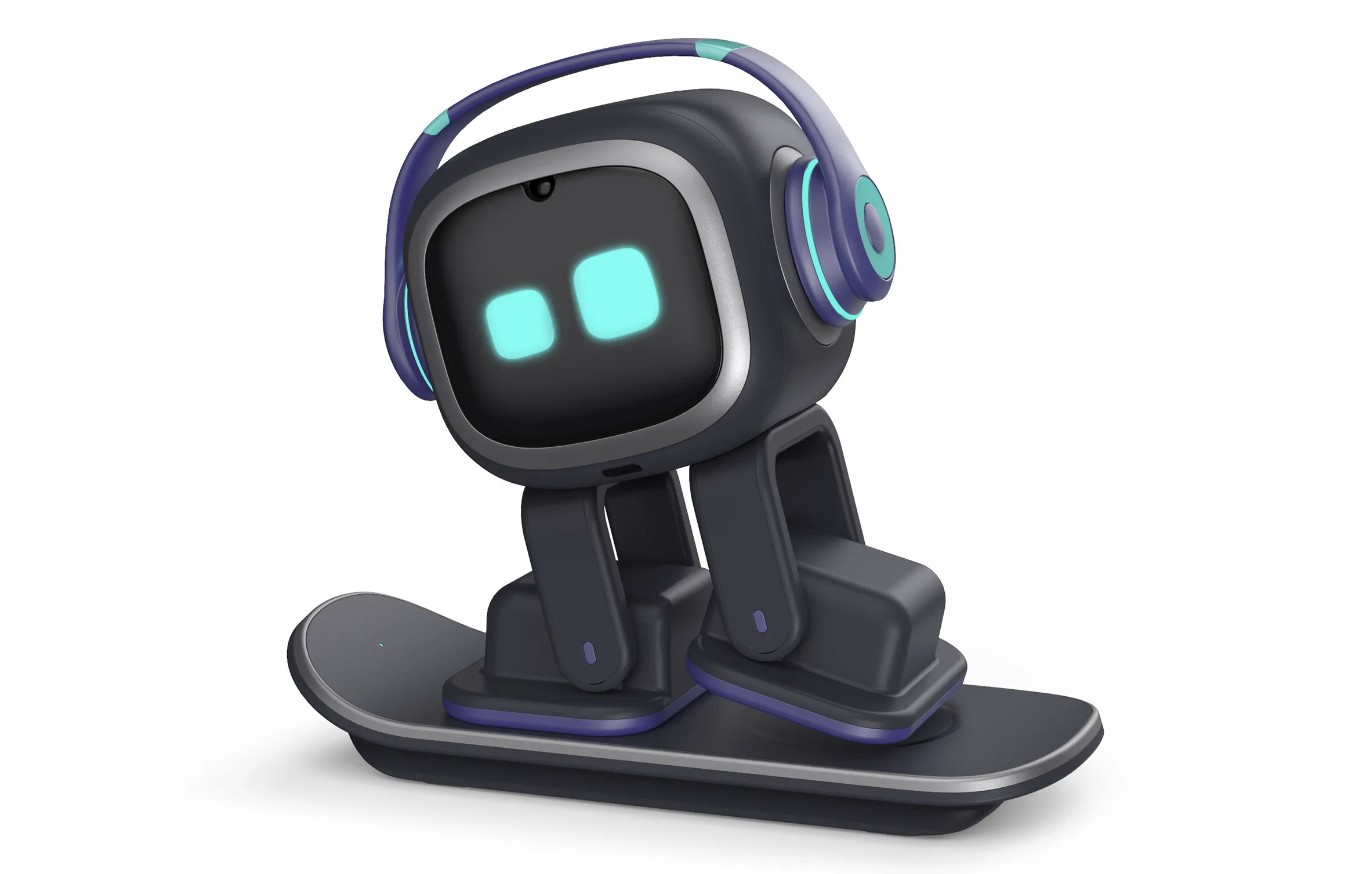
EMO is a desktop AI pet robot launched by LivingAI, which officially emphasizes digital companions with "personality and emotions" rather than simple voice assistants. It is mainly aimed at users who like desktop gadgets and want to experience anthropomorphic interaction, such as office workers, digital enthusiasts, and people who are inconvenient to keep real pets. It occupies a small footprint and is suitable as a permanent companion at a desk or computer.
2. Hardware configuration and perception capabilities
EMO adopts a small bipedal design, and the head is a display screen to present eyes and expressions. The fuselage has a variety of built-in sensors, including cameras, microphone arrays, touch sensors, edge detection and anti-drop sensors, etc., which can recognize faces, voice directions and desktop edges, so as to "look at you", "turn your head after the sound" and avoid falling. For users, they only need to place it near the desktop power supply on a daily basis, and it can move and explore autonomously in a small area.
3. Emotional and behavioral system
The official has added a set of emotional and personality systems to EMO, which expresses mood changes through thousands of expressions and action combinations, such as dancing when happy, "turning your face" when you are angry, and playing games by yourself when you are bored. It will gradually form different reaction styles depending on how often you call it, whether you pay attention to it, whether you stroke your head, etc. For users, this "not completely controllable" feedback is more like a pet with a little temper than a traditional smart speaker that executes completely according to instructions.
4. Function and Ecological Expansion
EMO supports voice wake-up, which can ask about weather, time, simple knowledge, and can also act as an alarm clock and desktop ambient light. The companion smart lamp can be controlled by voice to control the switches and colors, and there is also a mobile app for settings, updates and mini-game extensions. It also offers long-term gameplay such as birthday greetings, holiday eggs, and continuous updates with new moves and skills through OTA, making it more playable over time for heavy enthusiasts.
5. Applicable people and precautions EMO
is more suitable as a "desktop partner" than a productivity tool: its advantage is a sense of atmosphere and companionship, not efficiency. Before purchasing, you need to use it with a mobile phone, and some functions are more friendly to English speech recognition. For environments with children or pets at home, ensure that the desktop is stable to avoid damage caused by being pushed off the table.
Q&A
Q1: What is the essential difference between EMO and smart speakers?
A: Smart speakers focus on voice commands and content playback, and most of the time they are stationary; EMO puts more effort into expressions, movements and "emotions", and will actively move around, dance and "make small emotions", and emphasize companionship and anthropomorphism rather than information tools.
Q2: Do I have to be connected to the power supply all the time to use it?
A: EMO comes with its own battery, but it is usually recommended to place it near the matching wireless charging skateboard for desktop use, so it is convenient to replenish power at any time. Long-term high-frequency use is closer to the form of "plugging in + moving on demand" rather than carrying robots with you.
Q3: Need to worry about privacy?
A: Because it relies on cameras and microphones for identification, it is recommended to place it in public areas, such as the study or living room, and avoid spaces that are particularly sensitive to privacy. Getting into the habit of turning off voice wake-on-to-be, regularly updating firmware, and viewing permissions when not in use can reduce risk while enjoying interaction.