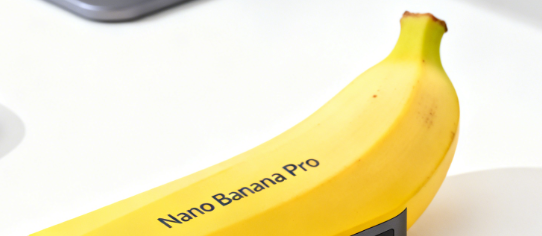
Google announced the official launch of Nano Banana Pro (Gemini 3 Pro Image), an image generation and editing model built on Gemini 3 Pro for professional creation and enterprise-level use cases. The new model can generate higher-quality, more detailed images, achieve clear and well-typed text presentation in scenarios such as infographics, posters, presentation pages, etc., and support the translation of text in images into multiple languages to meet the localization needs of different regions and markets.
According to the official introduction, the Nano Banana Pro has significantly improved resolution, text rendering and scene understanding compared to the previous generation Nano Banana, which can output up to 4K level images, and provides advanced control capabilities such as local editing, light and shadow adjustment, and perspective changes, making it more suitable for complex creative work such as advertising materials, brand visuals and product presentations.
Nano Banana Pro is available today and users can use the feature on the Gemini app or gemini.google.com: select "Create images" from the Tools menu and switch to "Thinking" in the model menu to invoke the model for image generation or editing. Currently, a free trial quota is available, and when the upper limit is reached, it will automatically fall back to the Nano Banana model; Paid subscriptions such as Google AI Plus, Pro, Ultra, and some Workspace and Vertex AI users can get higher quotas or deeper integrations, depending on the availability of Gemini services and product plans.
FAQs
Q: What is the Nano Banana Pro?
A: Nano Banana Pro is a new generation of image generation and editing model (Gemini 3 Pro Image) launched by Google based on Gemini 3 Pro, which can be used to create infographics, posters, UI sketches, etc., and supports multilingual generation and translation of text in images.
Q: How do I get started with Nano Banana Pro in Gemini?
A: After logging in to your account in the Gemini app or gemini.google.com, first select "Thinking" (Gemini 3 Pro) as the model, then click "Create images" in the Tools menu, enter a prompt or upload an image to generate or edit with Nano Banana Pro.
Q: Where is its multilingual ability reflected?
A: Nano Banana Pro can generate clear, readable text from images and supports multiple languages, including those with complex writing systems, making it suitable for creating multilingual posters, advertising creatives, or localized versions of visual content. Users can also switch languages within the same design, keeping typography and visual elements consistent.
Q: What is the difference between the Nano Banana Pro and the original Nano Banana?
A: The original Nano Banana is based on a lighter model and focuses on rapid generation; Nano Banana Pro is based on Gemini 3 Pro, which has significantly improved resolution, text accuracy, character-object consistency, and editing control, making it more suitable for professional scenarios that require brand specifications, unified style, and high-precision text.
Q: Is there a fee to use Nano Banana Pro?
A: A certain free trial quota is provided in the Gemini app, which will automatically switch to the Nano Banana model to continue using after it is used up. For higher quotas or deployments in enterprise environments, higher levels of access are available through Google AI Plus, Pro, and Ultra subscriptions, or plans like Workspace and Vertex AI, with prices and limits based on the official description of each product.