1. Basic information
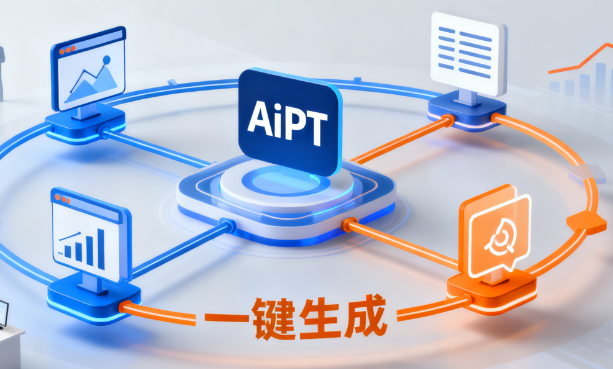
AiPPT is an online intelligent tool that focuses on presentation creation, and its core capability is to generate PPT with one click through artificial intelligence technology. Users only need to enter a topic or a brief description, and the system will automatically generate a presentation with structure and content, and supports online editing, layout adjustments, and local export. The platform is positioned as a "full-process intelligent PPT assistant", helping users significantly shorten the production time from conception to completion.
AiPPT is mainly aimed at users who frequently produce PPTs in their studies and work, including professionals, teachers, students, and training and content creators. The platform offers a complete solution from zero generation, template application, to custom templates through modules such as the Authoring Assistant, Template Square, and Workbench.
2. Product Overview
AiPPT provides services by combining web pages and clients, and users can use it directly in the browser or create through the desktop. The platform structure usually includes parts such as the Creation Assistant entrance, template square, workbench, and equity comparison and enterprise solutions, making it easy for individuals and teams to choose how to use it according to their needs.
In terms of usage flow, users can start creating through multiple paths: enter the title to generate a standard PPT with one click, choose the free canvas mode for more flexible card-style content organization, or import existing documents into presentations. Through a visual editing interface, the platform supports adjustments to copywriting, images, typography, and colors, making the generated results more suitable for specific scene needs.
3. Core Functions
1. Main Functions
1. One-click generation of standard PPT
AiPPT provides standard PPT mode, users can enter a sentence topic to generate a complete presentation in a short time. The system automatically generates an outline structure, fills in page copy, and types it according to standard widescreen ratios, making it suitable for common scenarios such as business presentations, project presentations, and classroom presentations.
2. The document to PPT and outline editing
platform supports converting text materials and outline content into PPT. Users can import documents or outlines on the authoring page, and the system automatically recognizes the hierarchy structure and generates corresponding pages. At the same time, it provides an outline editing function, which can adjust the title and key points in the outline view, generate a new page structure, and realize the "outline before page" creation method.
3. Free Canvas and Custom Templates
In addition to the standard PPT version, AiPPT also offers a free canvas mode, which adopts a card-style layout that allows users to freely drag and combine content, suitable for display needs that require non-traditional layouts. The platform also allows users to upload custom templates to uniformly design topic pages, table of contents, chapter pages, content pages, and end pages, and after marking them as templates, they can be directly applied in subsequent generations to achieve personalized and branded presentation styles.
4. Template Square and Online Editing
AiPPT has a built-in template square, providing PPT templates in a variety of styles and scenarios, and users can create works directly based on the template. After the generation is completed, users can modify the text, replace the picture, adjust the color scheme and layout in the editor, and support one-click replacement of templates, one-click replacement of single pages, etc., to reduce repetitive labor.
2. Technical Features
1. Structured Generation Process
When generating a presentation, AiPPT usually first constructs an outline based on the topic, and then generates the content and layout of each page according to the outline to ensure a clear overall structure. For imported outlines or documents, the system supports multi-level content parsing, reads the levels within a set range, and maps them to the corresponding pages.
2. Automatic Layout and Content Editing
The platform provides automatic layout function, combining a variety of preset colors and layout styles to layout different types of content. At the same time, it supports content polishing and sentence optimization, helping users quickly get more readable and logical page copy, reducing the fine work of manual adjustments.
4. Pricing and Version
AiPPT provides new users with basic free usage capabilities, allowing them to experience the creation assistant, templates, and download functions within a certain range. The platform also provides a membership rights system, which opens up higher or more functions to member users in terms of the number of templates used, export permissions, custom templates, and some advanced functions.
The membership system usually distinguishes between ordinary users and template members, and there are differences in the range of available templates, download limits, and commercial use authorizations at different levels. The specific price, package content and event discounts will be adjusted over time and may vary depending on the channel, so users need to refer to the current page display.
5. Applicable scenarios and groups
AiPPT is suitable for a variety of scenarios that need to make PPT. For workplace users, it is suitable for work scenarios such as project reports, program proposals, marketing presentations, and internal training, and can quickly build the first version of the presentation through one-click generation and template application. For teachers and training lecturers, courseware can be generated based on the syllabus, and then supplemented and modified according to classroom needs.
In classroom reports, defenses, and club presentations, students can use AiPPT to quickly generate presentations with clear structures and visual unity, reducing time investment in typesetting and design. For teams or enterprises that need to produce PPT frequently, AiPPT can also achieve unified style and centralized management through custom templates and enterprise solutions.
6. FAQsQ
: What type of intelligent tool is AiPPT
? A: AiPPT is an online intelligent presentation tool focusing on PPT production, providing one-click PPT generation, document to PPT, free canvas creation, template resources and other functions, helping users complete the construction and optimization of presentations in a short time.
Q: Can the PPT generated by AiPPT be edited twice
? A: AiPPT supports online editing of the generated results within the platform, including modifying text, adjusting layout, replacing templates, etc., and also supports exporting to local presentation files, allowing users to continue detailed adjustments and screenings in commonly used office software.
Q: What should I do if the generation or download fails during the use of AiPPT A
: When the synthesis or download process is unresponsive for a long time, you can usually troubleshoot by refreshing the page, restarting the task, or checking the corresponding problem description in the help center. If multiple attempts still fail to solve the problem, it is recommended to keep the page information and contact the platform's customer service to deal with it.
Q: Which users are more suitable for long-term use of AiPPT intelligent PPT generation tool
A: Professionals, teachers, training lecturers, students, and content creators who need to frequently produce presentations are more suitable for using AiPPT as a fixed tool to improve daily production efficiency and maintain consistency in presentation style through intelligent generation and template combination.