I. Basic Information
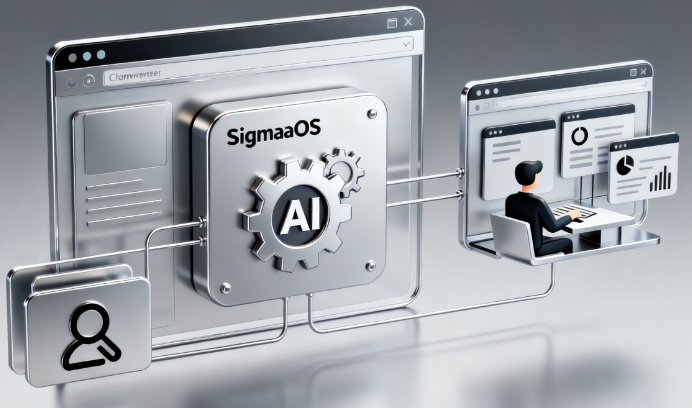
SigmaOS is a WebKit-based AI browser designed for users who frequently work on the web. It emphasizes a workspace-centric organization, compatibility with Chromium extensions, and deep integration with native macOS. The product incorporates the Airis AI assistant and A1Kit capabilities, enabling intelligent functions such as page understanding, interactive summarization, and querying, aiming to facilitate multitasking browsing and content creation within a single window. Currently, SigmaOS offers both free and paid versions, providing different AI usage limits and feature packs for individual and advanced users.
II. Product Overview
SigmaOS reimagines the browsing experience with a "one window, multiple workspaces" approach. Users aggregate pages and web applications into workspaces by project, task, or theme, replacing traditional multi-tab functionality with sidebar lists. Combined with split-screen and session management, it reduces page stacking and context switching costs. The browser uses the WebKit rendering engine, inheriting high performance and energy efficiency, and employs a self-developed mechanism to suspend long-term inactive pages to save memory. SigmaOS also supports mainstream extensions from the Chrome Web Store, meeting common needs such as password management, proofreading, and productivity automation.
III. Core Functions
1. Main functions
- Multi-workspace and page organization: Manage pages and applications by project, support locking frequently used pages, automatic naming and quick retrieval, and reduce information fragmentation.
- Split-screen and multitasking in one window: View multiple pages in parallel within the same window, suitable for scenarios such as research, writing, and data comparison.
- Extended ecosystem compatibility: Common Chromium extensions can be added to extend quick access to adapt to high-frequency workflows.
- Airis Smart Assistant: It interprets, answers, and rewrites content based on the page context, and supports selected understanding and conversational operation of any web page content.
- Interactive summaries and queries: Provides "Look it up" and interactive summaries to quickly summarize the key points of long articles and ask follow-up questions, accelerating information filtering.
- Resource and power optimization: Leveraging WebKit and page suspension mechanisms, we improve battery life and memory usage.
- Passwords & Security: Integrates Apple Keychain with platform-level privacy protection capabilities, along with intelligent tracking protection to enhance security.
2. Technical characteristics
- The WebKit engine and SwiftUI native implementation are optimized for macOS performance and interaction.
- A1Kit AI Browser Engine: Combining a large language model with custom page extraction, it understands the context of the user's current task, providing foundational capabilities for retrieval, summarization, and rewriting.
- Keyboard and command-driven: Quickly access workspace, extension, and AI functions through unified commands and shortcuts, reducing pointer operations.
IV. Pricing and Versions
SigmaOS offers a free Personal version, which includes unlimited workspace, ad and tracking blocking, and a basic Airis usage limit. Personal Pro costs $20 per month and offers advanced Airis capabilities, a higher limit on "Look it up" and interactive summaries. Personal Max costs $30 per month and unlocks more model options and related features with higher or unlimited usage limits. Specific benefits and discount policies may vary by region or time; please refer to the official website for the most up-to-date information.
V. Applicable Scenarios and Target Audience
SigmaOS is ideal for knowledge workers whose primary domain is the web, including researchers, students, content creators, and product and startup team members. Typical scenarios include multi-source comparison of literature and materials, long-form reading and note-taking, web-based writing and editing, extended workflow automation, and daily operations requiring the simultaneous management of multiple projects or accounts. For users who prefer keyboard and command-line operation and value contextual coherence and information neatness, the combination of SigmaOS's workspace and AI can significantly reduce switching costs.
VI. Frequently Asked Questions
Q: Does the SigmaOS browser support the Chrome extension ecosystem?
A: Yes. SigmaOS allows you to install mainstream extensions directly from the Chrome Web Store and quickly access them via shortcuts, meeting your needs for writing, productivity, and security.
Q: In what aspects does SigmaOS primarily demonstrate its AI capabilities?
A: Relying on Airis and A1Kit, SigmaOS can understand the context of the current page, providing explanations, summaries, queries, and rewriting, and supports interactive summarization and "Look it up" capabilities to help accelerate reading and creation.
Q: Which platforms does SigmaOS currently support?
A: Currently, it primarily supports macOS. The official statement indicates that iOS and Windows versions are planned for release, but the release date may vary depending on the region and release schedule.
Q: What are the key differences between the free and paid versions?
A: The free version offers basic browsing and limited AI usage; the Pro and Max versions offer higher or unlimited limits on advanced Airis capabilities, summaries and query counts, and optional models, making them suitable for heavy users.
Q: How does SigmaOS ensure security and privacy during use?
A: The browser uses WebKit and Apple Keychain, combined with platform-level privacy and tracking protection mechanisms, to improve password and session security; at the same time, it reduces system load through page suspension and resource management.