I. Basic Information
TabTac is a next-generation browser that emphasizes AI enhancement and privacy protection, positioned as an integrated tool for enhanced search, web browsing, and office functionality. The product claims to strengthen privacy and security through decentralized encryption technology, blocks tracking and infringing ads by default, and provides compatibility and performance guarantees based on the open-source Chromium kernel. Currently, a Windows version is available, supporting both 64-bit and 32-bit systems, with official announcements indicating that macOS and Linux versions are coming soon. The official website emphasizes user-friendly features such as easy import/migration, night mode, and customizable themes.
II. Product Overview
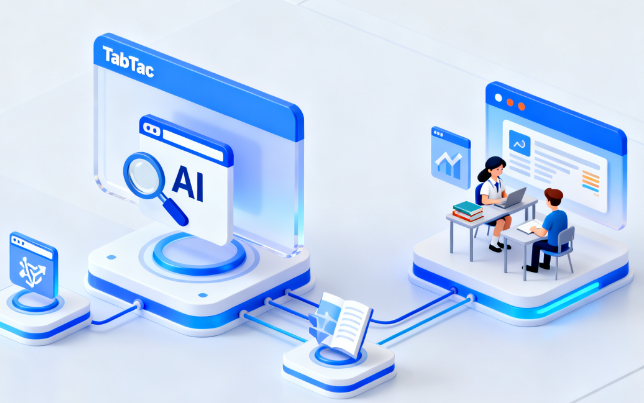
TabTac deeply integrates generative AI with basic browsing capabilities: it displays supplementary results generated by ChatGPT in the sidebar of search results pages, and triggers AI dialogue on any webpage through word-swiping and image recognition interactions; it provides extensions such as Summarize and Copilot to complete long-text summarization, key point extraction, and video highlighting search; for office use, it has built-in tools such as long screenshot, GIF or MP4 screen recording, PDF to Word conversion, and video pop-up, reducing reliance on multiple third-party extensions. For Web3.0, the browser supports MetaMask and WalletConnect login, the IPFS protocol, and an incentive mechanism that rewards users with tokens for daily use.
III. Core Functions
1. Main functions
- AI Search Enhancement: Display AI results on the right side of the search page, combining word-sliding and image recognition to achieve contextual question answering and related retrieval.
- Smart webpage summarization: Summarize quickly summarizes news and reports, while Copilot assists in annotating key points in videos and webpages.
- Office tools integration: long screenshot, regional screen recording (GIF/MP4), PDF to Word conversion, and video floating window.
- Privacy and security: Blocks tracking and intrusive ads by default, automatically strengthens HTTPS connections, and features decentralized encrypted storage and synchronization policies.
- Convenient experience: One-click migration of bookmarks and extensions, night mode and full-screen skin, dynamic interface switching and personalization.
- Web3.0 capabilities: Supports encrypted wallet login, IPFS access, and token reward programs.
2. Technical characteristics
- Based on the Chromium kernel, it balances web page compatibility with an extended ecosystem.
- Decentralized encryption mechanisms and privacy-first strategies reduce the risks associated with centralized data.
- AI capabilities are deeply integrated with the browsing process, supporting both in-page triggering and parallel presentation of the search sidebar.
- Multimedia and document processing are built-in, reducing resource switching and system load.
IV. Pricing and Versions
The official website has not published a unified pricing and subscription structure. Core functions are primarily available for free download and use. Whether a premium version or additional benefits exist is uncertain and will be subject to future official announcements. Details regarding the acquisition and redemption of token rewards may vary depending on the region and version.
V. Applicable Scenarios and Target Audience
- Students and researchers: Quickly access key information from literature and news, and use Summarize to extract and save crucial conclusions.
- Content creators and operators: Use screenshots, screen recordings, and video pop-ups to collect and produce materials for explanations.
- Office workers and writers: Shorten the process from retrieval to final draft by leveraging AI Copilot and email writing assistance.
- Encryption and development users: Access decentralized applications by combining MetaMask, WalletConnect, and IPFS.
- Privacy-prioritized users: Rely on default tracking interception and encryption policies to reduce data exposure.
VI. Frequently Asked Questions
Q: What capabilities are included in the TabTac browser's AI enhancements?
A: It includes AI-powered search sidebar results, webpage word navigation and image recognition-triggered dialogue, long-text summaries, and video key point extraction, which can improve the efficiency of retrieval, reading, and writing.
Q: How does TabTac protect privacy and security?
A: It adopts a decentralized encryption approach, blocks tracking and intrusive advertising by default, and strengthens HTTPS connections; based on the Chromium kernel, it undergoes extensive security scrutiny to reduce potential risks.
Q: Does TabTac support multiple platforms?
A: Currently, a Windows version is available. The official statement says that macOS and Linux versions are coming soon; please refer to official updates for specific release dates and feature details.
Q: What office tools are built in?
A: It mainly includes long screenshots, regional screen recording (GIF/MP4), PDF to Word conversion, and video floating windows, which are used for content acquisition, presentation, and document processing.
Q: Do you offer token rewards and Web3.0 features?
A: Offers a token reward program with usage incentives and supports MetaMask, WalletConnect, and IPFS; specific rules and availability may vary by region or version.