I. Basic Information
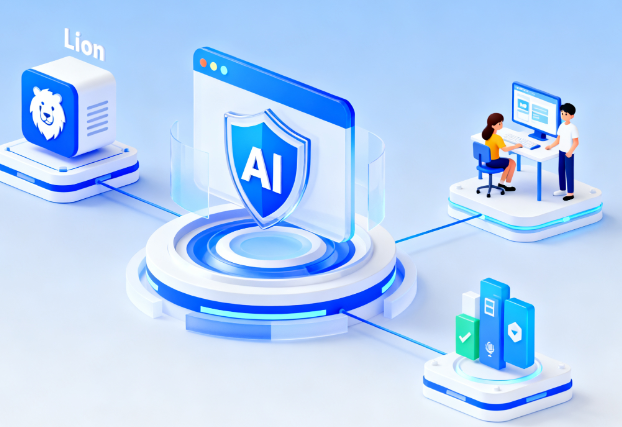
Lion Accountability Browser is an AI-powered security browser prioritizing privacy. Its core features revolve around content recognition, parental controls, and accountability. Through mechanisms such as real-time detection of explicit or suggestive content in web pages and images, customizable website filtering, and history and tagged content logs, it helps users develop sustainable and healthy online habits. The product supports local storage of logs and settings on the device and receives periodic reports from trusted monitoring partners, ensuring a transparent and self-disciplined online environment.
II. Product Overview
Lion Accountability Browser integrates browsing, filtering, and auditing capabilities. Its AI and machine learning engine analyzes pages and images in real time during browsing, identifying potentially inappropriate content. Combined with built-in parental controls and adjustable sensitivity levels, users can set different restrictions based on age and usage scenario. The product offers a monitoring partner mechanism, generating concise logs daily or weekly and sending them to designated contacts to strengthen external oversight. To protect privacy, browsing data and logs are stored locally by default, without relying on cloud storage. The product provides a quick installation guide and recommends disabling other browsers at the system level to ensure consistent access paths and monitoring.
III. Core Functions
1. Main functions
- Real-time detection and labeling: Utilizes AI to analyze web pages and images in real time to identify explicit and suggestive content, with adjustable sensitivity.
- Blacklists and Filtering: Built-in comprehensive blacklist of adult websites, supports updates, and allows for custom addition and blocking of subpaths and domains.
- Parental controls: Offers options such as detection levels, media blocking, whitelist mode, and PIN lock to prevent unauthorized settings changes.
- Accountability monitoring and reporting: Supports the generation of summaries of browsing history and tagged content by day or week, which are automatically sent to monitoring partners to promote transparency and self-discipline.
- Local device privacy: Browsing logs and settings are saved locally, avoiding privacy risks associated with server or cloud storage.
- Experience and performance: While enabling filtering, loading speed and smoothness of interaction are optimized, and it supports setting it as the default browser and common convenient operations.
2. Technical characteristics
- AI and machine learning engines are used for synchronous analysis of web page and image content, balancing accuracy and real-time performance.
- An extensible blacklist and whitelist mechanism supports fine-grained strategies for specific site subpaths.
- The protection settings include PIN-based locking, combined with system-level screen time and download restrictions to create multiple layers of protection.
- The platform supports both mobile and desktop platforms, providing a unified user experience and consistent policy execution across multiple devices.
IV. Pricing and Versions
Lion Accountability Browser is available for free download, with full functionality unlocked via subscription. Individual and family subscription plans are offered, along with monthly and annual payment options. Specific pricing and taxes vary depending on the App Store policies of your country or region. Updates are continuous, including feature improvements, user experience optimizations, and bug fixes. A desktop version is now available, supporting unified management and use across different devices.
V. Applicable Scenarios and Target Audience
- Families and guardians: Set appropriate internet boundaries for teenagers and obtain concise, periodic usage reports.
- Education and Campus Equipment Management: Enhance content filtering and protection settings on learning devices to reduce unauthorized access.
- Individual self-discipline and group mutual support: Promote self-management and external support through monitoring partners and log reporting mechanisms.
- Organizations and Communities: In environments where compliance and self-discipline are emphasized, provide visualized online behavior records and constraints.
VI. Frequently Asked Questions
Q: How does content recognition work in Lion Accountability Browser?
A: The product uses AI and machine learning to analyze web pages and images in real time during browsing. The detection sensitivity can be adjusted as needed, and fine-grained control can be achieved by combining blacklists and whitelists.
Q: How do Lion Browser's logs and reports protect privacy?
A: Browsing logs and settings are saved locally by default. Reports are only sent to monitoring partners in summary form after user authorization, without relying on cloud storage, thus reducing the risk of data leakage.
Q: Does it support custom blocking and fine-grained filtering?
A: It supports adding custom blocking rules for domains and sub-paths, allowing you to add specific sites or their subpages to the blacklist, or enable a mode that only allows access to whitelisted sites.
Q: Is the subscription price the same as the price?
A: Subscription plans include individual and family options, offering monthly and annual options. Specific prices and currencies vary by region and should be checked on the app store page in your region.
Q: Is a desktop version available?
A: A desktop version has been released and can be used in conjunction with the mobile version, with a unified strategy and experience. Specific functions will continue to be improved with version updates.