Kiro has released v0.5.0, officially supporting connections to remote MCP (Model Context Protocol) servers, freeing proxies from being limited to local processes. According to the official blog and changelog, remote connections use Streamable HTTP transport (compatible with the deprecated HTTP+SSE), allowing direct integration with cloud APIs, databases, and team services. A "one-click installation" directory is provided for quickly adding frequently used servers. This version also introduces global steering rules and project-level proxy configurations to reuse security and behavior policies across project scenarios.
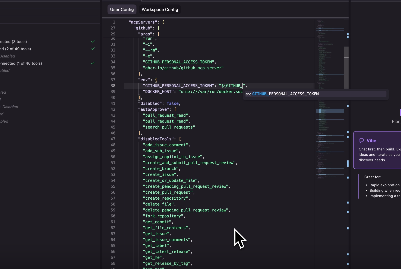
In terms of authentication and security, Kiro adds environment variable expansion and an "approval-before-use" mechanism: configuration files can use `${ENV_VAR}` to reference local environment variables. Adding a new variable will trigger a security prompt and require explicit approval, thus keeping the key on the local machine instead of writing it to the configuration. The documentation examples also support adding authorization headers and dynamic client registration in remote MCPs to complete the browser login process; although the page doesn't explicitly state "OAuth 2.1," this process is consistent with ecosystem practices. Overall, this update extends the ease of development and use of local MCPs to remote environments, while reducing access risks through transmission and credential governance.
Frequently Asked Questions
Q: What is a "remote MCP server"?
A: Unlike local connections via stdio, remote MCPs are deployed on the internet. Kiro establishes sessions using Streamable HTTP, exposing tools, resources, and hints, facilitating direct connections to cloud services and team systems.
Q: How do I add a remote MCP in Kiro?
A: Open the MCP area of the Kiro panel, fill in the remote url (add an authorization header or use dynamic registration/browser login if necessary), save and follow the prompts to complete the authentication; you can also use "one-click installation" in the "server directory".
Q: Is OAuth 2.1 supported?
A: The official documentation describes it as authorization headers and dynamic client registration, corresponding to the recommended implementation of OAuth 2.1; the MCP ecosystem generally adopts OAuth 2.1 to ensure the security of remote tool access.
Q: How do I keep credentials locally only?
A: In the configuration, use ${ENV_VAR} to reference the environment variable. Kiro will only expand the approved variables, avoiding writing or committing the key to the repository. You can revoke the approval at any time in the settings.
Q: What are the advantages and disadvantages of this compared to a local MCP?
A: Remote MCPs expand the range of available tools and simplify team distribution, but require network and service availability; local MCPs are convenient for offline use and rapid iteration. Kiro is compatible with both modes and can be used interchangeably on a project-by-project basis.