I. Basic Information
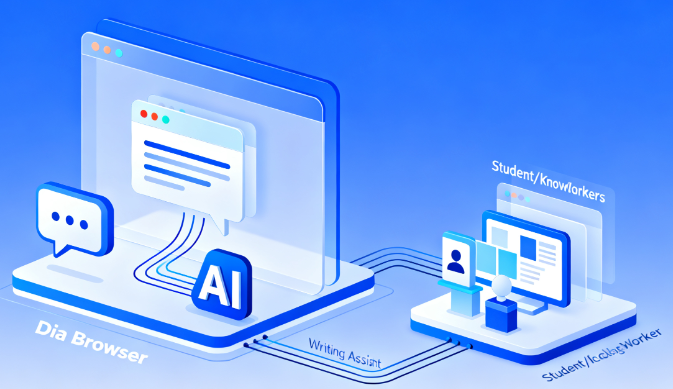
Dia Browser, developed by The Browser Company, is an AI-native browser. Its core feature is its ability to interact with tabs, allowing users to ask questions and make requests about page content, other open tabs, selected text, or browsing history without switching pages. Dia provides built-in memory to continue context across days and allows users to organize frequently used tips into reusable skills. The product emphasizes privacy and control, allowing users to manage the scope of conversations and data usage. Dia is currently available to macOS users; future platform and feature updates will be subject to official announcements.
II. Product Overview
Dia integrates browsing, conversations, and task execution into a single workflow. Users can input natural language in the address bar or conversation panel to obtain summaries, outlines, comparisons, or formatted output. For writing, Dia provides in-line writing partners and instant editing capabilities next to any input box; for learning, Dia supports generating key point summaries, breaking down concepts, and generating timestamps for videos to directly access crucial information; for planning, Dia can organize to-do lists, translate content, and summarize multi-page information into tables or lists as needed. Skills allows for one-click reuse of frequently used prompts, creating a personalized online workspace.
III. Core Functions
1. Main functions
Tabbed conversations and cross-page searches allow for question-and-answer interactions and actions based on the current page, other pages, and history.
Writing assistant and in-house proofreader: polish, rewrite, and generate key points in any text box.
Learning assistant and instant summaries, covering concept breakdown, viewpoint comparison, and video timestamps.
Planning and execution support, automatically generating checklists, tables, and actionable steps, which can be translated at any time.
Skills library: Commonly used tips are saved as templates for reuse and sharing.
Built-in memory and session resume functionality allow you to pick up where you left off in your daily workday.
2. Technical characteristics
The familiar browser experience is deeply integrated with AI, reducing the need to switch between apps and tabs.
The address bar offers multiple entry modes, supporting quick switching between direct suggestions, web search, and website access.
The dialogue context covers selection areas, tag groups, and history, making the answers more relevant to the current task.
Privacy-controlled policies and minimal data transfer, user-manageable logs and access permissions.
An upgradeable skill set and templated outputs can be adapted to individual work methods and styles.
IV. Pricing and Versions
Dia offers a free tier that includes core browsing and AI conversation features, with usage limits for heavy users. Dia Pro is a subscription-based service, charged monthly, offering higher or near-unlimited AI chat usage and related enhancements. Specific pricing, limits, and benefits may vary by time and region; please refer to the official pricing information for details.
V. Applicable Scenarios and Target Audience
Suitable for students and teachers who need to collect data, read papers, and prepare for class; researchers and analysts who need to quickly extract conclusions and action steps from multiple pages of information; creators and operators who need industry-specific writing and rewriting skills in social media, marketing, and customer communication; everyday users who need lists and comparison summaries in travel, shopping, and teamwork; and knowledge workers who want to process high-frequency prompts and integrate them into their personal toolbox.
VI. Frequently Asked Questions
Q: What exactly does Dia Browser's "Talk to Tabs" feature do?
A: You can ask questions about the current page and other open pages, generate summaries, extract lists, compare viewpoints, and use selections and history as context to reduce copying, pasting, and page switching.
Q: What are the uses of Dia's Skills?
A: Skills is used to solidify frequently used tips into reusable skill cards, which can then be called up with one click on any page. It is suitable for standardized summaries, formatted output, and cross-website operations.
Q: How are Dia's writing and learning abilities demonstrated?
A: Provide inline writing and proofreading options next to the text input box; in learning scenarios, provide key sentence extraction, concept breakdown, and video timestamps to help quickly grasp key points and form structured content.
Q: Which platforms and form factors are supported?
A: It is currently in public beta for macOS and has been officially launched; it may be launched on other platforms and in different form factors in the future, subject to official announcements.
Q: How to understand billing and credit limit?
A: The free tier includes basic AI conversational capabilities, but frequent use may trigger restrictions; the subscription tier offers higher limits and enhanced features, and pricing and benefits are subject to the latest official announcement.