I. Basic Information
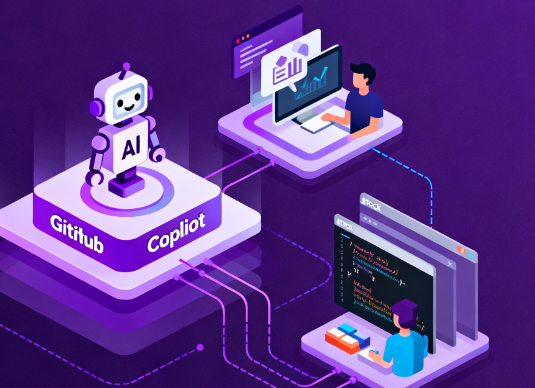
GitHub Copilot is an AI-powered programming assistant for individuals and enterprise teams, offering capabilities such as inline completion, conversational code generation, code review, and command-line enhancement. The product natively integrates with the GitHub platform and mainstream development environments, covering the entire chain of coding, debugging, documentation, and review. For organizational-level scenarios, Copilot provides policy control, access management, auditing, and usage analysis, and can index enterprise code repositories to enhance contextual understanding.
II. Product Overview
GitHub Copilot assists development through two main interaction modes: dialogue and suggestions. In the editor, it generates function-level and file-level completion based on the current context, supporting explanations, refactoring, and test suggestions. On the dialogue side, developers can ask natural language questions about repositories, commits, and pull requests, receiving accurate answers based on the codebase. The enterprise version further offers codebase indexing and custom model options, making suggestions more aligned with organizational knowledge and security compliance requirements. In addition to the in-IDE experience, Copilot provides command-line and website-based workflow support, covering local iteration and hosted platform collaboration.
III. Core Functions
1. Main functions
Inline completion and multi-file generation, supporting bidirectional conversion between comments and code.
Conversational programming and knowledge-based Q&A provide explanations and locators for repositories, commits, and changes.
Pull request summaries and review suggestions, and combine static analysis and rules to improve change quality.
Command-line capabilities support mapping project structure, installing dependencies, and local debugging iterations.
Policy and compliance capabilities, including policy management, access control, audit logs, and usage analysis.
Enterprise codebase indexing and contextual retrieval improve relevance and usability in large repositories.
2. Technical characteristics
Integration with mainstream development environments, covering Visual Studio Code, Visual Studio, JetBrains, and Neovim.
Multi-model and contextual enhancements, combined with repository indexing and tool protocol extensions, improve understanding and generation quality.
Natively integrated into the GitHub platform, providing instructions and suggestions within the website and pull request process.
Centralized organization-level management, supporting member authorization, policy distribution, and log tracking.
IV. Pricing and Versions
GitHub Copilot offers tiered solutions for individuals and organizations, including a subscription for individuals, a business edition for teams, and an enterprise edition for businesses. The business edition supports centralized management and policy control; the enterprise edition adds higher levels of request quotas, code repository indexing, and custom private models. Prices, quotas, and features for each version may vary depending on time and region; please refer to the official website for the latest information.
V. Applicable Scenarios and Target Audience
Suitable for full-stack, backend, and frontend engineers who need high-quality completion and explanation in their daily coding; teams that need summaries and issue focus in reviews and collaborations; organizations that maintain large or long-established codebases and need context-based search and question answering; enterprise users in regulated industries who need policy, access, and auditing capabilities; and developers who prefer rapid iteration in command-line and local environments.
VI. Frequently Asked Questions
Q: Which development environments does GitHub Copilot support?
A: It supports mainstream IDEs and editors such as Visual Studio Code, Visual Studio, JetBrains series, and Neovim. After installation, you can get suggestions in the line and in the chat.
Q: How can companies improve Copilot's understanding of their own code?
A: The Enterprise Edition can index the organization's codebase, enabling the generation and answering of questions and answers to be based on internal knowledge and style, combined with policies and access controls to meet compliance requirements.
Q: Do you provide management and compliance capabilities?
A: Organizations can manage strategies, authorize members, view usage, and track audit logs, and promote its use while ensuring compliance.
Q: What is the role of Copilot in the review process?
A: It can generate change summaries for pull requests, identify potential problems, and provide modification suggestions, thereby improving review efficiency and quality by combining rules and analysis tools.
Q: Are the plans and prices fixed?
A: It's not fixed. Features and limits are subject to change. Please refer to the official plans and documentation for details.