I. Basic Information
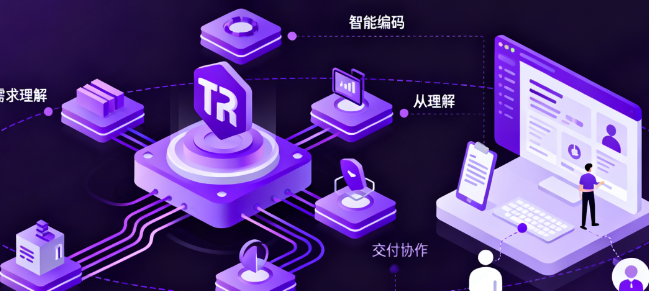
TRAE is an AI-powered collaboration and build platform for software development, positioned as an intelligent engineer capable of understanding requirements and independently executing tasks. The platform integrates code editing, terminals, browsers, and documentation within a single workspace, enabling requirements analysis, solution breakdown, coding implementation, and result presentation through dialogue and agent collaboration. The official documentation emphasizes its closed-loop capabilities of understanding, execution, and delivery, and provides a desktop application and community support.
II. Product Overview
TRAE centers on conversational workflows and intelligent agents. Users describe their goals in natural language, and the system generates runnable code and change plans in both Builder and Chat modes. The platform offers a SOLO mode, unifying the editor, browser, terminal, and document context into an observable view, supporting voice input and dynamic feedback for end-to-end delivery from scratch. For long texts and complex collaborations, Max Mode further expands the context window and tool invocation count, targeting large codebases and multi-turn task chains. At the model level, it supports multiple mainstream models and can automatically or manually switch between speed and effectiveness depending on the task.
III. Core Functions
1. Main functions
The system employs a dual workflow of dialogue and generation to enable code completion, fragment generation, and multi-file modification.
The Builder agent automatically plans and executes everything from requirements to project structure, covering initialization, dependency management, and the construction of key modules.
SOLO mode drives end-to-end construction with a unified context, displays execution steps and visual results in real time, and supports voice interaction.
Max Mode provides greater context and more tool call rounds for complex projects, enabling long document comprehension and cross-file refactoring.
Model management supports quick switching and automatic selection, and can access custom model resources as needed.
Project-level tool integration includes a terminal, browser preview, and file and document sidebars for easy verification and debugging.
2. Technical characteristics
The unified workspace integrates the editor, terminal, browser, and documents, reducing context switching and information loss.
The observable execution view records agent steps and tool calls, supporting manual intervention and backtracking.
The multi-model strategy balances response speed, inference depth, and resource consumption, and is adapted to different task types.
The large context and multi-round toolchain design supports complex sessions, long documents, and whole-repository operations.
The plug-in and rule extension capabilities support enhancing agent skills through tool protocols and custom rules.
IV. Pricing and Versions
TRAE offers a Free Tier and a Professional Tier. The Free Tier is geared towards trial and learning scenarios, including basic request limits and access to core features. The Professional Tier is for high-frequency and serious use, providing higher priority and enhanced capabilities. According to the official documentation, the Professional Tier costs $10 per month, with new users receiving a $3 discount for their first month. This information may vary by region and time, and some regions may display a message indicating that the upgrade is not yet available. Request limits are typically differentiated between Fast Requests and Advanced Model Requests, and usage statistics are visible in the interface. Specific pricing, limits, and available regions are subject to change on the official website.
V. Applicable Scenarios and Target Audience
Individual developers and learners can quickly build prototypes and master modern engineering practices through dialogue and Builder.
Startup teams validate their hypotheses with a working demo during reviews and pitches, shortening the time from idea to delivery.
Medium-sized and larger teams use Max Mode to handle cross-file refactoring and long-chain tasks in large codebases.
Platform and toolchain maintainers embed automated development processes into existing systems through rule and tool extensions.
VI. Frequently Asked Questions
Q: What is the difference between TRAE's Chat and Builder?
A: Chat is suitable for Q&A, explanation, and partial modification, while Builder is for task decomposition and automation from scratch. The two can be used together in the same project.
Q: What is the value of the SOLO model?
A: SOLO unifies the editor, browser, terminal, and data into an observable context, supports voice and dynamic views, facilitates tracking of agent steps, and allows for manual control at key nodes.
Q: In which scenarios is Max Mode suitable?
A: Suitable for long document understanding, whole-warehouse-level transformation, and multi-round complex conversations, it has greater context and more tool calls, and is used for deep reasoning and continuous execution.
Q: How to select a model and how to reflect the billing?
A: You can manually select or enable automatic mode, with the model determined by the system's overall speed and performance. Requests will be credited to your account under either the Fast or Premium category, with limits and rules depending on your current subscription and regional policies.
Q: Why does the pricing show a difference or why is upgrading temporarily unavailable?
A: Pricing and upgrade availability vary by region. The official page may display different availability and promotional information depending on your region; please refer to the information displayed on the current page.