I. Basic Information
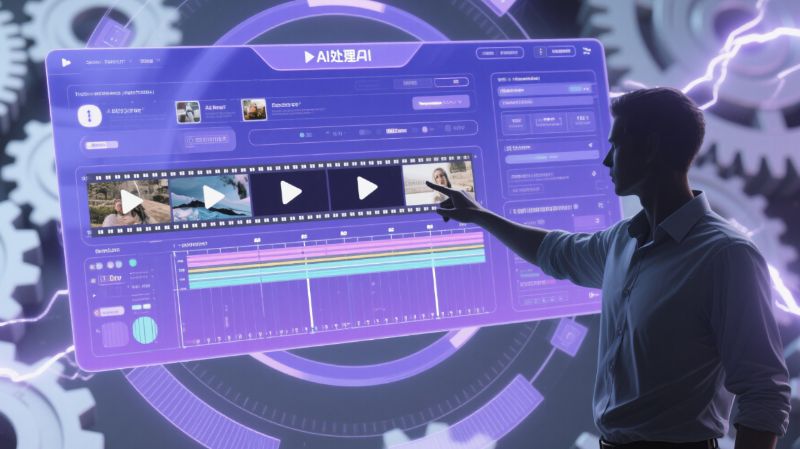
Animiz is a desktop software for creating motion graphics (MG) animations and animated videos, with a core focus on providing an animation video production tool that everyone can use. The product caters to scenarios such as animation production, micro-lesson creation, multimedia courseware, and corporate promotion, offering simple operation, unlimited canvas, precise timeline control, and one-click video creation capabilities. It helps teachers, self-media creators, and corporate content teams quickly complete professional-grade animated video creations. Keywords include Animiz, motion graphics, animation production software, and micro-lesson production.
II. Product Overview
Mango Animation Master lowers the barrier to animation creation with its WYSIWYG editor and vast library of templates. Users can arrange scenes in an infinite canvas, organize narratives through camera movement and transitions, and fine-tune frame-by-frame on the timeline. The software supports common teaching and communication elements such as importing PPT files, text-to-speech, subtitles, and charts, accommodating both text-based presentations and spoken video. The output side supports various video and GIF formats, adapting to distribution channels such as classroom presentations, social media distribution, and corporate training.
III. Core Functions
1. Main functions
Simple operation and timeline editing
By dragging and dropping to add elements and controlling keyframes, it enables quick learning and fine-tuning, making it suitable for full-process management from script to finished product.
Infinite Canvas and Lens Effects
It supports zooming, rotating, and panning shots, using cinematic language to organize information hierarchy and enhance visual storytelling.
Templates and Material Library
It includes built-in multi-theme templates, characters, images, scenes, audio, and animated GIFs, covering fields such as education, medical science popularization, corporate marketing, and public welfare promotion, and supports genuine commercial materials.
PPT Import and Smart Video Generation
It can convert PPT presentations into animated videos and generate scripts and scenes based on keywords, shortening setup time.
Subtitles and Text-to-Speech
Subtitles can be added automatically or manually, and multiple timbres and languages can be synthesized by inputting text, making it convenient for oral broadcasting and course recording.
Charts and Formula Symbols
It provides chart components such as bar charts, line charts, and pie charts, as well as mathematical formula symbols, to support teaching and data visualization.
Multi-format output
It supports common video containers and formats such as GIF, and provides custom resolution and encoding parameter settings.
2. Technical characteristics
The editor uses a PPT-style interactive interface to reduce the learning curve, and combines a timeline and keyframes for professional-level control. Camera and transition mechanisms enhance pacing and organization, while a rich resource library and expanded character animations broaden expressiveness. Text-to-speech and subtitle tools improve the audio-visual link, and PPT import and intelligent video editing increase batch production efficiency. Multi-format output ensures consistency for cross-platform distribution.
IV. Pricing and Versions
The official website offers a matrix of free and paid versions, commonly including Standard, Professional, and Team Premium editions. A one-time purchase grants permanent access and includes free update notifications. Prices and benefits displayed on the page are subject to change and may be adjusted due to promotions or new customer offers. Different versions differ in functionality and resource permissions; the Professional edition offers more privileges, while the Team edition is designed for multiple users and businesses. Specific rules regarding invoicing, corporate payments, and concurrent logins are subject to official documentation.
V. Applicable Scenarios and Target Audience
Suitable for educational micro-lessons and multimedia courseware, popular science explanations and health education, corporate promotional videos and product introductions, self-media narration and infographic videos, public welfare promotions and flash events, etc. The main users are teachers and educational researchers, popular science and media practitioners, marketing and branding teams, training institutions and school clubs, and short video and knowledge-based creators.
VI. Frequently Asked Questions
Q: Does Wondershare Animation Master support quickly generating animated videos from PowerPoint presentations?
A: It supports importing PPT files, converting linear pages into editable animated scenes, and allowing for the addition of shots, transitions, and subtitles for further editing.
Q: How does the intelligent animation finalization function of Wondershare Animation Master work?
A: Based on the input creative keywords or script, generate animation scripts and scene layouts, quickly build storyboards by combining templates and material libraries, and then fine-tune them on the timeline.
Q: What types of content are suitable for text-to-speech and subtitle functions?
A: Suitable for audio-visual presentations, course recordings, and news broadcasts, where animated content requiring rapid integration of voice and subtitles is needed.
Q: What are the differences between the paid versions?
A: The main differences lie in the permissions of materials and functions, output clarity and watermark restrictions, etc. The professional version has higher permissions than the standard version, while the team version is for multiple people and enterprises.
Q: What are the licensing and update strategies?
A: We adopt a one-time purchase, permanent use license model. The software provides free update prompts. If invoices or corporate payments are involved, please follow the official procedures.