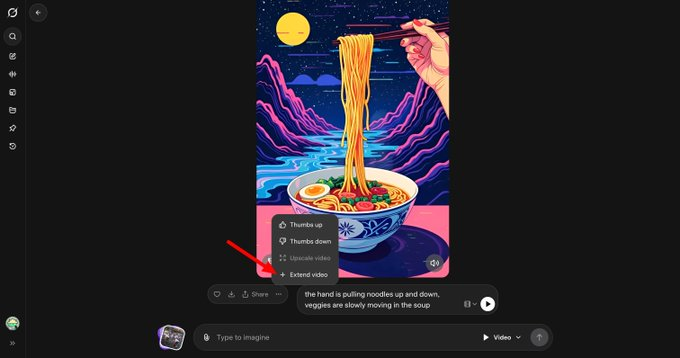
xAI is preparing a "video extension" for the web version of Grok Imagine, adding a new selector to the generation interface to switch between "video generation" and "image generation." Clues from product update observations and test screenshots point to a visual mode selection control soon appearing on the web version. Given Grok Imagine's recent efforts to enhance image and short video capabilities on both mobile and web platforms, this change will bring the "image-video" workflow to a single entry point, reducing operational costs. Currently in the upcoming phase, the specific release date and availability will be subject to xAI's official announcement.
Frequently Asked Questions
Q: What exactly is this update?
A: Add a "Video Extension" to the Grok Imagine web interface and provide a selector for video/image modes for easy and quick switching.
Q: Is it fully open now?
A: It is still in the preparation/testing stage, which is a sign that the feature is about to be launched. The official announcement will be the final confirmation of its availability.
Q: What's the difference between this and existing capabilities?
A: Integrate the video and image generation entry points into the same UI, and switch between them instantly via a Selector to reduce the need to jump between different pages or processes.
Q: Does it support "direct text-to-video generation"?
A: Most existing public reports involve "image → video" or generating short videos within the application; details such as whether plain text can be directly converted into video, duration, and audio are pending official clarification.
Q: When can we confirm the launch date?
A: Pay attention to the official xAI/Grok channels or product update logs; UI changes usually appear first in test channels.