1. Basic Information
VectorArt.ai is an online platform for vector graphics creation and editing. Its core offerings include AI-generated SVG vector graphics, text-to-vector illustrations, icon and logo design, and intelligent bitmap-to-vector conversion. The platform emphasizes infinitely scalable SVG output, commercial compatibility, and clear copyright ownership, and offers supporting SVG editing and optimization tools. Key keywords include VectorArt.ai, SVG, AI vectorization, text-to-image, PNG to SVG conversion, and icon and logo generation.
2. Product Overview
The platform integrates the entire "generate-edit-download" process within a browser-based workspace: users can directly generate vector illustrations or icons via text prompts, or upload bitmaps like PNG, JPG, or WEBP and use AI vectorization to create clean paths and shapes. To meet diverse style and efficiency needs, the website offers a library of inspiration and sample styles for browsing and collection, and supports prompts for transitioning from sketch to finished image within the creation page. For production and delivery, downloads default to SVG, but can be exported to common bitmap formats on demand, suitable for web, print, and peripheral production.
3. Core Functions
1. Main functions
- Generate text into vector images, covering common types such as illustrations, icons, and logos.
- AI bitmap vectorization supports PNG, JPG, and WEBP to SVG conversion, retaining key contours and reducing noise.
- SVG toolset, including editor, background removal, color editing, optimization and compression, and format conversion.
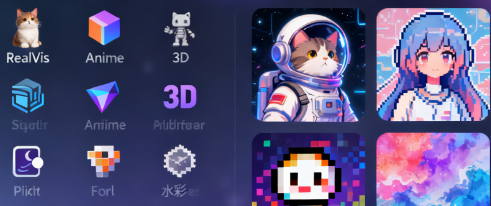
- A collection of inspiration and styles, providing illustration kits and theme styles for quick selection and reuse.
- Work management and download, output SVG as default, supports secondary editing and cross-platform use.
2. Technical characteristics
- The generation and vectorization is centered around paths and curves, and the results remain clear at any size.
- No browser installation required, adaptable to common workflows and team collaboration.
- Optimize the color, structure, and size of SVG to facilitate front-end integration and loading performance.
- Supports the process from sketch to finished drawing and prompt word engineering, improving structural controllability and style consistency.
- The main body marked at the bottom of the platform is Nutmeg Studios LLC, which provides an entrance to the terms and privacy statement.
4. Pricing and Versions
The platform offers both subscription and API plans. Subscriptions include Premium and Unlimited. The former offers higher monthly production capacity and SVG downloads, while the latter provides unlimited creation. Both plans are marked as commercially available, require no attribution, and retain image rights. Please contact us for details regarding the API plan. Prices, quotas, and terms are subject to change over time; please refer to the current page for details.
5. Applicable Scenarios and Target Audience
- Branding and Marketing: Rapidly generate draft logos, icon systems, and campaign visuals.
- Web and front-end: Output lightweight SVG, with color and structure optimization to improve the loading experience.
- E-commerce and Print: Provides scalable vector artwork for product images, T-shirts, and packaging designs.
- Education and Training: Demonstrate vector curves and path structures for visual teaching.
- Creators and Studios: Accelerate proposals and delivery with style collections and inspiration libraries.
6. Frequently Asked Questions
Q: Can the SVG generated by VectorArt.ai be used commercially? How is the copyright owned?
A: The subscription page indicates that commercial use is permitted without attribution, and the rights to the generated images belong to the user; please refer to the current terms.
Q: Does it support converting PNG/JPG directly to SVG vector files?
A: Yes. You can upload a bitmap and export it to SVG using the AI vectorization tool, which is perfect for logo redrawing and illustration tracing.
Q: Can I edit the generated or uploaded SVG?
A: You can use the built-in SVG editor to adjust colors, remove backgrounds, optimize compression, and convert between formats.
Q: Is an API provided for system integration?
A: We provide API plans. You need to contact us to obtain access and billing information.
Q: How to choose a subscription tier?
A: If you're looking for stable and high throughput, you can choose Premium or Unlimited. If you need programmatic access and higher throughput, we recommend understanding the API plan and current quota.