1. Basic Information
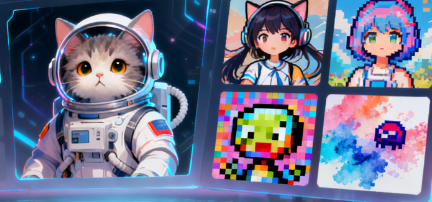
Shakker AI is an online generative platform for image generation and visual design, integrating three key capabilities: text-to-image generation, advanced image editing, and model resource browsing. Key platform keywords include Shakker AI, online image generation, ComfyUI, online Stable Diffusion WebUI, online model center, online training, and a membership system. Users can complete the creative process within the browser, independent of a local graphics card environment.
2. Product Overview
Shakker AI provides an integrated web-based creative workspace, covering the entire process from prompt input and generation to editing and downloading. The platform offers the popular Stable Diffusion WebUI and ComfyUI in a cloud-based format, combining a model center with tutorials and example workflows to lower the barrier to entry. For advanced users, the platform offers online training capabilities for quickly building lightweight custom models and developing personalized styles. The Community and Inspiration pages showcase a variety of styles and prompt examples for easy learning and reuse.
3. Core Functions
1. Main functions
- Text to image generation, supporting fast output, multiple style selection, and batch creation.
- The online ComfyUI workbench provides node-based process orchestration, infinite canvas, and visual parameter control.
- Stable Diffusion WebUI online version, supports common samplers, prompt word weights and multi-resolution output.
- Advanced editing capabilities, including restoration, extension, high-resolution magnification, smart removal, and portrait optimization.
- The model center provides multi-category models, style models, training resources, and example workflows.
- Online training tools that support lightweight customized training, fast verification, and model management.
- Browse works and inspirations, display generation cases and prompt word key points, and facilitate learning and reuse.
2. Technical characteristics
- Cloud-based inference and zero deployment, direct use in the browser without downloading or requiring a local graphics card.
- Multi-entry integration, WebUI and ComfyUI are provided in parallel, and are deeply linked with the platform builder.
- Parameter visualization and node-based orchestration are suitable for iterative experiments and reused workflows.
- The content quality is optimized, providing models in multiple styles such as realistic photography, product pictures, illustrations, and architecture.
- Community and tutorial support, including basic guides, advanced techniques, and guidance on using models.
4. Pricing and Versions
Shakker AI offers a membership system that unlocks faster builds, higher quotas, exclusive models, and other advanced capabilities. The official presentation includes two subscription options: Basic and Advanced. Common benefits include faster builds, increased quotas, access to exclusive models, and advanced online tools. Specific pricing, quotas, and commercial use license terms may change over time and across regions. Please refer to the official website and checkout page for details. In case of uncertainty, please refer to official updates.
5. Applicable Scenarios and Target Audience
- Designers and illustrators, for style exploration, sketch iteration, and high-resolution final output.
- The photography and e-commerce team is responsible for product scene images, portrait modification, background replacement, and batch material generation.
- Brand and marketing teams, for social media visuals, campaign key visuals and poster ideas and quick proposals.
- Educational training institutions, for generative imagery course demonstrations, practical exercises, and workflow teaching.
- Individual creators and studios for cross-style creation, model customization, and efficient delivery.
6. Frequently Asked Questions
Q: Does Shakker AI require local installation and graphics card support?
A: No. The platform provides ComfyUI and WebUI with a builder in a cloud-based form, which can be used with a browser.
Q: How to obtain and use Shakker AI model resources?
A: You can directly browse and select the corresponding style model in the model center, and complete the drawing and editing by combining the generator or online workbench.
Q: Does it support repair, extension, and magnification in image editing?
A: Yes. The platform provides common capabilities such as local restoration, image extension, and super-resolution magnification, and can be used in conjunction with node-based workflows.
Q: Does it support online training and lightweight custom models?
A: Yes. Online training tools can be used for lightweight training and rapid validation to form personalized style and specific topic models.
Q: Are membership benefits and authorization terms fixed?
A: Member benefits, quotas, and commercial use authorizations may be adjusted and vary by region. It is recommended to refer to the current official page for details.