1. Basic Information
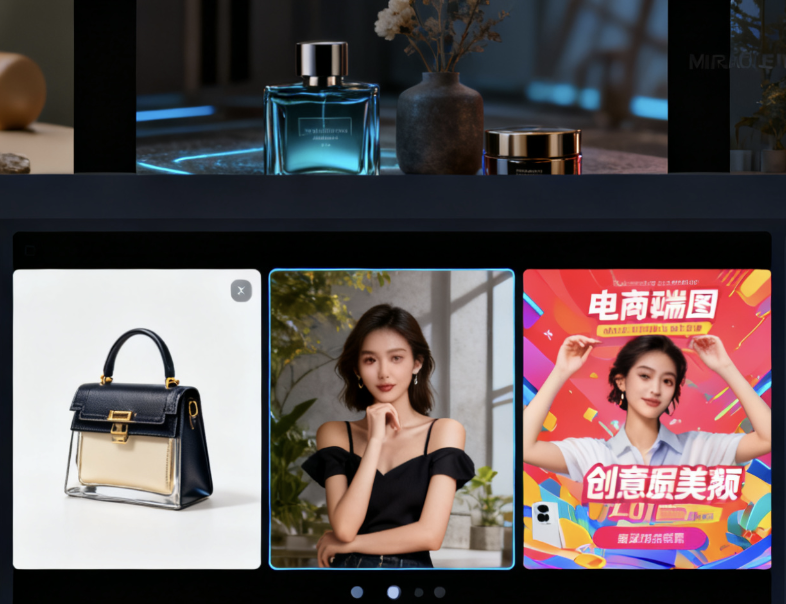
PicLumen is an AI image generation platform for mass creators. Its core capabilities include generating images from text and images, and it provides editing tools such as cutouts, local repair, expansion, and image sharpening. The platform emphasizes "free use, fast image output, and high-definition downloads," and supports closed-loop creation from creativity to finished products through online workbenches and mobile applications. The official introduction showcases cases of various themes, covering concept art, character setting, logo design, product images, architecture and interiors, book illustrations, game assets, and e-commerce materials. The platform's keywords are AI Image Generator, Text to Image, Image to Image, and AI Tools, and it is suitable for the high-frequency mapping needs of individuals, teams, and educational scenarios.
2. Product Overview
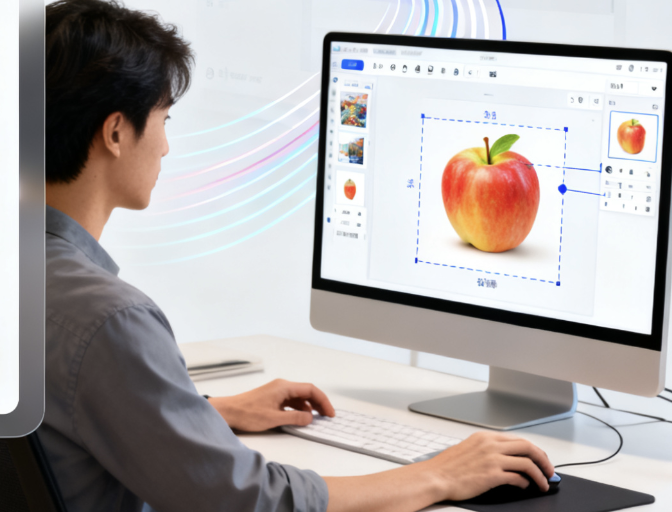
PicLumen builds a workbench around the process of "prompt word input - model and style selection - generate preview - edit and improve - download and export". Users can quickly generate images through natural language descriptions, or upload reference images for style transfer and composition orientation. The platform supports multi-style models and speed optimization, emphasizes image output in seconds and high-resolution effects, and provides style references, quality enhancement and context understanding to improve image consistency. Editing tools cover background removal, image magnification, smear repair and boundary expansion, which are convenient for trimming the subject, supplementing details and adapting to different platform sizes. According to the official page, the platform provides tutorials and FAQs to guide novices to get started, and mobile applications provide in-app purchases to expand functions. The specific available capabilities and rights are updated with version changes.
3. Core Functions
1. Main functions
Generate images from text, support fast output of multiple themes and ratios
Image generation, reference image constraints to achieve style and composition following
Background removal and one-click cutout to quickly separate the subject and change the scene
Image magnification and sharpening, improving resolution and controlling redraw intensity
Local repair and expansion, supporting element replacement, detail completion and frame extension
2. Technical characteristics
Multiple models and style libraries, covering realism, illustration, anime and product photography, etc.
Context understanding and style reference, optimized prompt parsing and consistent output
Efficient inference and second-level preview, balancing speed and detail fidelity
Multi-terminal coverage and novice guidance, providing tutorial documents and application-side entrances
4. Pricing and Versions
PicLumen focuses on free creation and high-definition downloads, with core features available upon registration. The mobile version offers in-app purchases and subscriptions for additional privileges or higher limits. Specific activities, limits, and value-added benefits on the website are subject to change based on operational strategies and timeframes. Regional and tax differences are subject to the checkout page and terms and conditions. Enterprises or those creating high-frequency content should monitor for upcoming interfaces and batch processing solutions. The specific launch schedule will be subject to official announcements.
5. Applicable Scenarios and Target Audience
Content creators and self-media use it to quickly produce covers, posters, and social media illustrations
E-commerce and brands use it for product images, scene synthesis, and multi-size adaptation
Illustration and game art for style exploration of characters, scenes and props
Education and training for drawing practice, course examples and creative enlightenment
For personal entertainment and learning, used for daily creation of avatars, wallpapers and concept sketches
6. Frequently Asked Questions
Q: Does PicLumen support mixed generation of reference images and text?
A: Yes. Upload a reference image and enter a prompt word to perform style transfer and composition orientation, which is suitable for replicating styles and limiting subjects.
Q: What are the commonly used editing tools on the platform?
A: It provides tools such as background removal, image magnification, local repair and expansion for post-processing such as cutout, clarity and layout extension.
Q: Is it really possible to download it for free and in high definition?
A: The platform focuses on free generation and high-definition downloads. Activities and limits are dynamically adjusted according to versions and operating strategies. Please refer to the current page for specific instructions.
Q: How to strike a balance between generation speed and quality?
A: We achieve previews in seconds by optimizing the model and inference strategy, and provide adjustable parameters for quality and redraw intensity to balance detail and efficiency.
Q: Is there a mobile app?
A: We provide iOS and Android apps. Functions and subscription benefits vary depending on the device and version. Please refer to the app store page and actual updates for details.