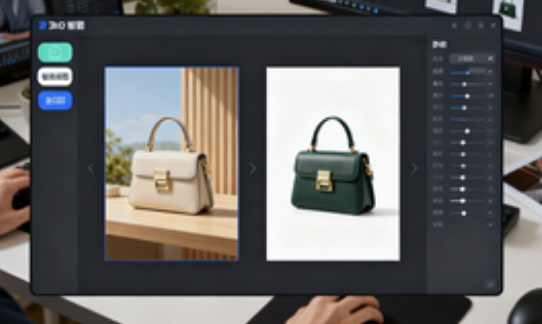
1. Basic Information
WHEE is an AI-powered content generator and AI painting platform launched by Meitu, offering a one-stop platform for visual creation and image generation. Focusing on text-based image generation, image-based image generation, and AI-powered photo editing, WHEE provides a complete workflow from creative generation to optimized results. It emphasizes high-quality output and a low barrier to entry, making it suitable for high-demand image-based scenarios such as design, marketing, and content creation.
2. Product Overview
WHEE is organized as a "workflow," integrating prompts, model selection, parameter settings, and result editing, allowing users to complete creation, review, and iteration within a single interface. Leveraging Meitu's large-scale visual model capabilities, the platform supports multiple styles, including illustration, photography, anime, and realism, and offers high-definition export and multi-scale canvases. Aimed at both professional and general users, WHEE delivers fast output while maintaining precise control over detail and stylistic consistency.
3. Core Functions
1. Main functions
- Text-to-image generation: Generate images of various styles using natural language descriptions, supporting multiple version candidates and parameter fine-tuning.
- Image-to-image: Perform style transfer and composition alignment based on reference images to achieve serialization and character consistency.
- Picture expansion and local modification: expand the edges to complete the composition, redraw the designated area and repair defects.
- Style model training: Import samples to train a unique style, and reuse it in subsequent projects to maintain a unified aesthetic.
- AI photo editing suite: common tools such as cutout, blemish removal, image quality enhancement, lossless magnification, and background replacement.
2. Technical characteristics
- Layered control of models and parameters: decouples content, style, and image quality to facilitate reuse and team collaboration.
- Workflow traces: record prompts and parameters, and support version backtracking and solution comparison.
- End-to-end collaboration: Mainly based on the web page, it provides multi-end installation portals and high-definition export capabilities.
4. Pricing and Versions
WHEE offers an online portal and multi-device installation. Functionality, quotas, resolution, and commercial authorization may vary by account and activity. For high-definition export, style model training, or higher computing resources, fees or value-added benefits may be required. Specific rules are subject to the current page and service agreement, and relevant policies may be adjusted with version updates.
5. Applicable Scenarios and Target Audience
- Design and Illustration: concept sketches, style exploration, character design and mood map iteration.
- Brand and e-commerce: activity KV, main picture scenario, series visual unification and batch output.
- New media and education: rapid generation of article header images, course illustrations, and teaching examples.
- Film, TV, and Games: Storyboard drafts, world settings, and prop renderings.
- Small and medium-sized teams and individual creators: Establish a library of standard prompts and styles to form a reusable production line.
6. Frequently Asked Questions
Q: Does WHEE support style model training to maintain consistency across a series of works?
A: Yes. You can import samples to train your own style model, and then reuse it in subsequent projects to unify the visual style and character characteristics.
Q: What scenarios are WHEE's screen expansion and local modification suitable for?
A: It is suitable for completing the composition, expanding the edges to fit the layout, repairing local defects and replacing the background. It can be quickly iterated without redoing the entire image.
Q: Does WHEE provide high-definition export and multi-scale canvases?
A: Yes. You can choose the resolution and aspect ratio as needed to suit different distribution channels, such as posters, covers, and long images. The specific specifications are subject to the page display.
Q: What should I pay attention to when using WHEE for commercial projects?
A: Use must comply with the platform's license and the source of the material. For commercial use, please check the scope of authorization, copyright and portrait rights of the uploaded material. The specific terms of service shall prevail.
Q: What is the entry threshold for WHEE?
A: It uses natural language prompts and visual parameters to provide two creation paths: quick and advanced. Beginners can get started quickly, while professional users can exercise fine-grained control.