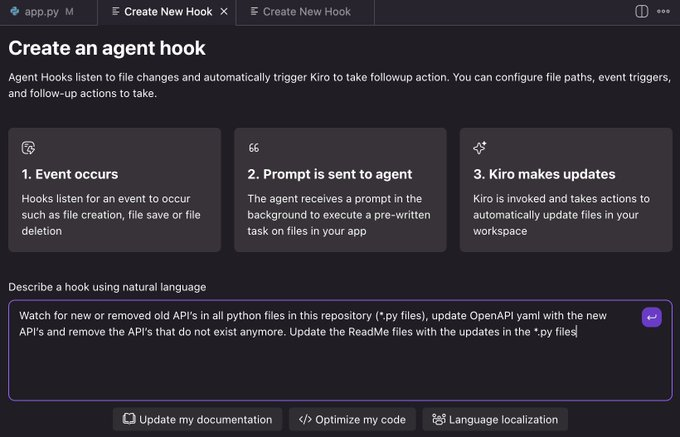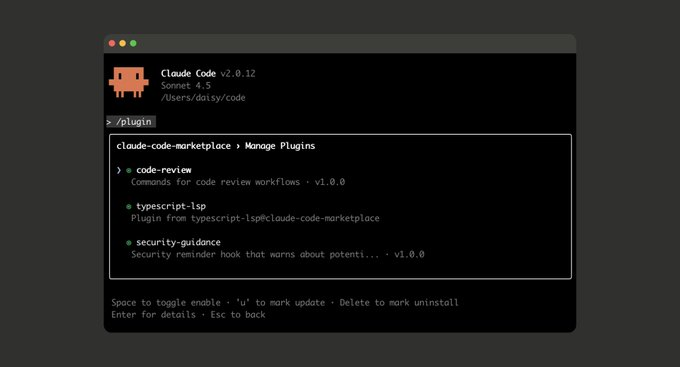
Anthropic has announced the public beta release of Claude Code Plugins, enabling users to install, share, and manage a collection of integrated functionality within their development environments. Plugins can include slash commands, agents (smart agents), MCP servers, and hooks, extending Claude Code's automation capabilities and tooling ecosystem.
According to the official description, this plugin mechanism is designed to allow users to customize workflows in a modular manner. For example, developers can create plugins to automate code analysis, trigger custom commands, or interact with external systems. Plugins can be loaded directly within the Claude Code environment, and configurations can be shared across teams.
Claude Code currently supports integration with VS Code and JetBrains IDEs, and its plugin system runs on this framework. Anthropic reminds us that the plugin system is still in public beta, and some features may not be stable. Earlier versions of IDE plugins contained a WebSocket origin verification vulnerability, for which a security patch was released in June 2025. Users are advised to maintain the latest version to avoid risks.
Frequently Asked Questions
Q: What is the Claude Code plugin?
A: It is an extension module that can be installed in Claude Code, which integrates commands, agents, MCP servers and hooks to extend workflow and interaction capabilities.
Q: What functions can the plug-in achieve?
A: Plugins can add new commands, perform automated operations, connect to external services, or execute tasks when code events are triggered to personalize the development process.
Q: How do I install the Claude Code plugin?
A: Users can install the plugin directly in the Claude Code interface, or import it through the CLI and IDE extension modules. After installation, the plugin will automatically integrate into the existing environment.
Q: What are the limitations of the current public beta version?
A: Some features are still under development, and compatibility and security may be affected. We recommend using the latest IDE plugin versions (VS Code ≥ 1.0.24, JetBrains ≥ 0.1.9).
Q: How does the plug-in system integrate with existing IDEs?
A: The plugin system can seamlessly extend VS Code and JetBrains environments, allowing Claude Code's commands and hooks to run directly in mainstream development tools.