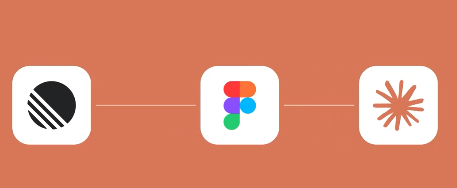
Figma's Dev Mode MCP Server allows AI and coding assistants to directly access structured design data (component hierarchy, variables/design tokens, Auto Layout rules, styles, etc.), eliminating the need for screenshot parsing. Multiple practical applications and reviews have demonstrated that Claude Code can serve as an MCP client, pulling in the context of a selected framework/component in the terminal or IDE and generating front-end code that aligns with the design system. It also allows for linking and iterating on specific designs.
Figma recently expanded its MCP capabilities to include remote access and connection to prototype code in Make. This allows AI to not only "see" visuals but also read the underlying generated code, improving fidelity. Official guidelines and reports indicate that VS Code, Cursor, Windsurf, and Claude Code have already formed an ecosystem. The Code Connect UI (Beta) further maps codebases to Figma components, shortening the design-to-implementation process. However, actual implementation still requires developer verification and fine-tuning, and complex pages may experience manageable deviations in accuracy.
Frequently Asked Questions
Q: How does Claude Code “understand” design?
A: Read structured data and variables from Figma via MCP, not just images; you can retrieve data by "selection" or "link".
Q: What are the prerequisites?
A: Enable Dev Mode MCP Server on Figma desktop; install Claude Code or other MCP-supported clients locally.
Q: Can I get production-level code directly?
A: A high-fidelity draft can be generated, but complex scenarios still require manual verification and reconstruction, which is a "developer-in-the-loop" process.
Q: Does it support remote/cross-tool calls?
A: Yes. Figma has added remote access and connectivity with Make, allowing IDEs and agents to access design context externally.
Q: What is its relationship with Code Connect UI?
A: Code Connect UI maps codebase components to Figma components, and works with MCP to improve consistency and reusability.