What should I do if I encounter the following prompt when installing software on my computer?
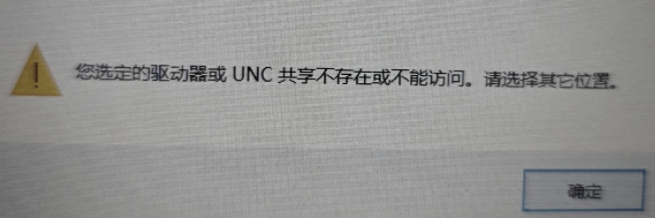
The drive or UNC share you selected does not exist or is inaccessible. Please select again.
The drive or UNC share you selected does not exist or is not accessible. Please select another location.
The drive or UNC share you selected does not exist or is not accessible. Please select another location.
reason:
This is mainly because the installed software path has changed. For example, when you installed last time, you selected drive D. This time, the computer only has one system drive, drive C. This will cause the previous path to be unusable. The default path is the path in the registry. So when you encounter this situation, you need to find the registry and delete the corresponding registry file.
Execution steps:
- Press Win+R to open the Run command box.
- Type the command in the Run command box: Regedit
- Click Yes in the pop-up window and you will see the registry editor
- Open the path HKEY_CURRENT_USER\SOFTWARE\Microsoft\Windows\CurrentVersion\Uninstall
- Uninstall. Find the registry file under this file to see which file is the registry of the software you installed. Just delete the folder (Uninstall/xxx). It is not a single file on the right after clicking, but the entire folder.
- Delete and reinstall