Stable Diffusion Online is an online AI image generation platform based on SDXL. It supports text generation, ControlNet and image magnification, and can be used immediately without any installation.
1. Who is Stable Diffusion Online suitable for?
- E-commerce sellers and brand operations
Frequent new releases and inconsistent styles between cutouts and main images. Stable Diffusion Online provides high-definition generation and transparent background export for quick visual unification.
- Self-media and short video team
Daily updates are stressful and materials are scattered. Use "prompt words + preset sizes" to batch produce covers and posters with a stable style, no graphics card required.
- Designers and freelance creators
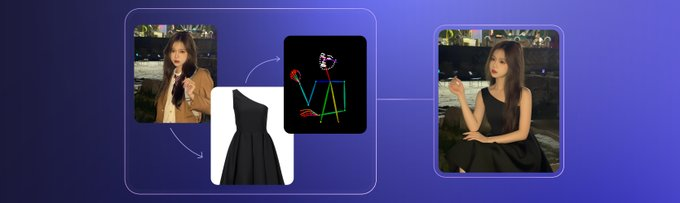
There are many concept drafts and frequent revisions. Combine ControlNet with negative words to lock in the pose/composition and reduce back-and-forth communication.
2. What problems does Stable Diffusion Online solve?
- High barriers to entry make it difficult to get started
It can be used on the web page without the need for local deployment or plug-ins; preset models and parameters reduce the learning curve.
- Long process leads to low efficiency
Built-in magnification, watermark-free export, and commercial licensing options allow you to complete all the steps from production to finalized film.
- Unstable style
Through SDXL and control conditions, the lighting and layout can be fixed to facilitate the reproduction of the same style of images.
3. Detailed explanation of how to use Stable Diffusion Online
- Basic preparation
How to get it: Visit the official website to register and log in; free and paid plans are available; it can be run on modern browsers.
- Quick Start
Go to "Text to Image" → Select SDXL → Enter "Subject + Scene + Style + Lighting + Lens" in the prompt area → Set the size and number of steps → Generate a comparison → Export to PNG/JPG. If you need a controllable structure, go to "ControlNet", upload the pose/sketch, select the corresponding control model, and then generate it.
- Practical skills
Use prompts to put key information in front (e.g., "e-commerce main image with white background, product close-up, three-point lighting"); exclude "distortion, finger error, text noise" as negative words; save commonly used parameters as presets; prioritize transparent PNG for e-commerce images, and use "Upscale" if details are insufficient.
4. Stable Diffusion Online Practical Application Cases
- New series pictures on the store
Background: Multiple colors of the same style need to have a unified main image.
Process: Fix prompt words and light ratio → ControlNet lock placement → Batch generation → Transparent PNG export.
Effect: The uniformity of the main image is improved, and the production time is reduced to one-third of the original.
- Holiday social media posters
Background: It is troublesome to adapt to multiple platform sizes.
Process: Generate horizontal version → copy to vertical version and square version → fine-tune the text and white space → export uniformly.
Effect: One-click multi-terminal adaptation, continuous sending without rework.
- Concept Proposal Version 3
Background: The client requested realistic/illustration/cyber style.
Process: Same subject, switch style words and light and shadow settings → produce 4 pictures each → select and synthesize.
Effect: Determine the direction in the first round and reduce rework.
5. Stable Diffusion Online FAQ
Q: What are the core features of Stable Diffusion Online?
A: Stable Diffusion Online provides SDXL text generation, ControlNet conditional control, image magnification, watermark-free export, and commercial licensing options.
Q: What can the free version of Stable Diffusion Online do?
A: The free version can generate a limited number of images per day, which is suitable for getting started and small-batch creation.
Q: What are the key steps in using Stable Diffusion Online?
A: Write prompt words according to "subject + scene + style + light and shadow + lens", and superimpose negative words and ControlNet when necessary.
Q: Is Stable Diffusion Online suitable for e-commerce?
A: Yes. It can generate high-definition main images, detail images and transparent background composite images to unify the store style.
Q: How does Stable Diffusion Online compare to on-premises deployments?
A: No graphics card or environment configuration is required, and it can be generated online at any time. For in-depth customization, local workflow is still more flexible.