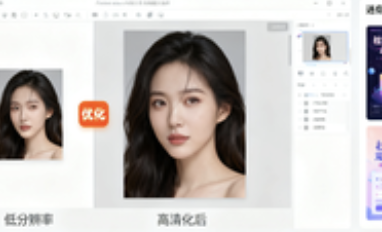
Fotor is an online photo editing and graphic design platform, integrating AI-powered photo editing, background removal, batch processing, and a vast library of templates. For e-commerce, social media operations, and small teams, lacking Fotor often struggles with slow editing, design challenges, and a plethora of resources, hindering productivity.
1. Who is Fotor suitable for?
- E-commerce sellers and small brands
Product images need to be enhanced, cropped, or have their backgrounds changed. Fotor's AI enhancement and AI background removal can handle this with one click, allowing you to quickly create key images and posters with e-commerce templates.
- Self-media and social operations
Daily updates can be stressful and lead to inconsistent styles. Fotor offers thousands of templates and font elements. Drag and drop to unify your visuals and significantly speed things up.
- Photography beginners and part-time photo editing
Even if you don't know how to use Photoshop but want to improve image quality, Fotor's AI-powered sharpening, deblurring, and spot removal tools are easy to use and will give you usable images in seconds.
2. What problems can Fotor solve?
- The threshold for photo editing is high
Traditional software has a steep learning curve. Fotor reduces this learning curve with one-click tools like AI-powered automatic enhancement, de-cluttering, and skin smoothing.
- The process is time-consuming
Repeating multiple operations on multiple images is tedious. Fotor batch editing supports cropping, compression, watermarking, and format conversion all at once, significantly shortening the process.
- Design resources are dispersed
Find templates and materials that are fragmented. Fotor has built-in templates and element libraries for multiple scenarios, such as social media, e-commerce, and documents, to unify your output style.
3. Detailed explanation of how to use Fotor
- Basic preparation
How to get it: Visit Fotor's official website or download the Windows/Mac and mobile apps. Free and Pro/Pro+ plans are available. Register your email address and log in.
- Quick Start
Go to "Photo Edit" to upload an image → Click "AI Enhance/Background Remove/Object Remove" and other one-click tools → Adjust the lighting, color, and clarity in the right panel → Export as a PNG/JPG or transparent PNG. For posters, select a social media or e-commerce size in "Templates" and replace the image and text.
- Practical skills
The batch processing portal allows you to upload multiple images at once, crop, compress, and watermark them uniformly; e-commerce images can be exported with transparent backgrounds for easier coordination; commonly used settings can be saved as "recipes" for more efficient repeated use.
4. Fotor practical application cases
- New main picture on the store
Background: There are many new products and the cutting process is slow.
Process: Batch upload → AI background removal → Change to solid color or scene template → Add selling points → Transparent PNG export.
Effect: The time for creating new images is reduced from half a day to one hour.
- Social Media Holiday Posters
Background: Operations require festive materials.
Process: Select a holiday theme from the template library → Replace brand colors and slogans → Adapt to different platform sizes with one click.
Effect: Visual unity, drawing output speed increased several times.
- Product detail repair
Background: Slight blur and blemishes on the sample.
Process: AI clarity and spot removal → fine-tuning of contrast and sharpening → export to HD.
Effect: The image quality is significantly improved and the conversion rate is more stable.
5. Fotor FAQ
Q: What are the core functions of Fotor?
A: Fotor provides AI photo enhancement, background removal, object removal, batch editing, design templates, and generative AI.
Q: Is the free version of Fotor sufficient?
A: The free version of Fotor can meet the basic needs of photo editing and some templates; advanced functions and high-definition watermark-free export are more complete in Pro/Pro+.
Q: How to batch edit images in Fotor?
A: Upload multiple pictures in "Batch Edit" and perform operations such as cropping, compression, watermarking, and format conversion on them.
Q:Which platforms are suitable for Fotor to produce images?
A: Fotor has built-in templates for e-commerce main pictures, social media covers and posts, document posters, etc., and the size can be adapted with one click.
Q: Any suggestions for exporting from Fotor?
A: E-commerce composite images should use PNG or transparent PNG, and social media images should use high-quality JPG. If printing is required, high-resolution export can be selected.