Stable Diffusion 3.5 is Stability AI's latest text-to-image model. It can understand more complex prompts and generate high-quality, multi-subject, and high-resolution images. Users can use it through the Stable Image website, the Stable Assistant conversational interface, or the API. For content managers, e-commerce developers, designers, and educators, it can quickly transform creative ideas into visual assets, significantly reducing costs and time.
I. Who is Stable Diffusion 3.5 Suitable for?
- Content managers and new media editors
Scenario: Daily social media updates and event promotions require a large number of images.
Problem: Traditional image search is inefficient and poses copyright risks.
Solution: Stable Diffusion 3.5 can quickly generate multiple poster versions and iterate repeatedly within the same conversation.
- E-commerce brands and small and medium-sized enterprise design teams
Scenario: New product launches and frequent promotions.
Problem: Limited budgets and slow communication with outsourced design teams.
Solution: Use Stable Diffusion 3.5 to generate unified product and advertising images, improving efficiency.
- Education and Training Instructors
Scenario: Courseware and teaching materials require intuitive diagrams.
Problem: Manual drawing and finding materials are time-consuming.
Solution: Stable Diffusion 3.5 can quickly generate teaching diagrams with a consistent style based on knowledge points.
II. What Problems Does Stable Diffusion 3.5 Solve?
- Slow Creative Implementation
Symptom: Multiple rounds of communication and waiting required from concept to finished image.
Solution: Use the "Subjective + Style + Purpose + Details" prompts to quickly generate drafts and iterate.
- Inconsistent Style
Cause: Disparate sources of materials and inconsistent visual styles.
Solution: Fixed color schemes and style descriptions within the same thread to create a unified brand visual.
- Cost and Compliance Risks
Problem: Purchasing or outsourcing assets is expensive, and copyright is unclear.
Solution: Stable Diffusion 3.5 generates original images, which can be used commercially within the permitted scope.
III. Detailed Instructions for Using Stable Diffusion 3.5
- Basic Preparation
- Access: Access through the Stable Assistant, the Stable Image website, or the API.
- System Requirements: A modern browser or mobile device.
- Registration Process: Create an account on the Stability platform and choose a free, pay-as-you-go, or enterprise plan.
- Getting Started
- Define your desired scenario (e.g., e-commerce header image, event poster).
- Input Prompts: Include subject, style, camera language, and color scheme.
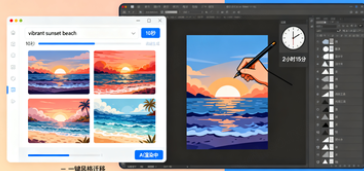
- Generate your first batch of images and request modifications within the same dialog, such as "maintain composition, adjust lighting and shadows." Confirm your satisfaction with the version and export the high-definition image. 3. Practical Tips: Improve efficiency: Incorporate brand colors, font styles, and material keywords into a fixed template. Avoid issues: Avoid entering names of public figures or protected IP; use eras or styles instead. Advanced Tips: Choose Turbo/Flash templates for quick draft generation, and Large/Medium templates for high quality. 4. Stable Diffusion 3.5 Practical Application Examples 1. Event Poster Design Background: The visual design for the registration page must be completed within 48 hours. Action: Enter "Summer Market + Neon Retro + Horizontal Layout + Highlight Date and Location," and make three rounds of font and color adjustments. Results: Final design completed in 2 hours, improving design efficiency.
- E-commerce Detail Page Header Image
Background: New headphones are being released, and a unified header image is needed.
Operation: Enter "minimalist black and white + metallic texture + prominent noise reduction function," and iterate on lighting and composition.
Result: Quickly generate high-quality images, reducing outsourcing costs.
- Teaching Courseware Illustrations
Background: Explain the solar system.
Operation: Enter "cartoon style + popular science illustrations + clear annotations," and modify the color scheme and text as needed.
Result: Complete a complete set of courseware illustrations in 10 minutes.
5. Stable Diffusion 3.5 FAQ
Q: How can I use Stable Diffusion 3.5?
A: Supports Stable Assistant, Stable Image web version, and API interface.
Q: What is the pricing model for Stable Diffusion 3.5?
A: We use a credits billing model, with different models and resolutions consuming different amounts.
Q: Can the generated images be used commercially?
A: Within the scope of the Stability AI license, the generated images can be used for commercial purposes.
Q: How do I choose between different model versions?
A: For fast generation, choose Turbo/Flash; for high-precision requirements, choose Large/Medium.