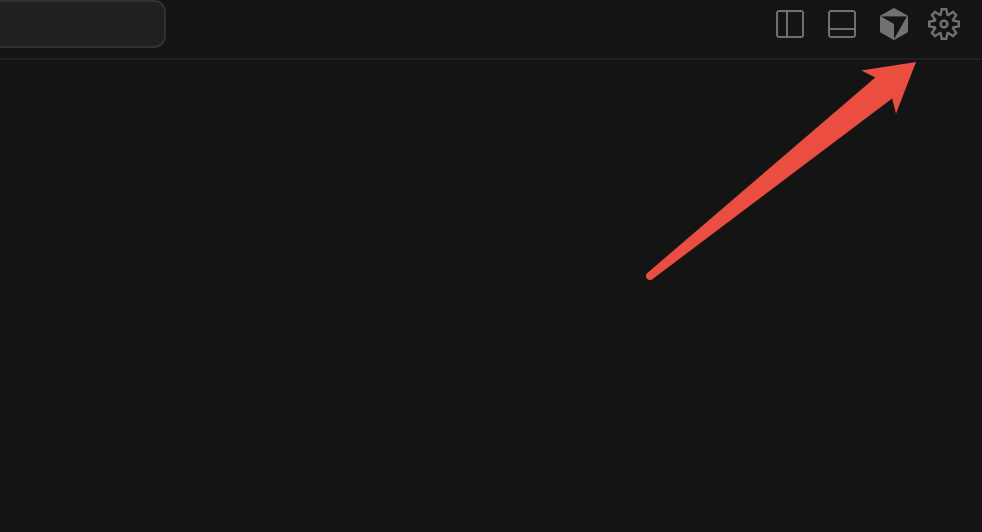
How do I move the Codex extension to the right side of the Cursor IDE if I have the Codex extension installed? How does the Cursor extension move to the right? How does Codex move to the right? How do I move the Codex extension to the right sidebar display? In fact, it is very simple, and only the following three steps are needed to achieve it.
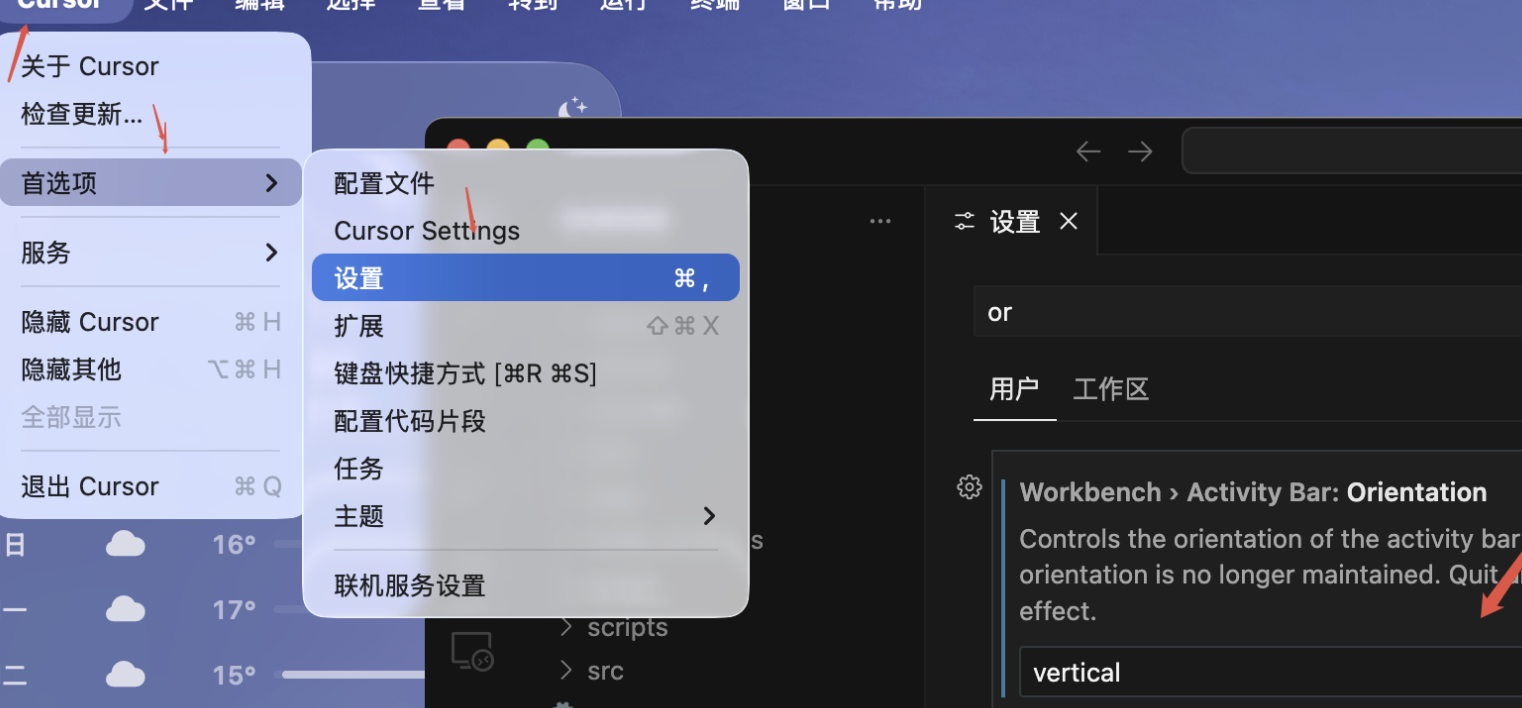
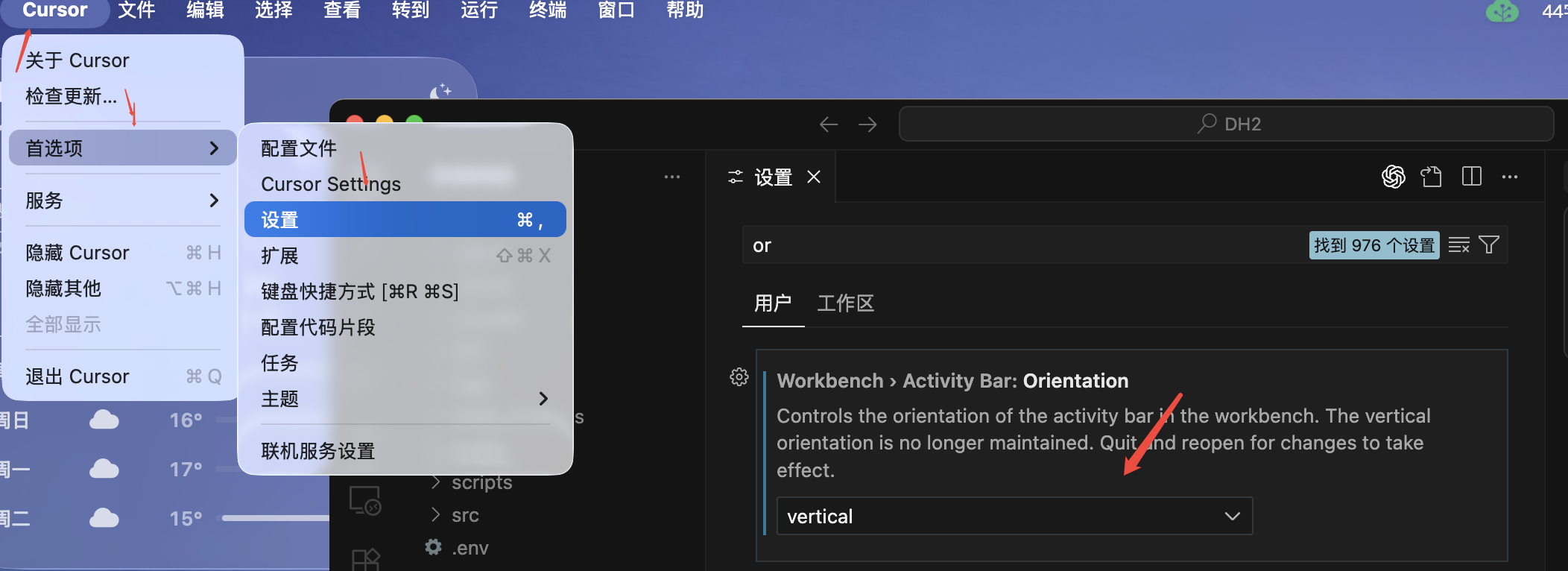
Setup path: Cursor - Preferences - Settings - Find Workbench › Activity Bar: Orientation - Select vertical - Restart - Drag and drop to the right
Step 1:
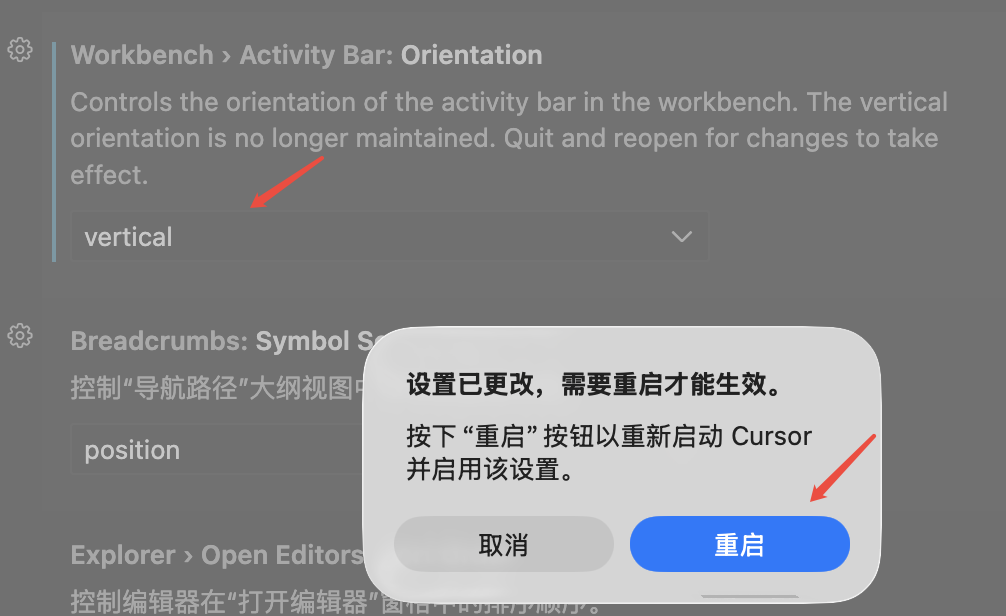
Cursor - Preferences - Settings - Find Workbench › Activity Bar: Orientation - Select vertical
Step 2: Restart
the 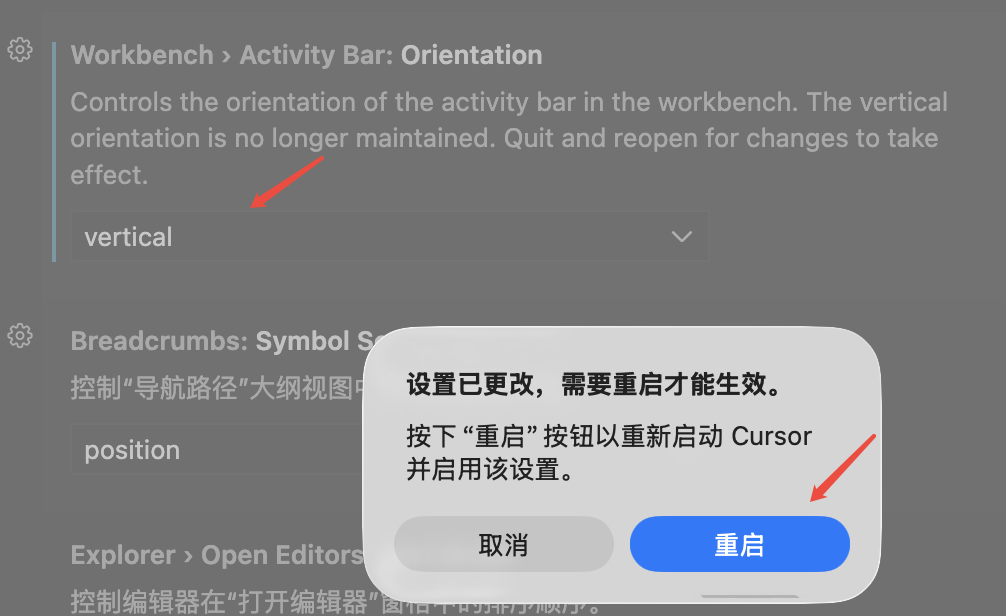
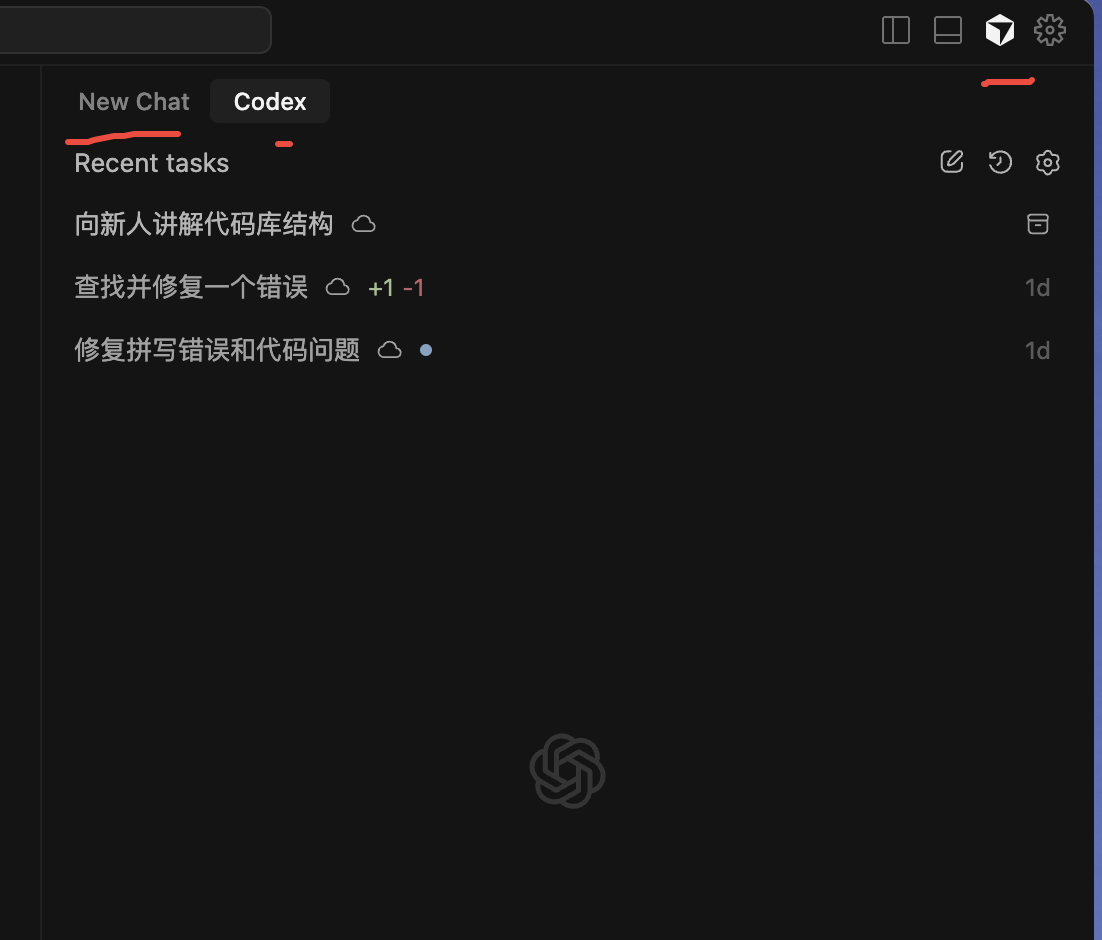
Step 3: Drag and drop with the mouse to the right
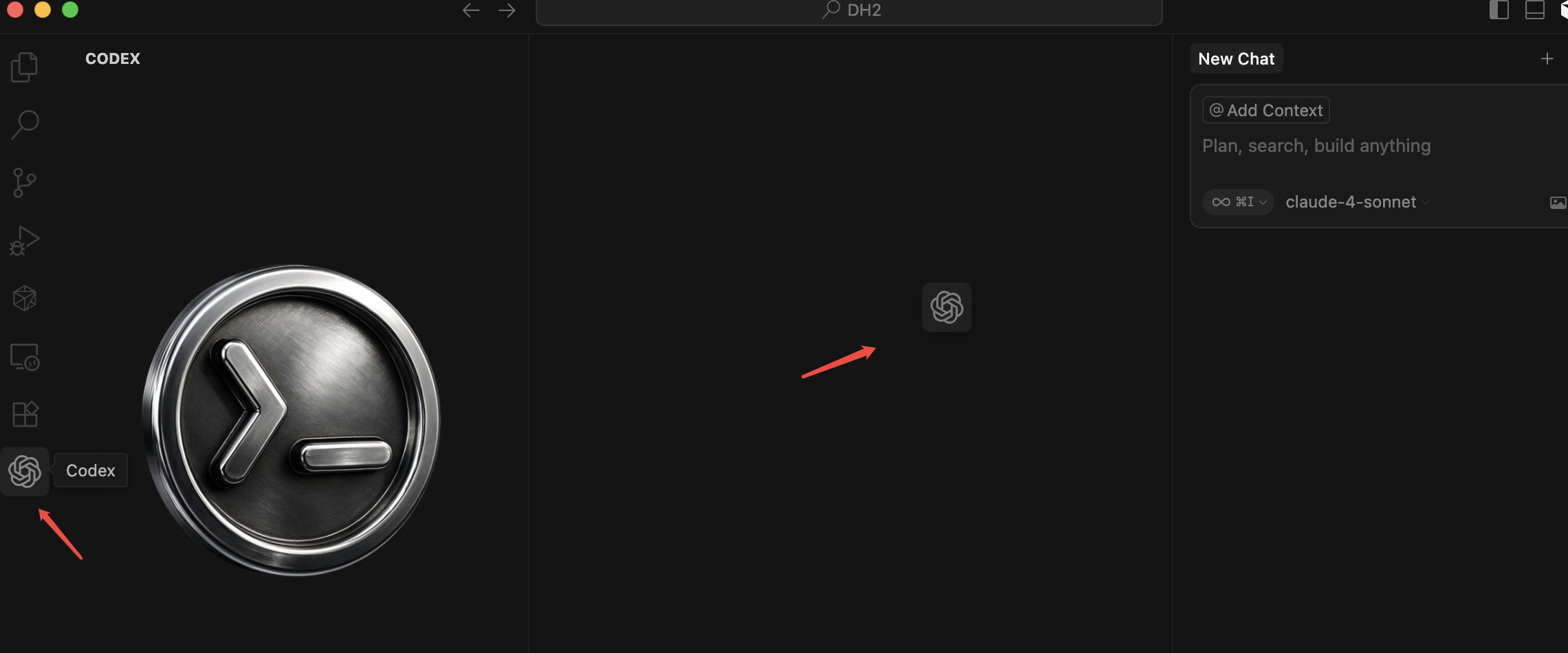
GPT-5-Codex works faster through easy tasks and harder on complex tasks, improves on code quality, and is more steerable with AGENTS.md. Learn more.
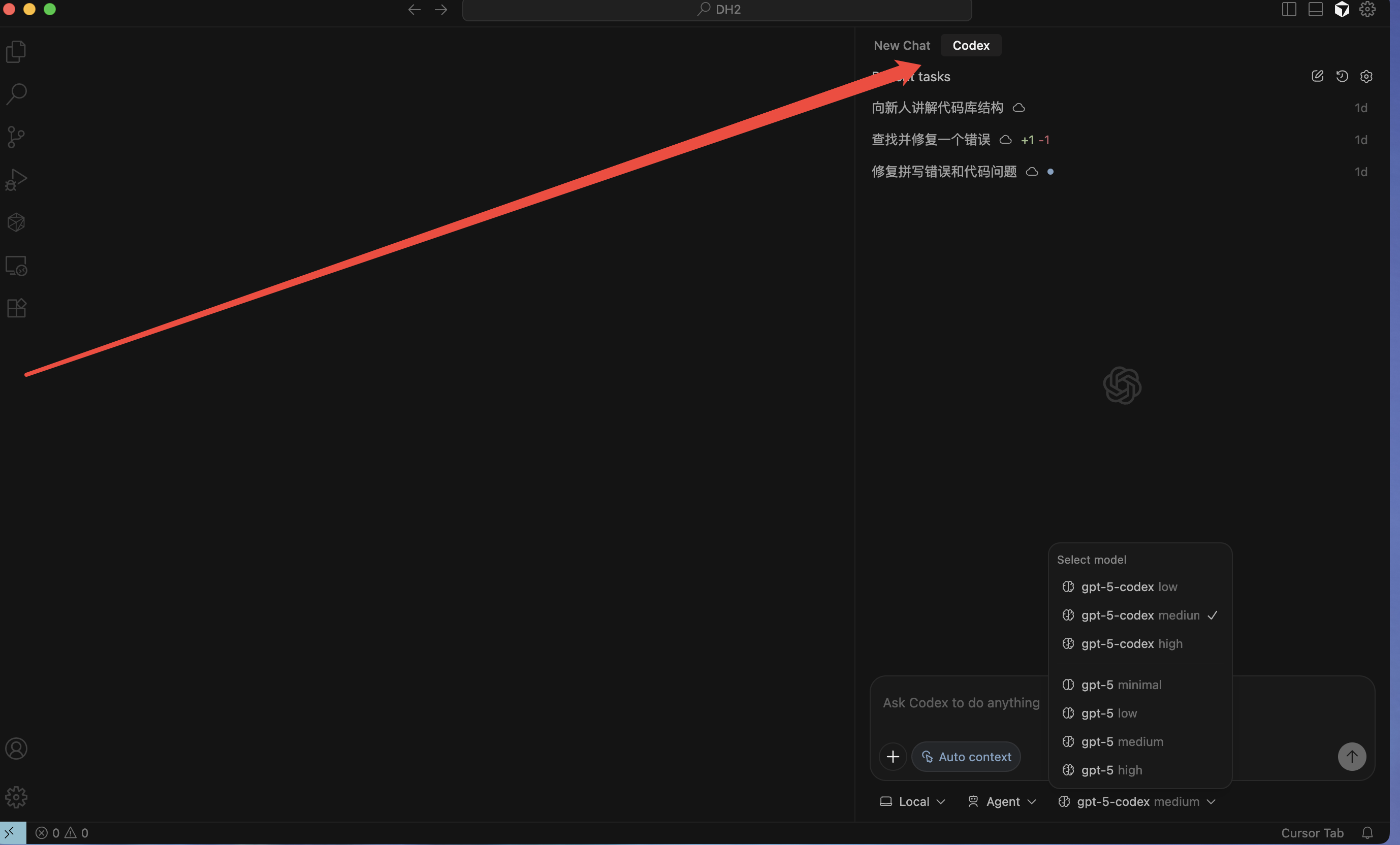
if you click Close and it doesn't show up, you can click on the Ai conversation in the upper right corner, and the two will appear
at the same time