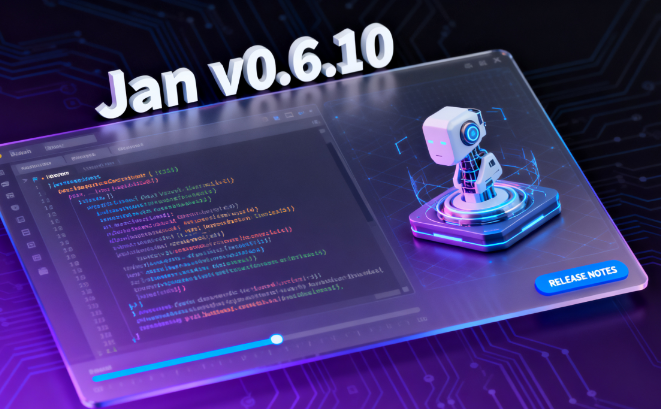
Jan's local AI tool has released v0.6.10: support for importing visual models, experimental automatic tuning of llama.cpp, and fixes for issues with image attachments, copy-and-paste, and API key visibility. This single update covers the core experiences of authoring, searching, and local private deployment. What's New in This Update? 1. Importing Visual Models: Running Multimodally Locally Jan can now import visual models, allowing AI to perform image understanding, screenshot parsing, and table recognition locally. Combined with text models, it creates a private "see image + explain" experience, balancing speed and privacy. 2. Automatic Tuning of llama.cpp: Better Understanding Your Machine New experimental settings automatically adjust parameters like quantization and threading based on hardware, reducing manual tuning costs and achieving more stable inference throughput on most devices.
3. Stability Fixes: Common Minor Bugs Addressed
Image attachments, copy errors, and API key display issues have been fixed, reducing work interruptions and misoperations, and improving usability during team sharing and presentations.
II. Implementation Scenarios and Best Practices
1. Personal Efficiency: Screenshot → Understand → Output
After importing the visual model, Jan can convert screenshots into bullet points and step lists, perfect for product reviews, report verification, and form entry.
2. Team Collaboration: Local Multimodality with No Leakage
Use local models to process images and documents in the intranet environment, keeping sensitive information on the device. Automatic tuning allows for out-of-the-box use across different hardware, minimizing environmental differences.
3. Engineering and Data Workflow: Lightweight and Reusable
(1) Templating: Encapsulate "read image - extract - summarize" into a process
(2) Batch processing: Parse screenshots and scans in batches using a directory
(3) Quality Inspection: Sample comparison of OCR/table fields, write-back correction
a. Performance Recommendations
First run a baseline with automatic optimization, then fine-tune threads and quantization based on model size.
b. Storage Recommendations
Enable block caching and historical sessions, reuse features and reduce repeated computations.
c. Security Recommendations
Grant only necessary permissions to the API key, rotate it regularly, and enable logging.
III. Upgrade and Troubleshooting Checklist
1. Upgrade Steps
Back up the session and model directories → Update Jan → Enable experimental auto-tuning → Import the vision model and run the examples.
2. FAQ
Reduce the quantization bit width and concurrency if video memory is insufficient; check the resolution and format if images fail to parse; copy anomalies have been fixed in this version; if anomalies persist, reset the cache.
3. Evaluation Metrics
Consider throughput, first word latency, parsing accuracy, and manual rework rate to determine whether further parameter adjustments are necessary.
Frequently Asked Questions (Q&A)
Q: How do I import a vision model and enable local multimodality in Jan?
A: Add the visual model file or warehouse path in the settings and select the corresponding inference backend to incorporate "image input + text output" into the same conversation process.
Q: Will the automatically tuned llama.cpp overwrite my manual parameters?
A: The default experimental configuration gives recommended parameters, which can be overridden in the advanced settings. It is recommended to use automatic tuning to run a baseline first, and then fine-tune the threads and quantization level.
Q: What issues that affect the user experience are fixed in this version?
A: The main fixes include image attachment failures, copy and paste exceptions, and API Key visibility. After the update, the relevant scenarios are more stable and suitable for demonstrations and collaboration.
Q: Can older machines run the visual model smoothly?
A: You can start with a small-sized or higher-quantized visual model and enable automatic tuning and resolution limiting. If necessary, adopt a two-stage parsing method of "scaling first and then refining."